Grasp: An Overview
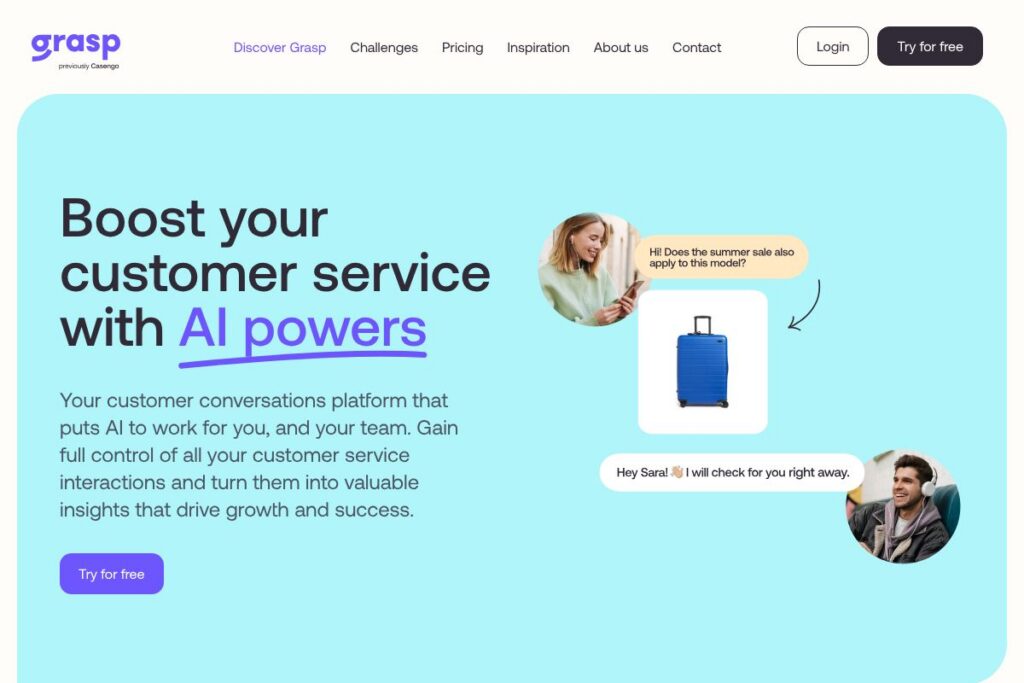
Grasp centralizes customer contact points across mail, phone, chat, and social channels into one persistent timeline so support teams can see the full story for each customer. The platform uses AI to summarize contact history and highlight next-best actions, which reduces repeated questions and speeds up resolution.
Compared with Zendesk, Intercom, and Freshdesk, Grasp places more emphasis on building a unified chronological story of contact moments rather than separating conversations by channel. Zendesk provides a broad service desk with many add-ons, Intercom focuses on live chat and product messaging, and Freshdesk targets straightforward ticketing workflows; Grasp’s differentiator is the timeline-first view combined with AI-driven needs mapping.
All of this makes Grasp particularly well suited for small to midsize customer service teams that handle requests across many channels and want to reduce redundant handoffs. Teams that need a single-threaded history and AI suggestions for outreach will find Grasp helpful for improving first-contact resolution and proactive support.
How Grasp Works
Grasp ingests messages from email, telephony, chat widgets, and social inboxes and aligns them on a single timeline per customer. Each contact moment is timestamped, categorized, and summarized so agents can read a concise story rather than hunting through separate systems.
AI processes the timeline to extract intent signals and suggested next steps, enabling proactive messages or assignment rules to kick in. In practice, teams route incoming items to agents, view the timeline to understand context, and use AI summaries to prepare replies or escalate when required.
Grasp can be deployed alongside existing help desks or used as the primary customer interaction layer; integrations map external tickets and CRM records back into the unified timeline so data stays consistent across systems.
What does Grasp do?
Grasp organizes multi-channel customer interactions into one timeline and adds AI-based summaries, intent mapping, and proactive outreach controls. Core capabilities include channel ingestion, timeline assembly, automated summarization, and workflow routing. The platform emphasizes reducing repeated customer explanations and surfacing opportunities for helpful, proactive outreach.
Let’s talk Grasp’s Features
Unified Conversation Timeline
All incoming contact moments are stored on one timeline per customer so support agents can read a chronological history at a glance. This reduces the need for customers to repeat information and improves handoffs between agents.
Multi-channel Ingestion
Grasp collects messages from email, phone systems, chat widgets, and social media and normalizes them into a consistent record format. The unified ingestion helps teams maintain visibility across channels without switching tools.
AI-Powered Summaries
Automatic summarization condenses long conversation threads into short, actionable overviews that save agent time. Summaries make it faster to triage tickets and provide context when handing issues between agents.
Proactive Insights and Needs Mapping
The platform analyzes timelines to detect trends, common issues, and moments where proactive outreach matters. Teams can use these insights to start conversations about likely customer needs before they escalate.
Routing and Collaboration Tools
Grasp supports rules-based routing, agent assignment, and shared notes so teams can collaborate directly on the timeline. Built-in escalation paths and tagging help enforce SLAs and reduce duplicated work.
Reporting and Activity Tracking
Basic analytics show volume by channel, first response times, and recurrent issue categories so teams can prioritize improvements. Reports help identify which channels drive the most contact moments and where automation will have the greatest effect.
Grasp’s biggest benefit is the combination of unified timeline visibility with AI that converts past interactions into practical next steps, enabling faster, more personalized responses without asking customers to tell their story twice.
Grasp pricing
Grasp uses a subscription model with flexible plans tailored to business size and channel needs, and it offers a short trial period to evaluate the platform. Specific plan tiers or per-user rates are not published in this directory entry, as Grasp provides customized quotes for many customers.
For up-to-date details and to request a tailored quote, check Grasp’s current pricing options on the official Grasp site: the Grasp pricing page.
What is Grasp Used For?
Grasp is used to consolidate customer communications into a single history so support teams can resolve issues faster and avoid repeat explanations. It is particularly useful for organizations that receive high volume across multiple channels and need consistent context for each customer interaction.
Typical use cases include customer support teams that want to improve first-contact resolution, product teams tracking recurring issues, and account managers who need to see the full relationship history before outreach. The timeline approach also supports compliance and audit needs by preserving a unified record of interactions.
Pros and cons of Grasp
Pros
- Unified timeline: Provides a single chronological view of all contact moments, reducing the need for customers to repeat information and improving handoffs between agents.
- AI summaries and insights: Automatically condenses lengthy threads into actionable summaries and surfaces likely customer needs, saving agent time and enabling proactive outreach.
- Multi-channel coverage: Ingests email, phone, chat, and social messages so teams maintain visibility across every common customer touchpoint.
Cons
- Custom pricing model: Because Grasp frequently offers tailored quotes, smaller teams may need to contact sales to get exact costs rather than seeing public per-agent pricing.
- Integration setup: Depending on existing systems, integrating telephony or niche social channels may require configuration or help from technical staff.
Does Grasp Offer a Free Trial?
Grasp offers a 14-day free trial that provides access to multi-channel ingestion, timeline views, and AI summarization so teams can evaluate impact before purchasing. The trial supports continuous English language usage and allows teams to test routing and collaboration features.
Grasp API and Integrations
Grasp exposes APIs and connectors for common workflows and can synchronize customer records with external systems; consult the API documentation for endpoint details and authentication. Available connectors commonly include CRM sync, ticket import/export, and webhook support for automation.
Key built-in integrations typically cover tools such as Slack, Zendesk, Salesforce, Microsoft Teams, and HubSpot, allowing Grasp to fit into existing support stacks and push timeline updates back to other platforms. Review the integration list to see supported connectors and integration guides.
10 Grasp alternatives
Paid alternatives to Grasp
- Zendesk — A mature customer service platform with ticketing, multichannel support, and an extensive app marketplace for integrations. Zendesk focuses on modular add-ons and enterprise-scale deployments.
- Intercom — Combines live chat, product messaging, and a customer data layer for conversational support and marketing automation. It excels at in-product messaging and bots.
- Freshdesk — Ticketing-focused help desk with omnichannel capabilities and straightforward agent workflows for small to midsize teams.
- Help Scout — Email-first help desk with shared inboxes and a focus on human-centered customer support for SMBs.
- Zoho Desk — Part of the Zoho suite, offering multichannel ticketing, automation, and analytics with integrated CRM options.
- Front — Shared inbox and collaboration platform that treats email and messaging as a team workspace with automation and routing.
- Kustomer — Timeline-centric CRM and support platform built around customer relationship context and automation.
Open source alternatives to Grasp
- Zammad — Open source help desk with email, chat, and ticketing capabilities that teams can self-host and customize.
- Chatwoot — Open source customer engagement suite for multi-channel inboxes, live chat, and automation suitable for self-hosting or managed plans.
- osTicket — Lightweight open source ticketing system focused on email-based support workflows and basic multichannel handling.
- Helpy — Open source helpdesk focused on knowledge base and ticketing with self-hosting options for teams wanting full control.
Frequently asked questions about Grasp
What channels does Grasp support?
Grasp supports email, phone, chat widgets, and social channels. The platform ingests messages from those channels and aligns them into a single timeline per customer.
Does Grasp offer an API for automation?
Yes, Grasp provides an API for developers. The API documentation describes endpoints for timeline updates, webhooks, and authentication.
How long is the Grasp trial period?
Grasp provides a 14-day free trial. The trial includes multi-channel ingestion, timeline access, and AI summarization so teams can evaluate the platform.
Can Grasp integrate with CRMs like Salesforce?
Yes, Grasp integrates with major CRMs and support tools. Common integrations include Salesforce, HubSpot, and ticketing systems to keep records synchronized.
Who is Grasp best suited for?
Grasp is best for support teams handling multi-channel volume who need a unified customer history. Teams that want to reduce repeated explanations and enable proactive outreach will see the most benefit.
Final verdict: Grasp
Grasp excels at consolidating customer contact moments into a single timeline and applying AI to summarize history and suggest next steps. That combination reduces repetitive questioning and helps teams act proactively, which is especially valuable for organizations juggling email, phone, chat, and social inquiries.
Compared with Zendesk, which publishes tiered plans and focuses on a modular help desk approach, Grasp prioritizes a timeline-first user experience and AI-driven needs mapping and typically issues custom pricing and a 14-day trial. Organizations that need a centralized story of customer interactions and AI summaries may prefer Grasp, while teams that want out-of-the-box public pricing and a large ecosystem of marketplace apps might lean toward Zendesk.