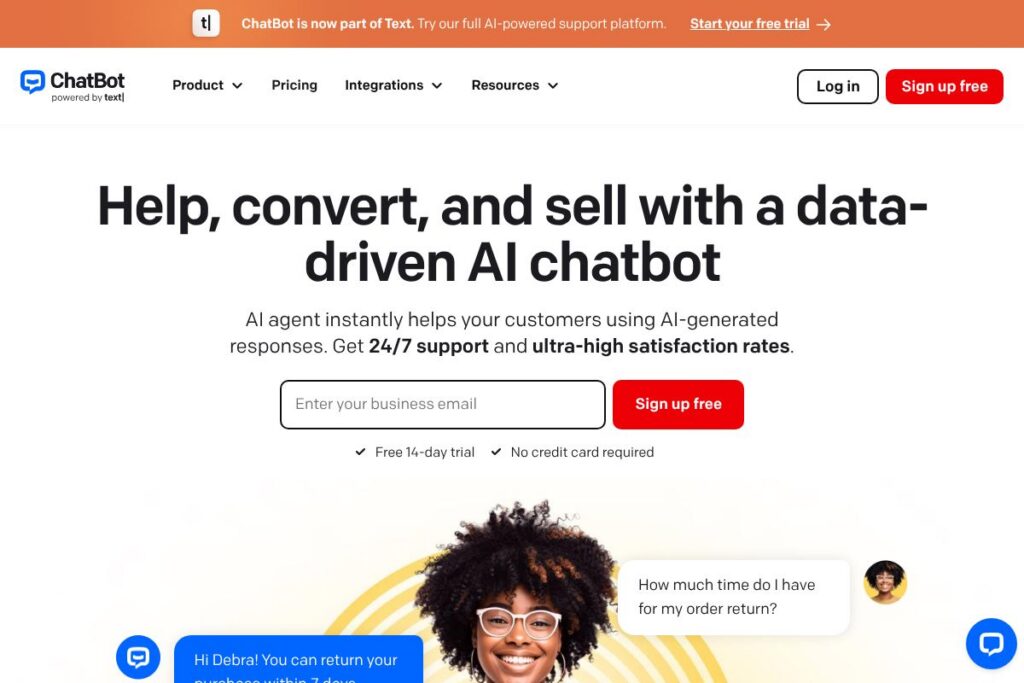
What is ChatBot
ChatBot is a conversational AI platform that builds chat agents trained on your business content to answer customer questions, recommend products, and resolve common issues automatically. The product is focused on multichannel support, so a single AI agent can work on website chat, Messenger, SMS, and other channels while sharing conversation history with your team.
Compared with Intercom, ChatBot places more emphasis on automated AI agents and rapid knowledge base ingestion, making it a practical choice for teams that want to deploy a self-service assistant quickly. Compared with Drift and Zendesk, ChatBot is pitched more toward automated sales and ecommerce use cases, with prebuilt flows for displaying offers, handling checkout hesitations, and handing off to humans for complex cases.
What ChatBot does particularly well is quickly turning existing content into a working agent that can both support customers and capture sales opportunities. It is best suited for ecommerce teams, customer support departments, and small to mid-size businesses that want a fast, multichannel chatbot deployment without building models from scratch.
How ChatBot Works
ChatBot ingests content from your website, help center, product documentation, and uploaded files to build a knowledge base for the AI agent. Once the agent has indexed your content it can answer questions with context-aware replies, keep conversation state across messages, and surface suggested products or links during the chat.
Implementation is typically a three-step workflow: create and train your first AI agent, deploy the agent on selected channels, and expand coverage by adding more sources and tuning responses. Teams often run the bot alongside human agents at first so the AI handles routine queries while human agents focus on high-value conversations.
Day-to-day use includes routing incoming messages into a shared inbox, automatic handover when escalation is required, and using analytics to tune the agent’s responses. These workflows let support and sales teams reduce repetitive work while preserving the ability to intervene manually when needed.
ChatBot features
ChatBot groups core capabilities around AI-driven replies, multichannel delivery, and tools for training and analytics. Core capabilities include automatic knowledge base creation, real-time product recommendation, seamless handover to human agents, and dashboards for conversation and revenue impact. Recent additions emphasize sales-focused automation and easier integrations with platforms like Shopify and WordPress.
AI-generated replies
The AI produces context-aware answers based on ingested content so responses match your product information and policies. This reduces generic answers and helps keep conversations on-brand while scaling support coverage across many concurrent users.
Multichannel communication
A single agent can operate across website chat, Facebook Messenger, SMS, and email so customer history is centralized in one inbox. This reduces fragmentation and gives agents a unified view of each customer conversation regardless of origin.
Advanced AI training
You can train agents using your help center, product docs, and uploaded files to refine answer quality for specific topics. Training tools let teams add rules, preferred responses, and synonyms to improve accuracy without machine learning expertise.
Sales automation and offers
The platform detects buying signals like checkout hesitation and can present targeted offers, product suggestions, or discount codes at strategic points. These flows turn support conversations into measurable revenue opportunities without manual intervention.
Handover to human agents
When a conversation requires human judgement the AI flags the interaction and hands it off to your support team while preserving context. This preserves agent efficiency and ensures complex or sensitive queries receive human attention.
Analytics and conversation insights
Built-in reporting shows chat volumes, resolution rates, and revenue attributed to bot interactions so you can measure impact. These insights help prioritize training areas and identify top-performing flows that drive conversions.
With these capabilities, ChatBot helps teams automate routine support tasks, guide shoppers to purchase, and centralize conversations across channels for faster resolution.
ChatBot pricing
ChatBot uses a subscription SaaS pricing model with a published entry price for users and the option to scale into enterprise plans. The platform advertises a starting price and a free trial period; larger teams and enterprise customers can expect custom pricing and SLAs.
Monthly Billing:
Starter – $19/user per month (includes core AI agent setup, multichannel chat, basic analytics, 14-day free trial)
Annual Billing:
Starter – Discounted annual rates are available; contact sales for annual terms and volume pricing
Enterprise
Enterprise – Custom pricing (advanced security, single sign-on, dedicated onboarding, and higher usage limits)
For current plan details and limits on AI resolutions and seats, view the current pricing options.
What is ChatBot Used For?
ChatBot is commonly used for customer service automation and ecommerce conversion. Teams deploy it to answer order status and returns questions, handle common support tasks 24/7, and reduce the load on human agents by letting the AI manage repetitive requests.
It is also used as a proactive sales assistant that engages hesitant shoppers, recommends products during conversations, and captures leads. Marketing teams use the bot on landing pages and product pages to increase conversions and collect customer information for follow-up.
Pros and cons of ChatBot
Pros
- Fast knowledge base setup: The AI can scan your website and help center to create a working agent quickly, reducing time to value and lowering setup work for non-technical teams.
- Multichannel support: A single agent works across website chat, Messenger, SMS, and email, which centralizes conversation history and simplifies team workflows.
- Sales-focused automation: Built-in flows for identifying buying signals and offering discounts help capture revenue directly from chat interactions.
- Seamless human handover: The platform preserves context on handover so agents can take over without losing conversation history.
Cons
- Per-user pricing model: Costs scale with the number of seats, which can become expensive for large support teams without enterprise negotiation.
- Customization learning curve: Deeply customizing agent behavior and advanced flows may require time and iterative tuning to get responses aligned with brand voice.
- Dependency on quality of sources: Answer accuracy depends on the quality and currency of your documentation; outdated content can reduce response relevance.
Can You Test ChatBot Before Buying?
ChatBot offers a 14-day free trial with no credit card required. The trial includes access to core features so you can connect your website, train an agent from your content, and deploy across channels to evaluate performance before committing.
ChatBot API and Integrations
ChatBot provides developer APIs and a library of integrations so you can connect the agent to commerce platforms, CRMs, and messaging channels. The API documentation explains endpoints for message handling, conversation context, and agent configuration.
Key integrations include Shopify and WordPress for quick website deployment, Facebook Messenger and SMS for messaging channels, and common help-desk platforms so conversations land in a shared inbox. Explore the integration gallery for full connectivity options.
10 ChatBot alternatives
Paid alternatives to ChatBot
- Intercom — Conversational platform with a strong focus on customer messaging, product tours, and an integrated CRM for user context.
- Drift — B2B conversational marketing platform that emphasizes account-based engagements and real-time sales routing.
- Zendesk Suite — Customer service platform with chat, ticketing, and knowledge base features integrated into a single product for support teams.
- Freshdesk — Help desk and messaging combined with automation rules and bots that plug into support workflows.
- Tidio — Live chat and chatbot platform aimed at ecommerce, with templates and multichannel support.
- ManyChat — Messaging-first automation for marketing and commerce, particularly strong on social messaging and campaign flows.
- Gorgias — Help desk optimized for ecommerce merchants with tight integrations into Shopify and commerce-focused automation.
Open source alternatives to ChatBot
- Rasa — Open source conversational AI framework for building custom dialogue systems and on-premise deployment.
- Botpress — Modular developer-focused platform that offers an extensible open source core for building chatbots.
- ChatterBot — Python library for creating conversational dialog engines, useful for lightweight, custom bots.
- Rocket.Chat — Open source communication platform with bot integrations and the ability to integrate custom chat automation.
Frequently asked questions about ChatBot
What is ChatBot used for?
ChatBot is used to automate customer support and drive ecommerce conversions. It answers customer questions, recommends products, and hands off to humans when necessary to complete complex interactions.
Can ChatBot integrate with Shopify and WordPress?
Yes, ChatBot offers direct integrations with Shopify and WordPress. These integrations make it straightforward to deploy a chat widget, sync product catalogs, and surface product recommendations during conversations.
Does ChatBot offer an API for developers?
Yes, ChatBot provides APIs for message handling and agent configuration. Developers can use the API documentation to build custom integrations and automation.
How much does ChatBot cost per user?
ChatBot starts at $19/user per month. Larger teams and enterprise customers typically qualify for custom pricing and volume discounts; consult the current pricing options for details.
Can ChatBot handle legal consent and data protection requirements?
Yes, ChatBot can be configured to collect user consent and provide links to privacy policies. The platform includes tutorials and configurable consent flows to help meet data protection and electronic communications requirements.
Final verdict: ChatBot
ChatBot is a practical choice for teams that need a fast, multichannel AI agent capable of both customer support and driving ecommerce conversions. It stands out for rapid knowledge base ingestion, sales-oriented automation, and a unified inbox that keeps AI and human agents working from the same conversation history.
Compared with Intercom, ChatBot offers a lower entry price at $19/user per month, while Intercom typically bundles messaging with CRM features and a higher overall cost for comparable feature sets. For organizations prioritizing cost-effective automated sales and 24/7 support, ChatBot provides a clear, focused option; larger enterprises that need a broader customer data platform may still prefer competitor suites.
Overall, ChatBot suits ecommerce and support teams that want a quick time to value for AI-driven chat, with the ability to scale into enterprise services when needed.