What is ChatCompose
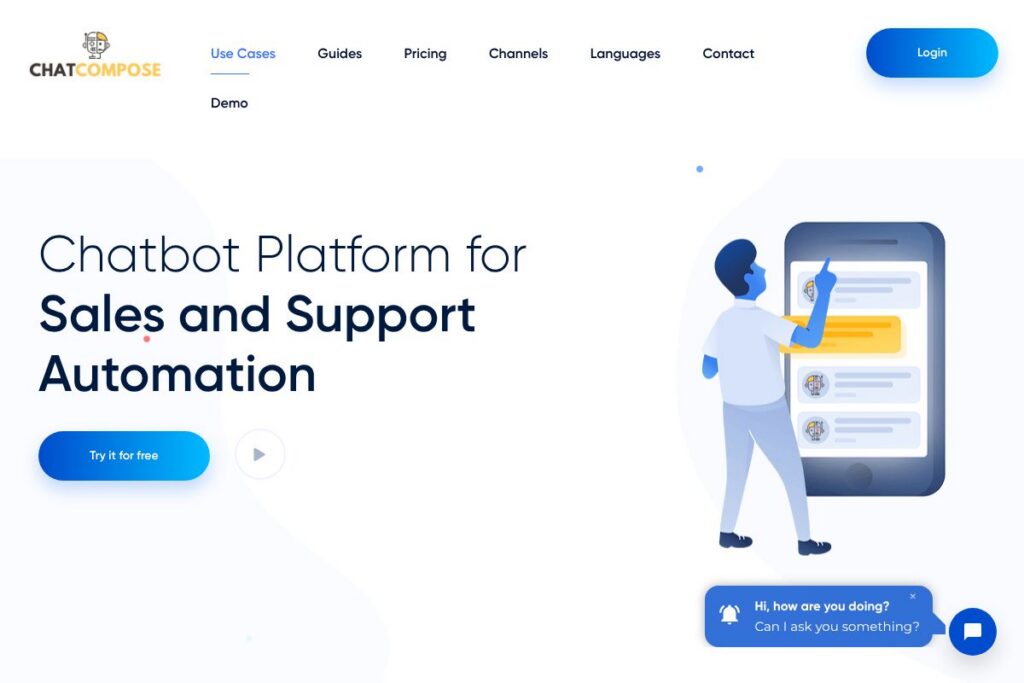
ChatCompose is an enterprise chatbot platform that helps teams design, deploy, and manage conversational agents for websites, web apps, and messaging channels. It emphasizes lead capture, scripted sales flows, automated responses to common questions, and handoff to live agents when necessary. The platform supports rich media components, booking flows, voice interactions, and telephony integration to cover a broad set of customer touchpoints.
Compared with competitor platforms, ChatCompose focuses on packaged sales scripts and appointment booking as core capabilities rather than only in-app messaging or product-led workflows. For example, Intercom emphasizes product messaging and in-app engagement while Drift targets conversational marketing with strong routing and ABM features. Platforms like ManyChat lean more toward marketing automation on social channels, which differs from ChatCompose’s enterprise-grade telephony and CRM integration focus.
ChatCompose is best suited for companies that need a configurable chatbot for continuous lead capture, scripted sales conversations, and automated support with easy deployment. Its combination of sales scripts, appointment scheduling, and voice/telephony features make it a practical option for sales and support teams that want an all-in-one conversational layer on top of web properties and messaging channels.
How ChatCompose Works
ChatCompose lets you design conversational flows using pre-packaged scripts or custom dialogs, then deploy the chatbot to a website or messaging channel by copying a short script snippet into your pages. Conversations can include text, buttons, media elements, and booking widgets to guide visitors through lead capture and conversion flows.
Runtime logic uses natural language processing and classification to match user inputs to intents, with automatic adjustments to classification parameters based on success metrics. If the bot cannot resolve a conversation, it can escalate to a human agent through the platform’s live chat interface or route the contact into an integrated CRM for follow-up.
Administrators test bots inside the control panel before publishing and monitor live conversations to intervene manually when needed. Deployment options include embedding on a site, connecting to Facebook, Telegram, Slack, and adding telephony for voice recognition and phone calls.
What does ChatCompose do?
ChatCompose centers on conversational automation that supports lead generation, sales assistance, and customer support. Core capabilities include AI and NLP-driven intent recognition, sales script templates, appointment booking, rich media components, telephony and voice, live agent handoff, and integrations with CRMs and messaging platforms. Recent platform emphasis is on pre-built sales scripts and multi-channel deployment to reduce time-to-live for conversational campaigns.
Let’s talk ChatCompose’s Features
Lead capture and automated lead delivery
ChatCompose captures visitor contact details automatically during conversations and can forward leads by email or to an integrated CRM. The bot can qualify leads with scripted questions, tag prospects by intent or product interest, and store conversation transcripts for sales follow-up.
Sales scripts and conversion flows
Pre-packaged sales scripts guide users through qualification and persuasion steps designed to increase conversions. These templates let teams deploy a proven conversational structure quickly, then customize wording and branching to match their sales process.
24/7 automated support with human handoff
The platform answers common questions automatically using text or dynamic content and can transfer the session to a human agent when escalation is required. This reduces first-response load while keeping a clear escalation path for complex issues.
Artificial intelligence and NLP
ChatCompose applies natural language processing to infer user intent and map inputs to responses, and it adapts classification thresholds based on answer success rates. This continuous adjustment helps reduce misclassification and improves response relevance over time.
Components and rich media
Bots can deliver video, HTML snippets, links, selectable options, and other interactive components to improve engagement. Rich media helps present product information, demos, or offers inline, which supports conversion and reduces friction.
Booking and appointment scheduling
Built-in reservation flows let visitors check availability and book appointments without leaving the chat window. This feature connects calendar availability to the conversational flow so businesses can reduce no-shows and streamline scheduling.
Live chat monitoring and intervention
Operators can monitor active bot conversations and take control when needed through a live chat console. This dual-mode operation keeps automated handling efficient while preserving a human fallback for complex or sensitive interactions.
Telephony and voice support
ChatCompose supports speech recognition and voice responses for phone-based interactions, enabling IVR-style flows and the option to connect chatbots to phone numbers for receiving and making calls. This extends conversational automation beyond text channels.
Simple deployment and testing
Implementing the chatbot requires only a small snippet for websites and built-in connectors for common channels, with a testing sandbox available in the admin panel. This reduces deployment friction and lets teams validate flows before going live.
CRM and third-party integrations
The platform integrates with major CRMs and customer support systems to sync leads, tickets, and conversation logs. Out-of-the-box connectors simplify workflows for sales and support teams that rely on systems like Salesforce and HubSpot.
With these capabilities, ChatCompose provides a practical conversational layer for teams focused on lead generation, bookings, and automated customer support across multiple channels.
ChatCompose pricing
ChatCompose uses a tiered subscription model with a free entry level and paid Professional and Enterprise plans. Pricing is shown for monthly billing as well as discounted annual billing options, and plans scale by number of chatbots, session limits, and included integrations.
Monthly Billing:
Free – $0.00 (1 chatbot, Sales Scripts, Partial Personalization, Live Chat and Booking System, CMS, Facebook, Slack and Telegram integration, 500 Session Limit, Non-commercial Use)
Professional – $12.00 (5 chatbots, Sales Scripts, Live Chat, Booking System, External Connection, API integration, Basic Support, Limit of 10,000 Sessions)
Enterprise – $69.00 (20 chatbots, Sales Scripts, White Label, Live Chat, Booking System, External Connection, Telephony, Preferential Support, 1 Free Phone Number, WhatsApp integration)
Annual Billing:
Free – $0 ($0 normal price, same feature set)
Professional – $93.60 ($144.00 normal price, equivalent to a discounted annual rate for the Professional tier, same features as monthly)
Enterprise – $588 ($828 normal price, equivalent to a discounted annual rate for the Enterprise tier, same features as monthly)
For a full breakdown of features by plan and any updates to rates, see the ChatCompose plans and options documentation on the vendor site.
What is ChatCompose Used For?
ChatCompose is commonly used to capture leads 24/7 on websites and messaging channels, qualify prospects with scripted dialogs, and route qualified leads to sales teams or CRMs. It is also used to automate answers to frequently asked questions, reduce support ticket volume, and provide consistent responses across channels.
Organizations use ChatCompose to handle appointment scheduling and reservations directly through chat, to add voice and IVR capabilities to conversational flows, and to embed rich media for product presentations. It suits small and medium businesses looking for an integrated conversational stack as well as larger teams needing telephony and white-label capabilities.
Pros and Cons of ChatCompose
Pros
- Fast lead capture: ChatCompose captures contact information during conversations and forwards leads by email or into CRMs so sales teams can follow up quickly.
- Packed sales scripts: The platform includes pre-built sales and conversion scripts that shorten setup time for marketing and sales teams needing guided conversations.
- Multi-channel deployment: Support for web embedding, Facebook, Slack, Telegram, WhatsApp, and telephony lets teams reach users on their preferred channels.
- Built-in booking and telephony: Native appointment scheduling and phone number integration reduce the need for separate scheduling or telephony providers.
Cons
- Advanced customization requires learning curve: Complex conversation logic and custom integrations can require technical setup or assistance, which may slow initial deployment.
- Session limits on lower tiers: Entry-level plans include session caps that can require upgrading for sites with high traffic or heavy usage patterns.
- Enterprise features behind higher tier: Telephony, white-labeling, and preferential support are reserved for Enterprise plans, which may increase total cost for larger deployments.
Does ChatCompose Offer a Free Trial?
ChatCompose offers a free plan and a free trial for paid tiers. The free plan includes 1 chatbot, sales scripts, basic personalization, live chat and booking features with a 500 session limit for non-commercial use. The Professional plan has a free trial and scales to 5 chatbots and higher session limits, while Enterprise adds telephony, white-labeling, and priority support.
ChatCompose API and Integrations
ChatCompose provides API access and connectors so bots can push leads, conversation logs, and events into external systems; common integrations include Salesforce, Zendesk, HubSpot, MailChimp, and email forwarding. See the ChatCompose integrations documentation for connector details and setup guides.
The platform also supports channel integrations with CMS platforms, Facebook Messenger, Slack, Telegram, and WhatsApp, and offers telephony hooks for voice recognition and phone call handling to extend conversational reach.
10 ChatCompose alternatives
Paid alternatives to ChatCompose
- Intercom — Conversational customer messaging platform focused on in-app engagement, product tours, and scalable help desk workflows for growth teams.
- Drift — Conversational marketing and sales platform with routing, playbooks, and features designed around account-based marketing and live chat handoff.
- ManyChat — Chat marketing platform that specializes in social messaging automation, visual flow builders, and broadcast campaigns for marketing teams.
- Zendesk Chat — Live chat and messaging product within the Zendesk suite, focused on support teams and ticketing workflows.
- Ada — AI-powered customer service automation aimed at scaling support with self-serve experiences and low-code bot building.
- LivePerson — Enterprise conversational AI with strong natural language understanding and large-scale message routing for customer service.
- Tidio — Chat and chatbot platform that combines live chat, simple automation, and a focus on small to medium e-commerce sites.
Open source alternatives to ChatCompose
- Rasa — Open source conversational AI framework for building contextual assistants with customizable NLU and dialogue management.
- Botpress — Developer-friendly open source chatbot platform with a visual flow editor and modular architecture for custom deployments.
- Microsoft Bot Framework — SDK and tools for building conversational agents that connect to multiple channels and integrate with Azure services.
- Chatwoot — Open source customer engagement suite that includes messaging inboxes and basic automation for support teams.
Frequently asked questions about ChatCompose
What is ChatCompose used for?
ChatCompose is used to build chatbots for lead capture, sales assistance, and automated customer support. Teams deploy bots on websites and messaging channels to qualify leads, answer FAQs, and schedule appointments.
Does ChatCompose integrate with CRMs like Salesforce?
Yes, ChatCompose supports integrations with major CRMs including Salesforce and HubSpot. Leads and conversation data can be forwarded to CRM records or to support platforms like Zendesk.
How much does ChatCompose cost per month?
ChatCompose provides a free plan and paid tiers starting at $12.00 per month for the Professional plan when billed monthly. Enterprise plans are available with additional capabilities such as telephony and white-labeling.
Can ChatCompose handle voice calls and IVR?
Yes, ChatCompose supports speech recognition and voice responses as well as connection to phone numbers for inbound and outbound calls. This enables IVR-style flows and phone-based conversational automation.
Is there an API for ChatCompose?
ChatCompose offers API access for pushing leads, syncing conversations, and integrating with external systems. Refer to the vendor’s integration documentation for endpoint details and examples.
Final verdict: ChatCompose
ChatCompose is a practical choice for teams that need a multi-channel chatbot focused on lead generation, appointment bookings, and end-to-end sales scripting. It combines AI-driven intent recognition with packaged sales flows and telephony options, which makes it suitable for businesses that want a single platform for web chat, messaging channels, and phone integration.
Compared with Intercom, ChatCompose is more focused on packaged sales scripts and telephony at lower entry prices; ChatCompose plans start at $12.00/month for the Professional tier, while Intercom typically targets larger budgets and emphasizes in-app messaging, product engagement, and advanced automation. For organizations prioritizing direct lead capture, booking, and phone-based flows, ChatCompose offers a cost-effective, feature-rich option that integrates with CRM systems and supports human escalation when automation reaches its limits.