What is Chatra?
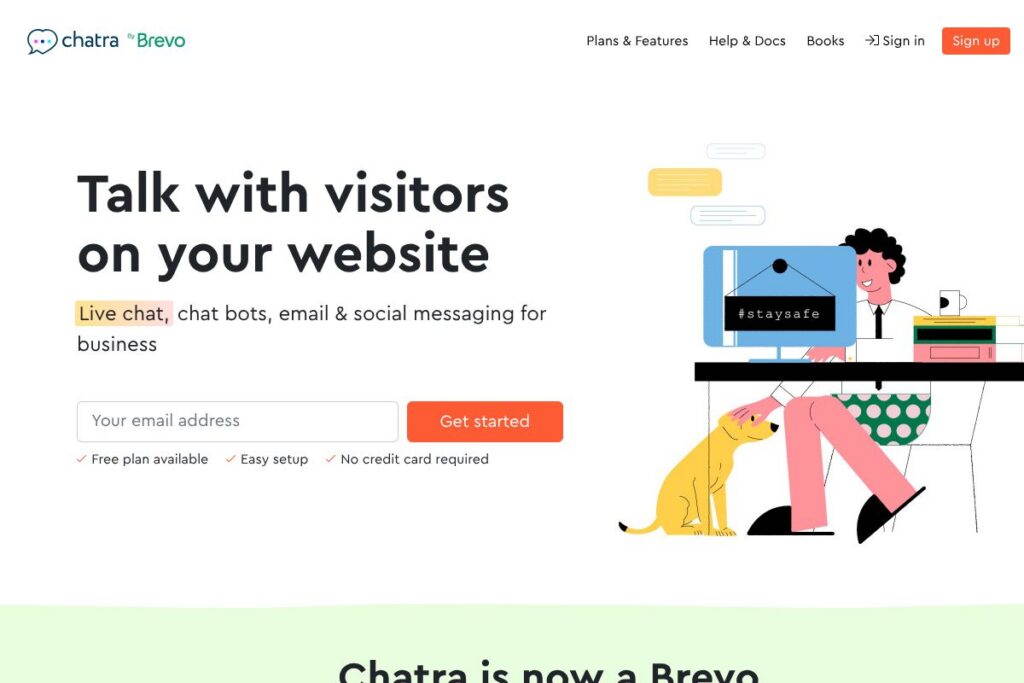
Chatra is a multichannel customer messaging platform designed to let businesses talk with website visitors in real time, handle messages at scale with bots, and manage email plus social messages from one dashboard. It focuses on live chat for websites plus messenger-style conversations that can be handled synchronously or asynchronously, which makes it practical for e-commerce teams and small support teams.
Compared with competitors like Intercom, Zendesk, and LiveChat, Chatra emphasizes straightforward setup, a persistent free plan, and a combined inbox for email and social channels. Intercom aims at product-led growth and deep automation for larger customer success teams, Zendesk provides a full-service help desk and ticketing system, and LiveChat is focused on high-volume chat features; Chatra sits between these by offering a multichannel inbox without the complexity and higher entry prices of enterprise solutions.
All of this makes Chatra especially useful for small to medium online stores and service sites that need quick installation, visitor monitoring, and channel consolidation. Its mix of live chat, chatbots, and mobile apps suits teams that need a simple, practical way to increase conversions and respond to customers across multiple channels.
How Chatra Works
Chatra installs on a website via a short JavaScript snippet or a CMS/plugin integration so the chat widget appears on visitor pages and a real-time visitor list starts populating the agent dashboard. Agents can greet visitors, view basic browsing history and location details, and switch between live chat and messenger mode to continue conversations later.
Conversations from email, Facebook, and Instagram are pulled into the same multichannel inbox so agents manage threads without switching tabs. Chatbots handle routine tasks like contact capture and FAQ routing, and mobile apps allow agents to respond on the go. For heavier workflows, the platform supports integrations and webhook connections to forward data to CRMs or automation tools.
Chatra features
Chatra centers on three capabilities: live website chat for real-time engagement, chatbots for routine data collection and basic automation, and a multichannel inbox that combines email, Facebook and Instagram messages. Recent emphasis has been on improving bot flows, mobile app parity, and making the inbox easier to use for small teams.
Live website chat
The widget displays on pages and lets agents send proactive messages based on visitor behavior or manually join a chat. Visitor monitoring shows who is on the site and recent page views, which helps agents open conversations with relevant context to increase the chance of conversion.
Multichannel inbox
Email, Facebook Business Page messages and Instagram Direct can be routed into a single dashboard so agents handle all conversations from one place. This reduces tab switching and centralizes history, making follow-ups and handoffs simpler for teams that run both sales and support from the same inbox.
Chatbots and automation
Bots capture contacts, gather consent, qualify leads, and serve multiple-choice answers to common questions to reduce agent load. They can be used to collect emails for marketing, confirm order details, or route customers to the right agent queue before a human takes over.
Visitor tracking and targeting
Real-time lists show current visitors with basic metadata such as pages visited and geographic location, enabling targeted greetings and faster responses. This data helps sales or support staff prioritize high-value sessions and personalize initial messaging.
Mobile apps and notifications
Native mobile apps let teams respond to chats and notifications away from their desks so conversations do not stall. Push notifications and messenger-style threading keep responses timely and allow smaller teams to stay responsive without a desktop-only workflow.
E-commerce and chat-focused features
Chatra includes features tailored to online stores, such as simple integrations with e-commerce platforms, in-chat order assistance, and upsell prompts to increase average order value. These tools are designed to shorten the path from question to purchase in live conversations.
With these features combined, Chatra gives teams a compact toolkit for on-site engagement, basic automation, and centralized messaging that reduces context switching and improves response speed.
Chatra pricing
Chatra uses a freemium SaaS model with a persistent free plan and paid subscription tiers for additional features and larger teams. The vendor positions the product for businesses that want an immediate no-cost option plus upgradable paid plans that unlock bots, multichannel inbox expansion, and advanced capabilities.
Monthly Billing:
Free (Personal): Free for as long as you want. Includes the basic live chat widget, messenger mode, and no credit card required to start.
Paid (Business/Team): Contact sales or check the Chatra homepage for monthly rates. Paid plans typically add chatbots, email and social messaging connectors, mobile app features, and higher limits for concurrent chats and seats.
Annual Billing:
Free (Personal): Free for as long as you want. Unchanged by billing cadence.
Paid (Business/Team Annual): Contact sales for annual pricing and discounts. Annual subscriptions often reduce per-seat cost and are suitable for teams that want predictable monthly billing and additional administrative controls.
For the latest plan details and any promotional offers, view the Chatra homepage to compare current options and to contact sales for enterprise requirements.
What is Chatra Used For?
Chatra is commonly used to convert website visitors into customers through real-time conversation and targeted messages. E-commerce teams use it to answer product questions, assist during checkout, and run simple upsell or cross-sell interactions that increase order value.
Customer support and small service businesses use Chatra to centralize incoming messages from email, Facebook and Instagram alongside live chat, letting a compact team manage sales and support without multiple systems. The platform is also useful for lead capture via bots, routing inquiries to the right person, and maintaining asynchronous conversations when immediate response is not possible.
Pros and Cons of Chatra
Pros
- Multichannel inbox: Centralizes live chat, email, Facebook and Instagram messages so agents manage all conversations in one place, reducing tab switching and missed messages.
- Easy setup and free tier: Provides a persistent free plan and a fast install path via a script or CMS plugin, which helps small teams get started without upfront cost or a credit card.
- Chatbots for routine tasks: Lets teams collect contacts, qualify visitors, and answer common questions automatically, lowering agent workload and improving lead capture rates.
- Visitor monitoring: Real-time visitor lists and browsing history give context for tailored greetings and faster, more relevant responses during live sessions.
Cons
- Limited enterprise-grade reporting: Advanced analytics and custom reporting capabilities are not as extensive as some enterprise help desk platforms, which can be a drawback for data-driven support organizations.
- Scaling to large teams requires planning: While fine for small and medium teams, very large support organizations may need custom integrations or a broader platform; integration with broader CRM and ticketing stacks is possible but may require additional setup.
- Public pricing details are limited: Plan specifics and tiered feature lists are summarized on the site, but full enterprise pricing and seat-based discounts generally require contacting sales.
Does Chatra Offer a Free Trial?
Chatra offers a free plan and does not require a credit card to start. The free tier remains available indefinitely, while paid upgrades are offered for teams that need chatbots, expanded multichannel coverage, and higher usage limits; check the Chatra homepage for trial or upgrade details.
Chatra API and Integrations
Chatra provides connectors for email, Facebook Business Pages and Instagram, and commonly integrates with e-commerce platforms and third-party automation tools to route conversations and customer data. For broader automation, teams use Zapier, webhooks, or platform-specific plugins to link Chatra to CRMs and marketing tools.
See the Chatra integrations information for a list of supported connections and instructions on how to connect the service to your existing tools. For developer-led automation, webhooks and platform SDKs are typically used to forward events to other systems.
10 Chatra alternatives
Paid alternatives to Chatra
- Intercom — A customer messaging and engagement platform with extensive automation, product tours and customer data tools suited for growth-stage companies.
- Zendesk — Enterprise-grade help desk and ticketing system that includes messaging, knowledge bases and advanced reporting for large support teams.
- LiveChat — Focused on high-performance live chat with robust routing, canned responses and agent productivity features for sales and support.
- Drift — Conversational marketing platform that emphasizes conversational landing pages, account-based marketing workflows and bot-driven qualification.
- Tidio — Live chat and chatbot platform aimed at small online stores with straightforward integrations for popular e-commerce platforms.
- Freshchat — Part of the Freshworks suite, combining messaging, bots and in-app campaigns for product and support teams.
Open source alternatives to Chatra
- Chatwoot — Open source multichannel customer engagement platform that handles social, email and chat with self-hosting and managed options.
- Rocket.Chat — Open source communication platform that can be adapted for customer messaging and internal collaboration with self-hosted control.
- LiveHelperChat — PHP-based open source live chat solution that supports proactive invitations and basic automation for self-hosted deployments.
- Mibew — Lightweight open source live chat built for self-hosting and direct website integration, suitable for teams that need full control over data.
Frequently asked questions about Chatra
What is Chatra used for?
Chatra is used for live chat, chatbots, and consolidated messaging from email and social channels. Teams deploy it to convert visitors, capture leads, and manage customer conversations from a single inbox.
Does Chatra have a free plan?
Yes, Chatra offers a free plan that is available for as long as you need. The free tier enables basic live chat and messenger functionality without requiring a credit card.
Can Chatra integrate with Shopify or WooCommerce?
Yes, Chatra integrates with common e-commerce platforms to support online stores. Integration options typically include plugins or snippets that connect the chat widget to platform-specific data and callbacks.
Does Chatra provide an API for developers?
Chatra supports developer integrations via webhooks and platform connectors. For detailed endpoints and developer usage, consult the Chatra integrations and developer documentation on the site.
How does Chatra handle messages from Instagram and Facebook?
Chatra pulls messages from Facebook Business Pages and Instagram into the same multichannel inbox. This lets agents handle social conversations alongside live chat and email without switching tools.
Final Verdict: Chatra
Chatra is a practical multichannel messaging solution that balances live chat, chatbots and combined inbox functionality in a way that suits small to medium online businesses. Its persistent free plan, quick setup, and focus on e-commerce-friendly features make it an attractive choice for teams that need effective on-site engagement without a heavy enterprise setup.
Compared with Intercom, Chatra is generally more accessible for smaller teams because it offers a workable free tier and simpler onboarding, while Intercom provides deeper automation and user data features that come at a higher cost. For organizations that prioritize affordability and multichannel consolidation, Chatra is a solid option; larger, data-driven support organizations may prefer the advanced reporting and automation in enterprise alternatives such as Zendesk or Intercom.