What is ClassDojo
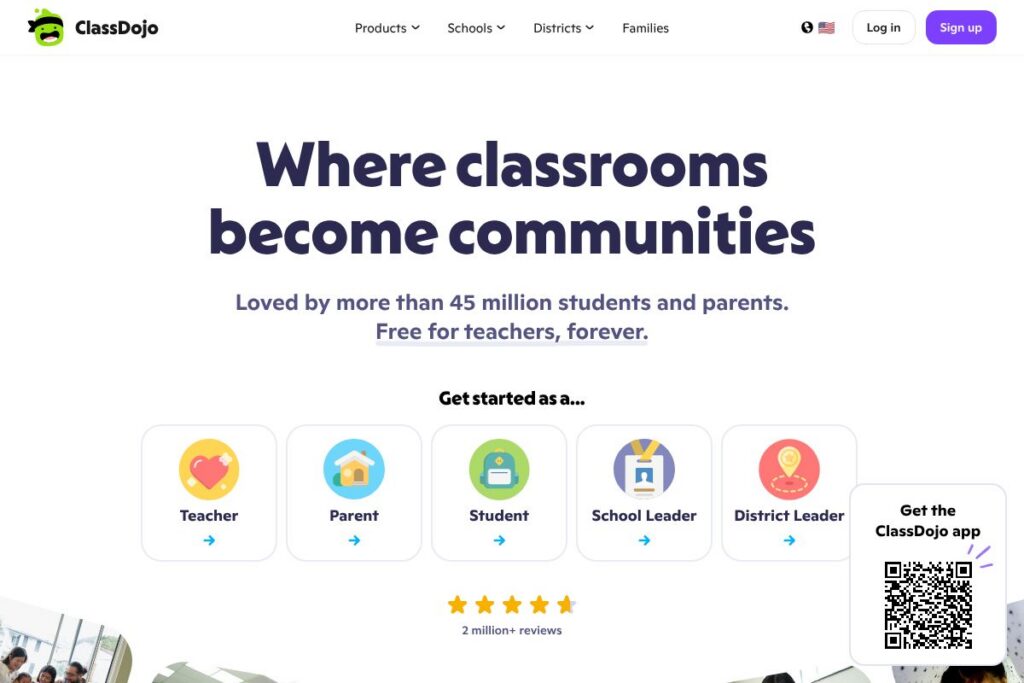
ClassDojo is a K-12 classroom communication and community platform that connects teachers, students, and families. It centralizes messaging, behavior tracking with Points and Big Ideas, photo and video Stories, student Portfolios, and a Teacher Toolkit with attendance, timers, and other classroom utilities. The platform emphasizes family engagement, private classroom feeds, and tools to support social-emotional learning.
ClassDojo is widely used across U.S. schools and competes with several classroom tools. Compared with Google Classroom, ClassDojo focuses more on family communication and student portfolios rather than assignment workflow and gradebooks. Compared with Seesaw, ClassDojo offers similar portfolio and family-facing feeds but places more emphasis on behavior and SEL features. Compared with Remind, ClassDojo combines messaging with rich classroom content and student-facing tools rather than being messaging-first.
All of this makes ClassDojo a strong choice for elementary and K-8 teachers who need a secure, family-facing communication hub with simple behavior and SEL features. It is best suited to classrooms where ongoing family engagement, visual storytelling of classroom moments, and simple behavior tracking are important.
How ClassDojo Works
Teachers create a private classroom and add students, either manually or by importing rosters. Once students are added, teachers can award Points, share Stories to a private class feed, send direct messages to families, and build student Portfolios with photos, videos, and work samples.
Families join via a link or invite and receive messages and translated content in their preferred language, which keeps communication accessible. Teachers use the Teacher Toolkit to manage daily routines like attendance, timers, and transitions, while Portfolios let students and families view learning artefacts over time.
ClassDojo also supports school-level uses through shared announcements and event calendar items, allowing staff to coordinate with families and keep everyone informed about school-wide activities.
ClassDojo features
ClassDojo groups core classroom and family engagement features into messaging, portfolios, behavior tracking, and classroom utilities. Core capabilities include instant translated messaging, private Stories for photo and video updates, student Portfolios, Points and Big Ideas for SEL, and a Teacher Toolkit for daily classroom management.
What Makes ClassDojo Stand Out
Messaging and translation
ClassDojo provides two-way messaging between teachers and families, with automatic translation into more than 190 languages so communications are accessible to diverse households. Messages can be one-to-one or classwide, and attachments such as photos and documents are supported.
Stories (class feed)
Stories let teachers share photos, videos, and updates on a private classroom feed so families can see classroom moments in context. The feed is private to the classroom community, helping preserve student privacy while keeping families engaged.
Student Portfolios
Portfolios let students and families collect and review work samples over time, including photos, videos, and teacher feedback, which helps document progress and supports student voice. Portfolios can be used for conferences, student reflections, and digital keepsakes.
Points and Big Ideas (behavior and SEL)
Teachers can award Points to reinforce behaviors and track social-emotional learning through Big Ideas categories, which helps make SEL explicit and visible to families. Points and Big Ideas can be customized to match classroom expectations and encourage consistent communication about student growth.
Teacher Toolkit
The Teacher Toolkit includes practical classroom utilities such as attendance tracking, timers, random student selector, and simple reports that reduce administrative friction during instructional time. These tools are designed for quick use during lessons and transitions.
Events and calendar
Teachers and schools can post Events with calendar reminders, keeping families aware of upcoming dates and automatic reminders for important activities. Calendar entries help centralize schedules and reduce missed communications.
With these capabilities ClassDojo helps teachers save time on routine tasks while keeping families informed and students engaged through portfolios and SEL-focused tools.
ClassDojo pricing
ClassDojo provides a free core product for teachers and families, with no mandatory subscription for basic classroom use. The platform is promoted as free for teachers, and most classroom-level features such as messaging, Stories, Portfolios, Points, and the Teacher Toolkit are available at no charge.
Enterprise / District
District / School contracts: Custom pricing may be available for district-level deployments, additional administrative services, or specialized support; schools and districts can contact the vendor for tailored agreements. For details on school programs and enterprise options see the ClassDojo for Schools information and the ClassDojo homepage.
What is ClassDojo Used For?
ClassDojo is commonly used to maintain classroom-to-home communication, share classroom moments, and document student work through digital portfolios. Teachers use it day-to-day to send translated messages to families, post Stories from class activities, and award Points that reinforce behavior and SEL goals.
Beyond individual classrooms, schools use ClassDojo for announcements, event scheduling, and schoolwide messaging to keep families informed. The platform is particularly useful in K-8 settings where visual communication and family engagement are priorities.
Pros and cons of ClassDojo
Pros
- Family communication made simple: Messaging is translated into many languages and supports attachments, which helps teachers reach diverse families effectively.
- Student portfolios and stories: Teachers can share photos and videos on a private feed and build Portfolios that document learning over time, useful for conferences and student reflection.
- Free core classroom tools: The platform provides behavior tracking, SEL features, and a Teacher Toolkit at no cost for classroom teachers, reducing barriers to adoption.
- Designed for younger grades: ClassDojo’s visual and simple interface fits K-2 and elementary classrooms well, making it easy for teachers and families to engage.
Cons
- Limited gradebook and assignment workflow: ClassDojo is not a full learning management system, so it lacks advanced assignment grading and submission workflows found in LMS platforms.
- Privacy and perception concerns: Some educators and parents raise questions about behavior points in terms of equity and student privacy; schools need clear policies on usage and data sharing.
- District integration complexity: District-wide rostering and enterprise integrations may require coordination and custom agreements, which can be more involved than single-class setups.
Does ClassDojo Offer a Free Trial?
ClassDojo offers a free plan for teachers and families. The core classroom features including messaging, Stories, Portfolios, Points, and the Teacher Toolkit are available at no charge for classroom-level use; districts or schools seeking administrative services should contact ClassDojo for options and pricing through the ClassDojo for Schools page.
ClassDojo API and Integrations
ClassDojo supports roster import and integration workflows that simplify adding students to classrooms, and it works with common rostering services used by schools. For technical integration details and partner options consult the ClassDojo help resources and support center.
ClassDojo also integrates with school communication workflows and supports translated messaging that complements other district systems; schools interested in deeper SIS or single sign-on integrations should review the district information available on the vendor site.
10 ClassDojo alternatives
Paid alternatives to ClassDojo
- Seesaw — A student portfolio and family communication platform with teacher-driven activities and family-facing feeds. Seesaw has classroom and premium school tiers geared toward portfolios and formative assessment.
- Remind — Messaging-first tool for school communication that focuses on announcements, group messaging, and simple attachments for families and staff.
- Google Classroom — A free LMS by Google that focuses on assignment distribution, grading workflows, and integration with Google Workspace for Education.
- Edmodo — A classroom communication and learning environment that supports assignments, quizzes, and teacher-student messaging in a social feed format.
- Bloomz — A parent communication and classroom management app that combines messaging, scheduling, and volunteer coordination for family engagement.
- Schoology — A learning management system that blends instructional delivery with assessments, gradebooks, and parent communication features for K-12.
- Classcraft — A gamified classroom management platform that uses game mechanics to promote behavior and engagement, with parent communication features.
Open source alternatives to ClassDojo
- Moodle — An open source learning management system that supports course content, assessments, and parent accounts with extensive customization and self-hosting options.
- Sakai — An open source LMS used by some K-12 and higher education institutions, offering course tools and communication features for schools that self-host.
- BigBlueButton — An open source web conferencing system designed for online learning that schools can use for live class sessions and family meetings.
- OpenSIS — An open source student information system that handles rostering, attendance, and basic communication workflows when self-hosted by districts.
Frequently asked questions about ClassDojo
What is ClassDojo used for?
ClassDojo is used for classroom-to-home communication, behavior tracking, and student portfolios. Teachers use it to send translated messages, share Stories, and collect Portfolios while families stay informed through a private feed.
Does ClassDojo cost money for teachers?
No, ClassDojo is free for classroom teachers at the core feature level. Most messaging, Stories, Portfolios, Points, and Teacher Toolkit features are available without subscription, while district-level services may be arranged separately.
Can ClassDojo integrate with school rostering systems?
Yes, ClassDojo supports roster import and integration workflows used by schools. Districts can arrange roster and administrative integrations and should consult the ClassDojo for Schools information for details.
How does ClassDojo handle language translation?
ClassDojo automatically translates messages into many languages to support family engagement. The platform uses in-app translation for messages so teachers can communicate with families in their preferred language.
Is ClassDojo appropriate for all grade levels?
ClassDojo is best suited for K-8 classrooms, especially elementary grades. Its visual interface, family-facing feeds, and SEL features are optimized for younger students, while secondary teachers may prefer LMS platforms with advanced assignment workflows.
Final verdict: ClassDojo
ClassDojo excels at connecting classrooms and families through translated messaging, private Stories, and student Portfolios, which makes it particularly effective for elementary teachers who want a simple, visual way to share learning and behavior updates. Its free core offering lowers barriers for classroom adoption and supports daily routines with the Teacher Toolkit.
Compared with Google Classroom, which is also free and excels at assignment distribution and grading, ClassDojo offers stronger family engagement and SEL-oriented behavior tools. For schools that need a full LMS feature set and robust grading, Google Classroom or Schoology may be a better match; for classrooms that prioritize communication and portfolios, ClassDojo is a more focused fit.
Overall, ClassDojo is a practical choice for teachers and schools aiming to improve family engagement, document student learning, and make social-emotional learning visible, while districts requiring enterprise rostering or advanced LMS features should evaluate integration needs and possible district agreements through the vendor site.