ClickDesk in a Nutshell
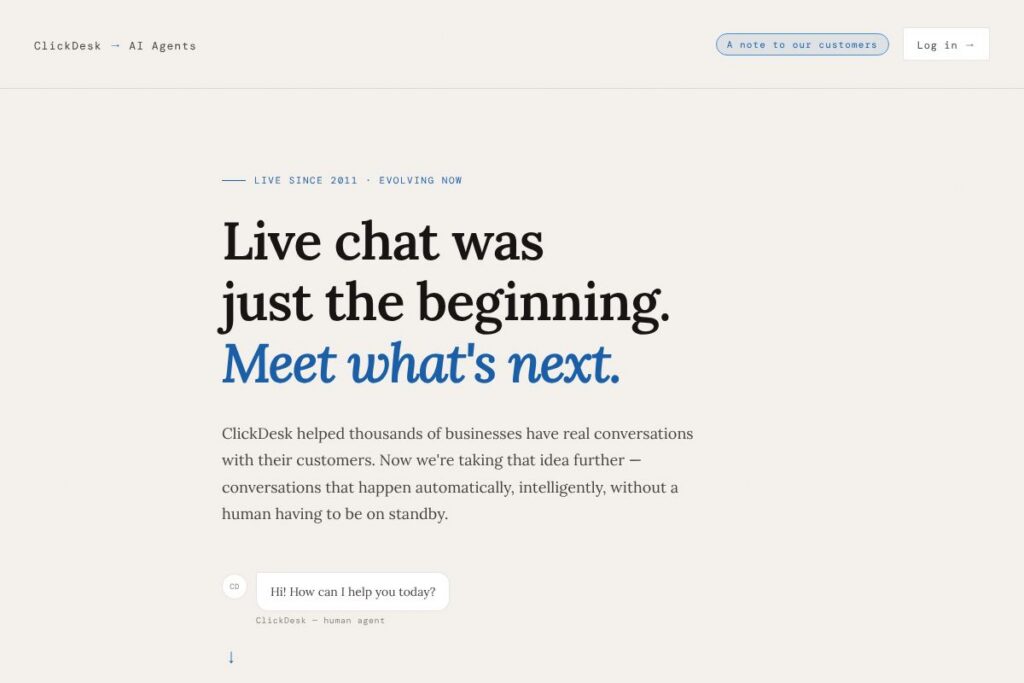
ClickDesk began as a live chat platform that connected businesses and customers in real time, and is now transitioning into an AI-first offering that runs conversations end-to-end. The new approach replaces or augments human agents with AI agents that can resolve issues by accessing account context, sending actions like emails, and rendering task-specific interfaces inline.
Compared with tools like Intercom, Drift, and Zendesk, ClickDesk places heavier emphasis on fully automated conversations that scale without staffing increases. Intercom and Drift are established in conversational marketing and sales automation with hybrid human-plus-bot workflows, while Zendesk focuses on ticketing and agent-driven support; ClickDesk aims to combine conversational routing with autonomous resolution to reduce routine agent load and response latency.
All of this makes ClickDesk a practical choice for teams that want to move beyond chat windows into conversational automation. It is particularly useful for businesses that need always-on customer coverage, want to connect dialogs to live product data, and prefer a single platform that can both chat and complete customer tasks without repeated handoffs.
How ClickDesk Works
ClickDesk runs AI agents that live alongside the traditional chat widget, taking incoming customer messages and mapping them to intents, account context, and available actions. Those agents can read customer account details, query backend systems, and perform tasks such as sending a troubleshooting email or scheduling a demo.
The platform can generate inline UI elements on the fly, so a question about pricing can render a live pricing table, a demo request can pop up a calendar widget, and a signup flow can show a pre-filled form without redirecting the user. For customers transitioning from ClickDesk, the company offers support for exporting chat history and a pathway to early access for the new 500agents product.
ClickDesk features
ClickDesk’s feature set centers on automated, contextual conversations and dynamic interfaces that reduce friction in common support and sales tasks. Core capabilities include always-on AI agents, live UI generation inside conversations, multichannel routing, and connections to real customer data.
AI Agents (500agents)
AI agents act as autonomous conversational representatives that manage the full lifecycle of common requests, not just initial triage. They use contextual signals from customer accounts to diagnose problems, propose solutions, and perform actions such as sending emails or updating records, which reduces repetitive tasks for human agents.
Dynamic UI Generation (Jug.ai)
The system can create task-specific interface widgets inside the chat stream, such as pricing tables, calendars, or pre-filled forms. This inline UI reduces clicks and context switching for customers, which shortens conversion and resolution times.
Multichannel Support
Conversations can run across web widgets, social channels, and messaging platforms while preserving context and history. This enables customers to start an interaction on one channel and continue it on another without repeating information, improving continuity and satisfaction.
Data and Context Connectors
ClickDesk connects conversations to customer records, product telemetry, and CRM systems so agents operate with real account context. Those integrations allow the AI to validate user identity, look up subscription status, and make decisions based on live data.
Automations and Workflows
Built-in automations let teams define routing rules, escalation paths, and follow-up actions that the AI can trigger. Common uses include auto-resolving password resets, scheduling demos, and opening tickets for edge cases that need human review.
Analytics and Conversation Insights
The platform provides reporting on agent performance, resolution rates, and conversation volume, helping teams identify friction points and tune AI responses. Dashboards surface which automations succeed and where handoffs to human agents still occur.
With these features, ClickDesk aims to reduce the need for live staff in routine interactions while preserving the ability to escalate to humans when necessary. The biggest benefit is consistent, contextual responses at any hour without scaling agent headcount.
ClickDesk pricing
ClickDesk offers flexible, enterprise-oriented pricing tied to usage and deployment needs rather than a single fixed plan, and existing ClickDesk customers have been offered priority access and founding member pricing for the new 500agents offering. For specifics on plans, seat models, or founding-member terms, check the ClickDesk homepage or contact their support.
For help exporting existing data or understanding how your current ClickDesk subscription maps to 500agents, email [email protected] and the team will assist directly.
What is ClickDesk Used For?
ClickDesk is used to provide customer support and sales conversations that require rapid answers, account-aware assistance, and the ability to complete tasks during a chat. Teams commonly use it to handle pricing questions, schedule demos, troubleshoot common issues, and collect onboarding information without forcing customers to navigate away.
It is particularly well suited for SaaS companies, online services, and e-commerce operations that need 24/7 availability and want to reduce repetitive agent work. Businesses that already use live chat and want to phase into automated, data-driven conversations will find it straightforward to adopt.
Pros and Cons of ClickDesk
Pros
- Always-on conversational coverage: AI agents handle requests around the clock so customers receive instant, contextual responses without waiting for a human to be available.
- Inline UI generation: The ability to render pricing tables, calendar pickers, and forms directly in chat reduces friction and shortens task completion time for customers.
- Connected to real data: Integration with account records and backend systems lets agents make accurate, actionable decisions instead of relying on canned scripts.
Cons
- Transition period for legacy users: Existing ClickDesk customers need to migrate workflows and may have to adjust to AI-driven routing and new interfaces as services move to 500agents.
- Enterprise integration complexity: Deeply customized systems may require engineering resources to connect data sources and automate high-trust actions, which can increase implementation time.
Does ClickDesk Offer a Free Trial?
ClickDesk offers early access to 500agents with priority and founding member pricing for existing ClickDesk users; trial details are provided to users who join the waitlist. Join the early access list or contact support for specific trial availability and terms.
ClickDesk API and Integrations
ClickDesk provides developer-facing connectors and an API surface to link conversations with CRMs, ticketing systems, and product data, enabling the AI agents to act on customer records. See their integration options for common connectors and setup guidance.
Third-party integrations typically include CRM platforms, email systems, calendar services, and messaging channels so automations can update records, schedule events, and push notifications into team workflows without manual intervention.
10 ClickDesk alternatives
Paid alternatives to ClickDesk
- Intercom — A conversational platform focused on customer messaging, product tours, and a hybrid bot-plus-human approach for support and sales automation.
- Drift — Conversation-driven marketing and sales platform that routes leads and schedules meetings with a strong emphasis on qualifying website visitors.
- Zendesk — A full-service customer support suite with ticketing, chat, and support analytics designed for agent-heavy operations.
- Freshdesk — Customer support platform combining ticketing, chat, and automation tools for midsize teams.
- HubSpot Service Hub — Integrated with HubSpot CRM, it offers conversational tools, ticketing, and automation inside a broader marketing and sales platform.
- LiveChat — A lightweight chat-first solution with integrations to CRM and analytics systems, suitable for businesses that still rely heavily on live agents.
- Tidio — Chat and bot builder for small businesses focused on lead capture and automated workflows.
Open source alternatives to ClickDesk
- Chatwoot — Open source customer engagement platform with chat inbox, automation, and multichannel support that teams can self-host.
- Rasa — An open source conversational AI framework for building custom chatbots and virtual assistants with full control over models and data.
- Botpress — Developer-focused open source bot platform for building and deploying conversational flows that integrate with existing systems.
- LiveHelperChat — Self-hosted live chat with some automation capabilities suitable for teams that want full control over their chat stack.
Frequently asked questions about ClickDesk
What is ClickDesk used for?
ClickDesk is used to automate and manage customer conversations across support and sales channels. Teams use it to handle queries, schedule demos, resolve common issues, and present dynamic information like pricing or forms inline within chat.
Does ClickDesk offer AI agents for 24/7 support?
Yes, ClickDesk provides always-on AI agents through its 500agents initiative. Those agents can answer questions, access account data, and complete actions without a human being online.
How does ClickDesk integrate with CRMs and other tools?
ClickDesk connects to CRM systems, calendars, and backend data sources to provide contextual support. Integration options and connector setup are available through their integration options.
Can ClickDesk replace live human agents?
ClickDesk can handle many routine requests autonomously, reducing the need for live agents on repetitive tasks. Complex or high-trust issues can still be escalated to human agents when required.
How do ClickDesk customers access their data before migration?
ClickDesk customers can request exports and migration help by contacting support. Email [email protected] for assistance exporting chat history, contacts, and settings.
Final Verdict: ClickDesk
ClickDesk evolves the classic live chat model into a platform that emphasizes autonomous AI agents and inline UI generation to complete customer tasks without human intervention. Its strengths are always-on availability, data-connected conversations, and the ability to present task-specific interfaces during chats, which can materially reduce handling time and staffing needs.
Compared with Intercom, ClickDesk focuses more on full-resolution AI agents rather than a hybrid human-plus-bot workflow; Intercom typically uses a seat-based pricing approach tied to human operators, while ClickDesk is positioning 500agents with usage and enterprise-oriented pricing that aims to lower headcount costs through automation. For teams prioritizing automated resolution and fewer handoffs, ClickDesk is worth evaluating; for organizations that need agent-centric workflows and mature ticketing, a platform like Zendesk or Intercom may still be preferable.