What is Coda
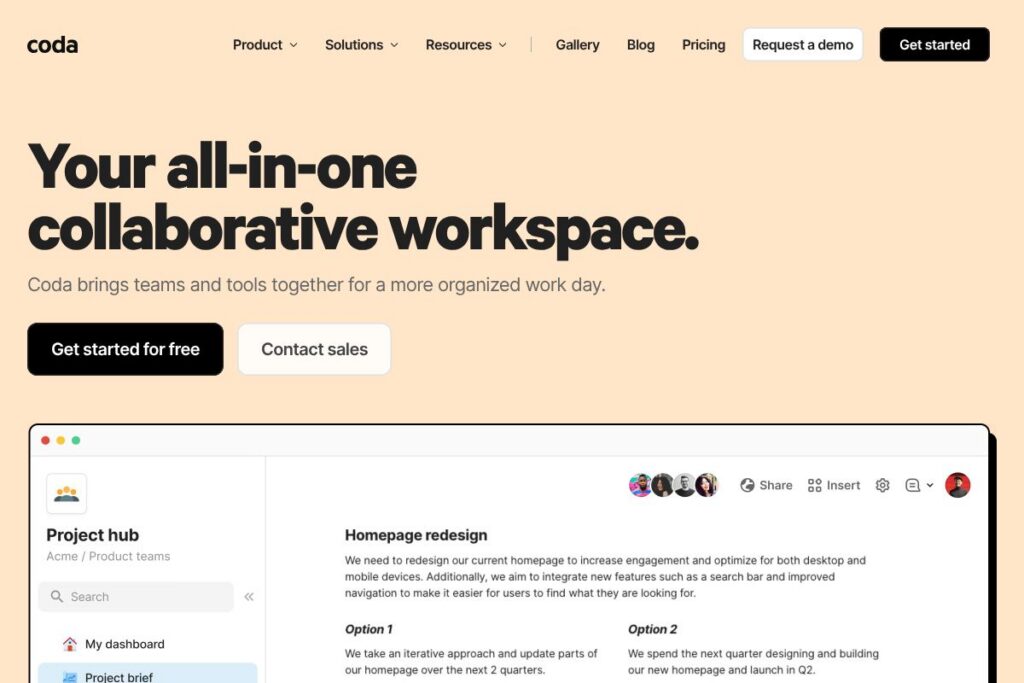
Coda is a flexible workspace that blends the simplicity of a document with the structure of a spreadsheet and the behaviors of an application. Pages can contain text, rich media, tables that behave like databases, buttons that run actions, and automations that move data between places. Built-in AI features extend writing, summarization, and data generation to speed routine tasks.
Coda sits in a category overlapping with other collaboration platforms. Compared with Google Docs, Coda adds structured tables and interactive building blocks so pages can act as lightweight apps rather than static documents. Compared with Airtable, Coda emphasizes document-first workflows and formula-driven automation across multiple tables, rather than a pure grid/database interface. Compared with Notion, Coda exposes deeper formula capabilities, stronger table relationships, and a focus on building custom applications within the same canvas.
All of this makes Coda well suited for product teams, operations, and cross-functional groups that need a single place to capture strategy, run processes, and create repeatable tools. Its mix of tables, templates, automations, and AI is especially useful for teams that want to replace fragmented spreadsheets, ad hoc docs, and small-purpose apps with a unified workspace.
How Coda Works
Coda pages are composed of blocks that include text, images, tables, and interactive elements. Tables act like relational databases and can be referenced or synced across pages using formulas; a single source of truth can feed views tailored to different audiences.
Users create behavior with formulas, buttons, and automations. Buttons can change table rows, call external services through Packs, or trigger multi-step automations. Automations run on schedules or in response to changes, reducing manual handoffs and repetitive work.
Coda also provides templates and a public Gallery to borrow patterns other teams have published. Templates cover product roadmaps, OKR trackers, meeting agendas, and ticketing workflows, so teams can adapt established designs rather than starting from scratch.
Coda features
Coda combines document editing, data tables, application-like interactivity, and AI into a unified environment. Core capabilities include relational tables, a formula language designed for documents, automation and button actions, a library of connectors called Packs, and built-in AI for drafting and data transformation. Recent product additions emphasize AI-assisted content generation and an expanded set of Packs for common tools.
The platform includes several powerful capabilities worth highlighting:
Relational Tables
Tables support linked rows, lookup columns, and multi-view layouts so data can live in one place and appear differently to different teams. This reduces duplicate spreadsheets and makes it easier to maintain data integrity across documents.
Formula Language
Coda’s formula language works across tables and page elements, allowing users to compute values, filter views, and create conditional behaviors without external scripts. The language is familiar to spreadsheet users but extended for document and row-level logic.
Buttons and Automations
Buttons let anyone add one-click actions to a page that modify records, send messages, or create new items. Automations can run on schedules or triggers to move data, notify teammates, or call external services through Packs.
Packs and Integrations
Packs connect Coda to external tools such as Google Calendar, Slack, Figma, and Jira, enabling two-way data flows and remote actions. There are hundreds of prebuilt Packs and a platform for building custom integrations that match team needs.
Coda AI
Coda AI can draft text, summarize documents, generate tables from prompts, and help convert messy notes into structured data. The AI assistant is available in-page and can be used to speed content creation and data analysis.
Templates and Gallery
The Gallery hosts community and official templates that teams can copy and adapt, covering common workflows such as product planning, OKRs, and meeting management. Templates provide a practical starting point and accelerate adoption across teams.
Permissions and Sharing
Coda provides granular sharing controls at the document and folder level, with view and edit permissions plus domain-level sharing for enterprises. Admin controls and audit features help manage access in larger organizations.
With these capabilities, the biggest benefit of Coda is that teams can build bespoke solutions that replace scattered tools. The platform reduces context switching by keeping content, data, and actions on the same canvas.
Coda pricing
Coda uses a tiered subscription model with options for individuals, teams, and enterprises, and it does not rely solely on traditional per-seat charges. Specific plan features and rates are managed by Coda and can change, so refer to the vendor for the most current details.
View Coda’s current pricing options on the Coda homepage to see available plans, trial offers, and enterprise arrangements. For organisations evaluating broader deployments, contact Coda’s sales or request a quote through the enterprise information pages.
What is Coda Used For?
Coda is commonly used for building team hubs where strategy, roadmaps, and execution live together; teams create a central document that contains calendars, task trackers, and status reports that update in real time. Product teams use Coda to maintain roadmaps, collect feedback, and generate release notes, while operations teams build trackers and runbooks that automate routine tasks.
Beyond trackers and hubs, teams use Coda to replace small single-purpose apps by building lightweight applications with forms, buttons, and automations. Marketing, HR, and support groups often adopt Coda for campaign planning, applicant tracking, and feedback triage because it combines narrative context with structured data in one place.
Pros and cons of Coda
Pros
- Document-first app builder: Coda lets teams combine narratives with structured data so documentation and workflows live in the same place, making it easier to run processes and share context.
- Flexible formulas and automations: The formula language and automation engine enable real business logic without separate developer resources, which reduces reliance on fragile spreadsheets and manual scripts.
- Rich integrations: Packs connect Coda to tools like Google Calendar, Slack, Figma, and Jira, allowing teams to centralize workflows and minimize context switching.
Cons
- Learning curve for advanced features: Teams that need complex formulas or multi-step automations may require time to learn Coda’s formula syntax and automation model, which can slow early adoption.
- Performance on very large datasets: Documents that embed very large tables or extremely complex formula networks can show slower load times compared to purpose-built databases or BI tools.
- Enterprise governance complexity: While sharing and admin controls exist, large organizations may need additional governance and training to keep widely shared Coda docs consistent and secure.
Does Coda Offer a Free Trial?
Coda offers a free plan for individual use and paid tiers for teams and enterprises. The free plan supports basic document and table use; for team or enterprise requirements, check the options on the Coda homepage or contact sales for details about trials and volume licensing.
Coda API and Integrations
Coda provides a developer API and a Packs platform for building integrations. The Coda API documentation outlines endpoints for reading and writing docs, tables, and rows so developers can automate workflows or integrate Coda with other systems.
Key built-in integrations include Google Calendar, Slack, Figma, and Jira, and there are 600+ connectors and Packs to pull data in or push updates out. For teams building custom connectors, the Packs SDK and API give programmatic access to Coda’s objects and automation triggers.
10 Coda alternatives
Paid alternatives to Coda
- Notion — A flexible workspace for notes and databases with a strong page-block model and wide template ecosystem; better for simple content organization and knowledge bases.
- Airtable — A spreadsheet-database hybrid focused on relational data and grid-first workflows, useful for teams that prioritize table-driven workflows.
- Google Workspace — Document and collaboration suite that excels at real-time editing and familiarity, often chosen for basic docs, sheets, and email integration.
- ClickUp — Task and project platform with multiple views and built-in docs, aimed at teams that need structured project management alongside documentation.
- Asana — Task and project management tool that focuses on task tracking, timelines, and workload planning rather than custom app building.
- Smartsheet — Spreadsheet-like platform with enterprise project capabilities and stronger reporting for large-scale operational work.
Open source alternatives to Coda
- NocoDB — Open source Airtable-compatible platform that turns databases into spreadsheet-style interfaces, useful for teams that want self-hosting and data control.
- Appsmith — Low-code open source platform for building internal dashboards and apps with database and API connectors.
- Budibase — Open source low-code builder for internal tools with form layouts, data sources, and deployment options.
Frequently asked questions about Coda
What is Coda best used for?
Coda is best used for combining narrative documents with structured tables and app-like actions. It is ideal for hubs, trackers, and custom lightweight applications that need both context and data in one place.
Does Coda integrate with Google Calendar and Slack?
Yes, Coda integrates with Google Calendar and Slack through Packs. Those integrations allow syncing events, sending notifications, and creating or updating rows based on external activity.
Can Coda replace spreadsheets and small niche apps?
Yes, Coda can replace many spreadsheets and small-purpose apps by combining tables, formulas, and automations in one document. Teams often consolidate multiple tools into a single Coda doc to reduce duplication and centralize processes.
Is Coda suitable for enterprise deployments?
Coda is suitable for enterprise use with admin controls, domain-level sharing, and enterprise support options. Larger organizations typically work with Coda sales for deployment, governance, and security requirements.
Does Coda provide an API for developers?
Yes, Coda offers a public API and a Packs SDK for building custom integrations. Developers can use the Coda API documentation to automate document actions and connect external systems.
Final verdict: Coda
Coda excels at combining documents, structured data, and interactive behaviors into a single collaborative canvas. Its formula language, button-driven actions, and Packs ecosystem let non-developers create repeatable tools that reduce manual work and centralize team knowledge.
Compared with a direct competitor like Airtable, Coda favors document-first workflows and richer in-page logic, while Airtable focuses on grid and database ergonomics. On pricing, Coda positions itself differently by limiting strict per-seat constraints and offering team- and enterprise-focused arrangements rather than only per-user billing, which can affect total cost depending on how broadly a team wants to deploy the platform.
For teams that need to combine narrative, data, and automation without spinning up custom engineering projects, Coda is a practical platform that reduces tool fragmentation and puts procedural work where people already collaborate. Explore the Coda Gallery of templates and examples to see real-world solutions you can adapt to your workflow.