Restaurant365: An Overview
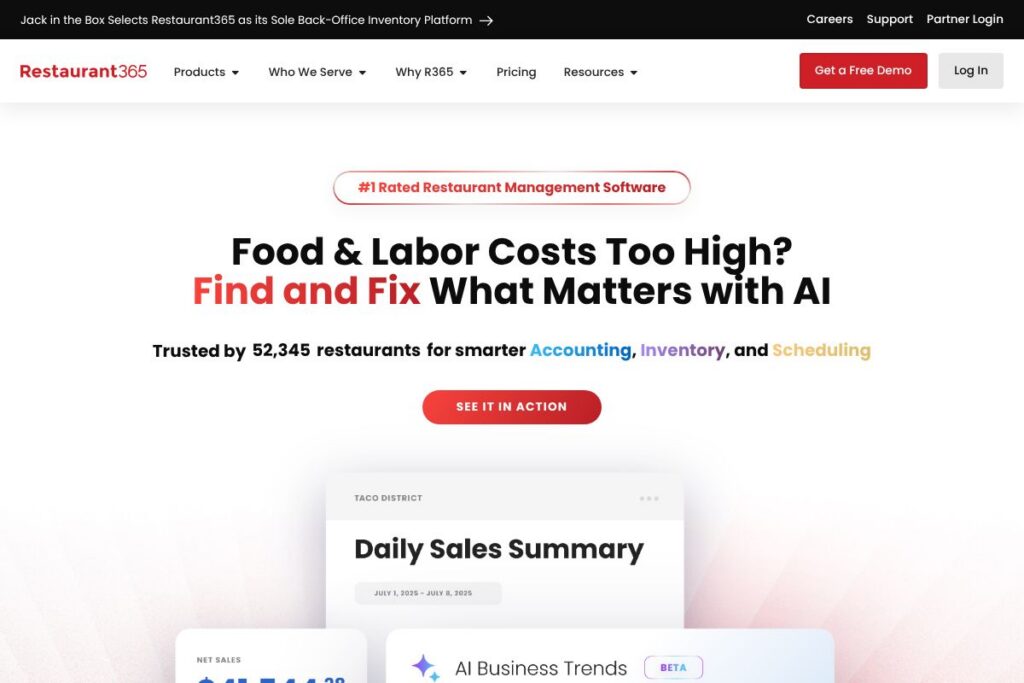
Restaurant365 is a cloud-native restaurant management platform built to unify accounting, inventory, labor, and payroll workflows for restaurants and multi-unit operators. It consolidates point-of-sale data, vendor invoices, bank feeds, and labor hours into a single system so finance and operations teams can manage costs and compliance from one interface.
Compared with front-of-house POS platforms like Toast and Lightspeed Restaurant, Restaurant365 focuses on the back-office and financial control layer rather than payment processing and checkout hardware. Against restaurant-specific point-of-sale-plus-analytics bundles such as Upserve and TouchBistro, Restaurant365 offers deeper accounting and multi-entity consolidation features intended for regional operators, franchisors, and accounting teams.
Restaurant365 excels at providing an integrated operations and accounting foundation for restaurants that need consolidated financials, inventory traceability, and workforce controls across many locations. That focus makes it a fit for franchise groups, multi-site operators, and restaurant accounting teams that need standardized reporting and tighter cost controls.
How Restaurant365 Works
Restaurant365 ingests transactional feeds from POS systems, banks, and vendor invoices and maps that data into unified ledgers and inventory records. The platform applies rules and AI-assisted matching to automate invoice processing, cost allocation, and bank reconciliations, which reduces manual data entry for accounting teams.
Operational teams use the same data to run inventory counts, track recipe-level usage, and reconcile deliveries against invoices to spot waste or pricing errors. Workforce modules pull sales forecasts and historical labor patterns to generate compliant schedules; those hours flow into payroll to reduce reconciliation work between operations and finance.
Restaurant365 features
Restaurant365 combines accounting, inventory, scheduling, payroll, reporting, and a mobile app with AI-assisted automation aimed at reducing manual back-office work and improving margin visibility.
The platform includes several powerful capabilities worth highlighting:
Accounting
Accounts payable, general ledger, and bank reconciliation are centralized with automation that matches invoices to purchase orders and payments. Accounting teams can close books by location or roll up to consolidated financials, and built-in controls support audit trails and multi-entity consolidations.
Inventory
Inventory tracks ingredients from purchase through usage, supporting recipe-level cost calculation and variance reporting. Automatic invoice parsing and purchase analysis help identify cost spikes, vendor discrepancies, and areas of waste to protect margins.
Scheduling
Scheduling uses sales history, seasonal patterns, and labor rules to suggest efficient staffing levels and to generate schedules that align coverage with forecasted demand. The feature supports time-off requests, shift swapping, and labor compliance settings to control labor cost and reduce overscheduling.
Payroll
Payroll pulls hours, tips, and tax-compliance details directly from timekeeping and scheduling modules to create payroll-ready batches. This reduces manual payroll adjustments and helps keep labor expenses synchronized with accounting records.
Mobile
The mobile app gives managers real-time access to sales, labor, and inventory metrics and enables team communications in multiple languages. Real-time visibility helps store managers act on exceptions, approve invoices, and manage schedules while away from the office.
AI and Reporting
AI-assisted workflows speed up routine tasks such as invoice matching, PO reconciliation, and P&L generation to surface actionable anomalies. Customizable dashboards and automated P&L reports provide the visibility needed to stop losses quickly and to benchmark locations.
With these capabilities Restaurant365 provides end-to-end back-office control so restaurant operators can reduce accounting cycle time, tighten cost control, and standardize processes across locations.
Restaurant365 pricing
Restaurant365 uses enterprise-oriented, subscription pricing tailored to restaurant size, number of locations, and the specific modules required. Pricing is not published as standard one-size-fits-all plans because packages are configured to match multi-unit needs and integrations.
For customized cost estimates and to compare module options, contact Restaurant365 through their demo and sales channels on the Restaurant365 demo and contact page. The sales team can provide pricing structures, deployment options, and implementation timelines based on your operation.
What is Restaurant365 Used For?
Restaurant365 is used to centralize financial operations such as accounts payable, general ledger, and consolidated reporting for single and multi-location restaurant groups. Operators rely on it to produce consistent P&Ls, simplify month-end close, and maintain accurate cost of goods sold calculations across locations.
Operations and store-level managers use Restaurant365 for inventory management, purchase reconciliation, and labor scheduling so that daily decisions are informed by the same dataset finance uses. The platform is commonly deployed by franchisors, multi-unit brands, restaurant groups, and accounting firms serving hospitality clients.
Pros and Cons of Restaurant365
Pros
- Integrated back-office platform: Centralizes accounting, inventory, scheduling, and payroll so finance and operations work from the same source of truth. This alignment reduces reconciliation work and speeds decision making.
- AI-assisted automation: AI helps with invoice matching, P&L generation, and scheduling recommendations to cut manual work and detect cost anomalies before they grow into larger problems.
- Multi-entity consolidation: Built-in support for multi-location rollups, intercompany transfers, and franchise reporting simplifies reporting for regional operators and franchisors.
Cons
- Enterprise orientation: The product is designed for operators with multiple locations or centralized finance teams, which can make adoption heavier for single-unit or very small operators.
- Custom pricing and onboarding: Because pricing and implementations are customized, procurement requires direct engagement with sales and implementation teams rather than immediate self-service sign-up.
- Front-of-house limitations: Restaurant365 focuses on back-office systems and relies on third-party POS vendors for front-of-house functionality, so full-stack operators will manage multiple vendor relationships.
Does Restaurant365 Offer a Free Trial?
Restaurant365 offers a free demo and guided product walkthrough rather than a self-serve free trial. The demo typically shows how accounting, inventory, and scheduling integrate with a sample dataset and covers module options relevant to your operation. To arrange a demonstration contact the team through the schedule a demo page.
Restaurant365 API and Integrations
Restaurant365 provides integrations with a wide range of POS systems, banks, and vendor data sources to centralize transactional feeds and vendor invoices. The platform works with leading POS partners and supports bank and vendor feed automation to keep ledgers and inventory synchronized.
Developers and partners can extend workflows through available integration points and partner connectors; see the Restaurant365 partner and integration information for details on supported systems and partner programs.
10 Restaurant365 alternatives
Paid alternatives to Restaurant365
- Toast — POS-first platform that combines front-of-house checkout, payment processing, and basic analytics; strong for restaurants that want integrated payments and hardware.
- Lightspeed Restaurant — Cloud POS plus inventory and reporting aimed at full-service and quick-service operators with support for multi-location retail and hospitality workflows.
- Upserve — Restaurant management suite with POS analytics, guest management, and performance reporting that targets independent and growing multi-unit restaurants.
- TouchBistro — Table-focused POS with features for floor management, menu management, and staff workflows that suits full-service concepts.
- Square for Restaurants — Flexible POS and payments ecosystem that scales from single units to multi-outlet operations with add-on ecosystem integrations.
- Revel Systems — Enterprise-capable POS that combines inventory, reporting, and integrated payments for high-volume and multi-location restaurants.
- Oracle MICROS — Enterprise-grade POS and back-office tools commonly used by larger hospitality groups and chains.
Open source alternatives to Restaurant365
- Odoo — Open-source ERP with POS, inventory, and accounting modules that can be configured for restaurant workflows and self-hosted or run on Odoo’s cloud.
- Floreant POS — Open-source restaurant POS focused on quick-service environments with basic menu and order management.
- uniCenta — Open-source point-of-sale system that supports multi-terminal setups, inventory tracking, and basic reporting which can be extended for restaurant use.
Frequently asked questions about Restaurant365
What is Restaurant365 used for?
Restaurant365 is used to centralize accounting, inventory, scheduling, and payroll for restaurant operators. It consolidates POS, vendor, and bank data to provide consistent financials and operational controls across locations.
Does Restaurant365 integrate with POS systems like Toast?
Yes, Restaurant365 integrates with leading POS systems including Toast and others. Those integrations bring sales and payment data into accounting and inventory workflows to minimize manual uploads.
How does Restaurant365 handle payroll and labor data?
Restaurant365 pulls hours and scheduling data into payroll batches to reduce reconciliation work. The payroll module includes features to handle tips, compliance settings, and to align labor costs with the general ledger.
Can Restaurant365 be used by franchise groups?
Yes, Restaurant365 is commonly used by franchisors and multi-unit operators for consolidated reporting and benchmarking. It supports multi-entity rollups and franchise-level performance comparisons for centralized finance teams.
Does Restaurant365 offer a mobile app for managers?
Yes, Restaurant365 provides a mobile app that gives managers access to sales, labor, and inventory metrics in real time. The app includes team communication tools and supports multiple languages to help managers act on exceptions while remote.
Final Verdict: Restaurant365
Restaurant365 delivers a deep back-office platform tailored to restaurants that need consolidated accounting, inventory traceability, and workforce controls across multiple locations. Its strength lies in automating invoice processing, centralizing financials, and providing AI-assisted workflows that reduce manual accounting and reconciliation tasks.
Compared with a front-of-house focused provider like Toast, Restaurant365 is more focused on finance and operations rather than payment processing and hardware. Toast offers more transparent, POS-centric packaging and integrated payments, while Restaurant365 trades that transparency for a richer set of financial controls and multi-entity reporting suited to franchise groups and regional operators.
For operators who need tighter cost control, standardized accounting, and multi-location reporting, Restaurant365 is a strong option. For single-unit restaurants seeking an all-in-one POS and payments solution, a POS-first vendor may be a better fit.