Meet Discord
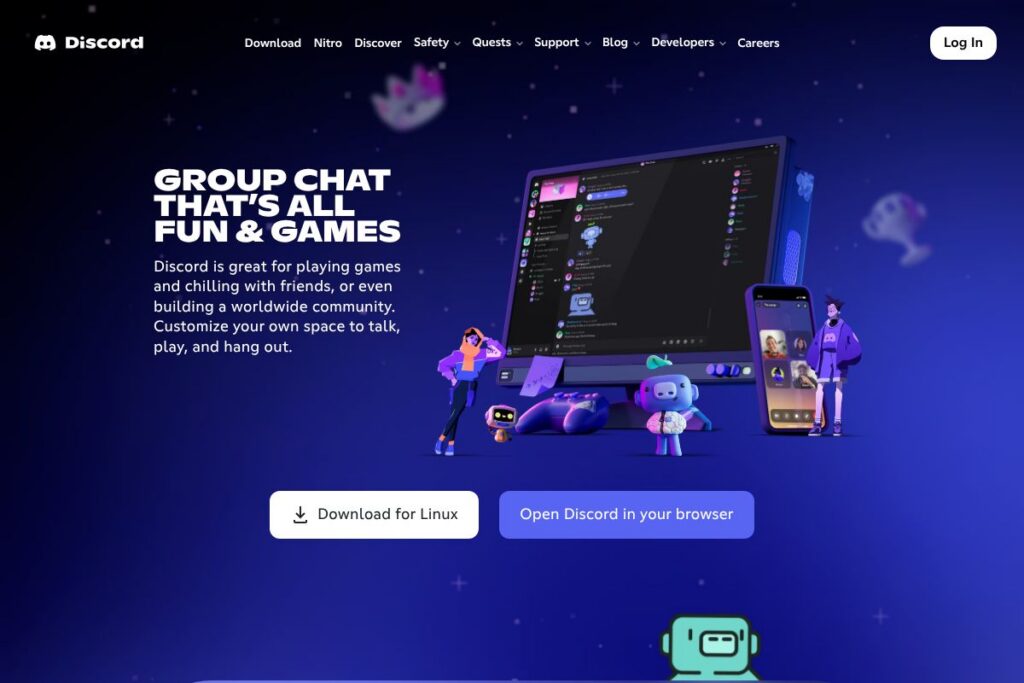
Discord is a multi-channel chat platform built around persistent servers that host text channels, voice channels, and threaded conversations. Users create or join servers to organize communities by topic, activity, or social group, with roles and permissions to control access and moderation.
Compared with Slack and Microsoft Teams, Discord skews toward low-latency voice and real-time social features rather than workplace process automation. Slack focuses on threaded business collaboration and per-user billing, while Teams integrates tightly with Microsoft 365 productivity tools; Discord prioritizes live voice rooms, presence, and media sharing that suit gaming, streaming, and casual community interaction.
What Discord does especially well is combining always-on voice channels, low-latency streaming, and large-scale community features into a single free product. This makes it a practical choice for friend groups, gaming clans, hobby communities, and creators who need persistent spaces for hanging out and coordinating in real time.
How Discord Works
Servers are the top-level containers where people gather, and each server can include text channels, voice channels, categories, and role-based permissions. Members join servers via invites; within a server they can read pinned messages, join voice channels instantly, and see who is currently online or streaming.
Voice and video run in dedicated channels with low latency and optional screen sharing or Go Live streaming for games and apps. Moderation relies on configurable roles, audit logs, and bot integrations; community owners use moderation tools to automate rules, filter content, and set channel access.
What does Discord do?
Discord bundles real-time voice, video, text chat, and simple community management into a single app. Core capabilities include always-on voice channels, screen share and streaming, persistent text channels with threads and reactions, custom emoji and stickers, and profile customization such as avatars and statuses.
Let’s talk Discord’s Features
Voice channels and low-latency audio
Voice channels let groups join and leave without placing calls; quality prioritizes low latency so conversations, game coordination, and impromptu hangouts feel natural. Spatial audio and volume controls help when larger groups gather, and server owners can lock channels or restrict access via roles for private sessions.
Screen share and Go Live streaming
Users can share their screen or stream a specific application to viewers in a voice channel, with options to adjust resolution and frame rate for smoother streams. This makes it simple to co-watch videos, demo software, or stream gameplay to a group without a separate streaming setup; see the Go Live streaming FAQ for configuration details.
Text channels, threads, and media embedding
Persistent text channels support rich media, file uploads, message reactions, and threaded replies for long discussions. Channels can be organized by topic and limited by role permissions, which suits communities that need separated spaces for announcements, support, or off-topic chat.
Custom emoji, stickers, and profiles
Servers can upload custom emoji and stickers to personalize conversations, while users set avatars and custom status messages to show presence and personality. Soundboard effects and profile bios add additional personality for streaming, social servers, and friend groups.
Roles, permissions, and moderation tools
Server roles control access to channels and moderation capabilities; combined with audit logs and automated moderation bots, these tools scale from small groups to large communities. Integrations with popular moderation bots can add features like auto-moderation, welcome flows, and anti-spam measures.
Bots, webhooks, and developer API
The platform supports bots and webhooks for automating tasks, posting alerts, or adding game integrations; developers use the Discord Developer Portal to create and manage bot tokens, gateway connections, and REST endpoints. Third-party bots expand functionality with music playback, role management, and game stats.
Cross-platform apps and device switching
Discord runs on desktop, mobile, and some consoles so you can switch devices mid-session without losing presence or voice connection. The Discord mobile apps maintain most core features including voice channels, DMs, and push notifications for messages and mentions.
With these capabilities, Discord is strongest at keeping groups connected in real time: low-latency voice, simple streaming, persistent chat, and extensive customization make it a single place to hang out, coordinate games, or host community events.
Discord pricing
Discord provides a free core product for all users and an optional paid subscription that adds expanded uploads and perks. The pricing model mixes a free tier for basic use with a paid Nitro subscription that unlocks user-level benefits and separate paid Server Boosts that enhance server features.
Monthly Billing:
Free: $0/month (Unlimited servers, voice, text, basic streaming, custom emoji in the servers where they are uploaded)
Nitro: $9.99/month (Higher-quality streaming, larger upload limits, global custom emoji usage, animated avatar and profile perks)
Annual Billing:
Nitro: $99.99/year (Same features as Nitro monthly with annual billing savings)
Server Boosts and other paid items
Server Boosts are sold separately to increase a server’s audio quality, emoji slots, and other perks; boost pricing and packages vary and are billed independently of Nitro. For details on perks and current offers, review the Discord Nitro page and the Server Boosting support article.
What is Discord Used For?
Discord is commonly used for voice-first hangouts where groups drop into channels to chat while gaming, watching video, or collaborating on tasks. Its persistent server structure makes it easy to maintain ongoing communities around hobbies, content creators, study groups, and interest-based clubs.
Beyond casual use, creators and small teams use Discord to coordinate live streams, host subscriber communities, and deliver event-driven experiences with roles and announcement channels. Educators and remote groups use private servers for informal collaboration because voice channels and screen sharing reduce friction for quick meetings.
Pros and Cons of Discord
Pros
- Low-latency voice and streaming: Voice channels and Go Live streaming keep conversations smooth and real-time, which is ideal for gaming and co-watching sessions.
- Rich customization: Custom emoji, stickers, roles, and profile options allow communities to build identity and social norms within servers.
- Free core product: The base platform supports large servers, voice, text, and basic streaming at no cost, lowering barriers to community growth.
- Developer ecosystem: A mature bot and API ecosystem makes automation, notifications, and custom features straightforward for developers.
Cons
- Per-user paid perks for extras: Advanced upload limits and some profile features require Nitro, which is a separate optional subscription.
- Scalability for enterprise needs: Features like enterprise-grade compliance, single sign-on, and formal IT controls are more limited than in workplace platforms such as Microsoft Teams.
- Noise and moderation overhead: Large public communities require active moderation and bot configuration to manage spam, raids, and content moderation.
Does Discord Offer a Free Trial?
Discord offers a free plan and an optional paid subscription (Nitro) but does not rely on a trial period. The free tier includes core voice, text, and streaming features, while Nitro provides expanded upload limits, enhanced streaming quality, and profile perks available via monthly or annual billing. For specifics on Nitro features and current offers, visit the Discord Nitro page.
Discord API and Integrations
Discord provides a documented developer API and bot platform for building integrations, automations, and custom commands. The Discord Developer Portal contains API reference, gateway guides, and OAuth documentation for creating bots and connecting external services.
Key integrations include webhooks, connections with Twitch and YouTube for streaming and subscriber roles, Spotify presence, and third-party automation platforms like Zapier. These integrations let communities surface external events, automate routine moderation, and connect content platforms to server activity.
10 Discord alternatives
Paid alternatives to Discord
Slack — A team chat platform with threaded conversations, enterprise controls, and a focus on workplace collaboration rather than low-latency voice.
Microsoft Teams — An integrated communication suite tied to Microsoft 365, offering meetings, file collaboration, and enterprise management features.
Zoom — Primarily a meeting and webinar platform with robust video conferencing and screen sharing for structured sessions.
Guilded — A community and team platform aimed at gamers with built-in scheduling, competitive tools, and event features.
TeamSpeak — A voice-first platform favored for low-latency audio and granular server control, commonly used in competitive gaming.
Twitch — While primarily a streaming platform, Twitch communities use chat and extensions to interact during live streams.
Google Meet — Simple video meetings integrated with Google Workspace, focused on scheduled calls and video collaboration.
Open source alternatives to Discord
Mumble — Open source voice chat with low latency and self-hosting options, focused on audio quality and administrative control.
Element — A Matrix-based chat client that supports end-to-end encryption and federated servers for privacy-minded communities.
Jitsi — An open source video conferencing solution that supports screen sharing and group video without central accounts.
Mattermost — An open source team messaging platform that can be self-hosted, with extensibility for integrations and bots.
Zulip — An open source chat tool with topic-oriented threading designed for organized conversations in teams and communities.
Frequently asked questions about Discord
What is Discord used for?
Discord is used for real-time voice, video, and text communication in persistent community servers. People use it to hang out while gaming, host community channels, run study groups, and coordinate small teams.
Does Discord offer voice and video chat?
Yes, Discord supports both voice and video chat. Users join voice channels for low-latency audio and can enable screen sharing or Go Live streaming for group viewing or gameplay.
Can Discord be integrated with other apps?
Yes, Discord supports integrations and a developer API. The Discord Developer Portal provides documentation for bots, webhooks, and OAuth integrations with platforms like Twitch and Spotify.
Is Discord free to use?
Discord provides a free core product for all users. Optional paid upgrades arrive via the Nitro subscription which adds larger uploads, enhanced streaming quality, and profile perks available on monthly or annual billing.
Can I run a private community on Discord?
Yes, Discord servers can be private and invite-only. Server owners control invitations, roles, and permissions to restrict access and manage moderation.
Final Verdict: Discord
Discord excels at providing accessible, always-on spaces for voice-first social interaction and community building. Its free core product covers most needs for friends and hobbyist communities, while optional Nitro features and Server Boosts let power users and community owners extend capabilities.
Compared with Slack, which is oriented toward business workflows and per-user billing, Discord offers a more social, voice-centric experience with persistent servers and lower barriers to entry. Slack charges per-user subscription fees for advanced collaboration features, whereas Discord’s optional Nitro costs $9.99/month or $99.99/year for individual enhancements while keeping server access free for members.
Overall, Discord is a practical choice for gamers, creators, and small to midsize communities that need low-latency voice, easy streaming, and flexible server customization without requiring enterprise collaboration tooling.