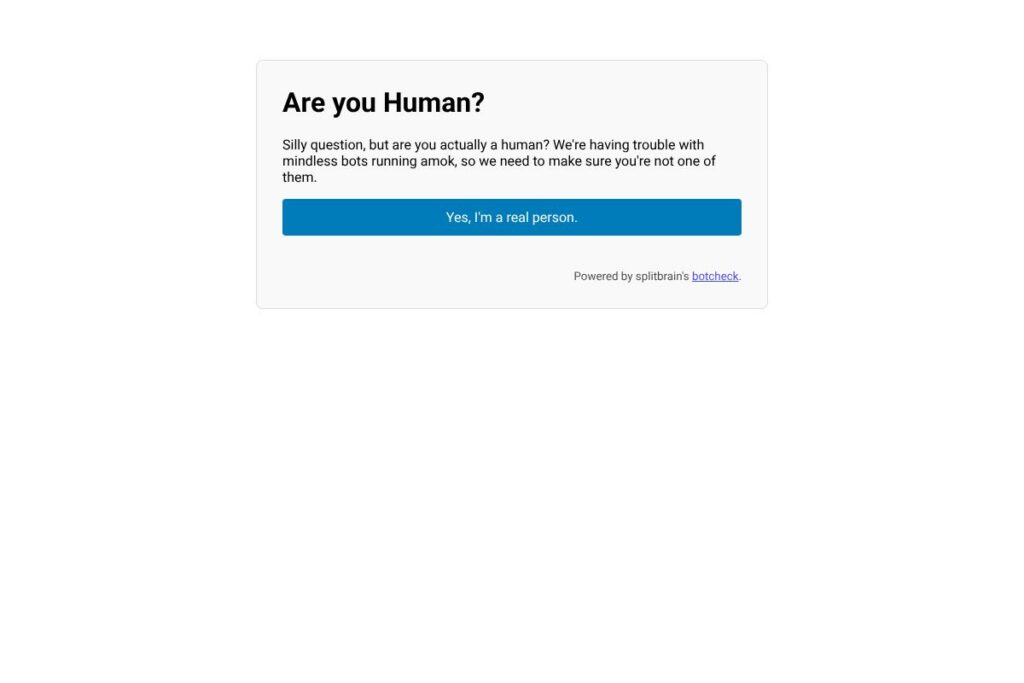
What is Bot Check
Bot Check is a small human verification tool used to block automated form submissions and abusive bot traffic. It focuses on low-friction checks such as honeypot fields, JavaScript behavior tests, and server-side verification rather than visually challenging CAPTCHAs, so legitimate users see minimal friction.
Compared with larger services like Google reCAPTCHA and hCaptcha, Bot Check trades advanced risk scoring and global threat intelligence for simplicity and ease of self-hosting. Where reCAPTCHA offers a cloud-based scoring service with optional enterprise support, and Cloudflare Bot Management provides network-level bot mitigation, Bot Check is best suited for site owners who want control over deployment and lighter integration.
All of this makes Bot Check especially useful for developers and small-to-medium sites that need dependable anti-bot checks without adding heavy tracking or third-party dependencies. It works well for contact forms, comment systems, small e-commerce sites, and internal admin pages that require basic bot protection.
How Bot Check Works
Bot Check evaluates interaction patterns and simple client-side signals to decide whether a submitter is likely human. Typical deployment places a hidden honeypot field in forms, injects a small JavaScript snippet to set a token when JS runs, and validates those signals on the server after a submission.
On the server side, Bot Check runs a lightweight verification step that rejects submissions failing the configured checks. Administrators can tune thresholds, enable or disable individual checks, and combine Bot Check with rate limiting or firewall rules for layered protection.
What does Bot Check do?
Bot Check bundles a handful of basic verification methods with straightforward integration options. Core capabilities include honeypot form fields, JavaScript token checks, server-side validation endpoints, and simple logging to help you distinguish false positives from real bot activity.
Honeypot Fields
Honeypots are invisible form fields that only bots typically fill out. When the server detects data in these fields, Bot Check flags the submission as automated and rejects or discards it, reducing false challenges for real users.
JavaScript Behavior Checks
A small client-side script can set a verification token or measure simple interaction timing to confirm the browser executed JavaScript before submission. This blocks many headless bots that do not run page scripts while keeping the experience seamless for users.
Server-side Verification
Server-side checks ensure tokens or honeypot results are validated away from the client. This prevents easy bypasses and lets you centralize logging, thresholds, and any decision logic in your application backend.
Integration Snippet
Bot Check provides a minimal HTML/JavaScript snippet that can be dropped into existing forms with only a few lines of code. This makes it easy to retrofit into legacy sites or include in modern single-page applications without heavy dependencies.
Accessibility and Privacy
Because Bot Check does not rely on visually obtrusive challenges, it presents fewer accessibility hurdles for users with impairments. It also avoids large third-party trackers, which helps with privacy-sensitive deployments and GDPR-style compliance when self-hosted.
Logging and Tuning
Basic logging captures rejected submissions and the checks that failed, which helps administrators tune sensitivity and recognize legitimate traffic patterns. Logs can be integrated into existing monitoring or incident response workflows for analysis.
With these features, Bot Check delivers a low-friction verification layer that reduces automated abuse while keeping the user experience simple and accessible.
Bot Check pricing
Bot Check is typically distributed as a lightweight solution that you can self-host or integrate directly into your site. For deployment and licensing details, check the project page for the most accurate guidance on usage and any commercial options.
Deployment and Licensing
- Self-hosted: Bot Check can be deployed on your infrastructure without recurring fees when used under its project license; consult the project page for license details and download instructions.
- Managed or commercial options: Some organizations pair Bot Check with commercial services for centralized logging or managed rules; pricing for managed solutions varies by provider and is listed on their respective sites.
For installation steps and any available commercial offerings, see the splitbrain Bot Check project page for current details and download links.
What is Bot Check used for?
Bot Check is used primarily to protect web forms, comment sections, registration pages, and other user input surfaces from automated abuse. It is appropriate where full-scale cloud bot management would be overkill but some protection is still necessary.
Developers use Bot Check to add a verification step without changing the user experience significantly. Site operators prefer it when they want to avoid heavy third-party scripts or when privacy rules limit the use of external services.
Pros and Cons of Bot Check
Pros
- Low-friction verification: Honeypots and simple JavaScript tests keep user impact minimal while blocking common automated submissions.
- Self-hostable and privacy-friendly: You can run Bot Check on your own servers and avoid third-party tracking, which helps with privacy and compliance goals.
- Easy integration: A small snippet and server-side verification endpoint make it straightforward to add to existing sites and frameworks.
- Tunable and transparent: Logs and clear checks let administrators adjust sensitivity and understand why submissions were blocked.
Cons
- Limited threat intelligence: Bot Check lacks the global traffic analysis and real-time threat feeds that commercial platforms provide, so it may miss sophisticated botnets.
- Manual tuning required: Sites with high traffic or complex bot patterns will need active tuning and monitoring to avoid false positives or undetected abuse.
- Not a complete bot management solution: For large-scale or targeted bot attacks, an enterprise bot management provider like Cloudflare Bot Management or PerimeterX provides deeper protection with more automation.
Does Bot Check Offer a Free Trial?
Bot Check is available for self-hosting and can be used without subscription fees. You can download and run the project on your own infrastructure; for installation steps and any commercial options, refer to the splitbrain project page.
Bot Check API and Integrations
Bot Check does not rely on a complex external API; instead it exposes simple server-side verification endpoints that your application can call after form submission. The project documentation and examples show typical integration patterns for PHP and other server stacks.
Common integrations include CMS plugins, form handlers, and middleware in web frameworks. You can combine Bot Check verification with existing rate limiting, WAF rules, or analytics platforms to build layered defenses.
10 Bot Check alternatives
Paid alternatives to Bot Check
- Google reCAPTCHA — A widely used service offering visible challenges and invisible risk scoring, with an Enterprise tier available for high-volume or compliance-sensitive deployments. See the Google reCAPTCHA documentation for implementation options.
- hCaptcha — Offers privacy-focused bot mitigation and optional payouts for captured data, with commercial plans for sites with high traffic. Explore hCaptcha’s integration guide for details.
- Cloudflare Bot Management — Network-level bot mitigation that leverages Cloudflare’s traffic analysis and rules engine, typically priced as part of Cloudflare’s higher-tier plans. Check Cloudflare’s bot management information for enterprise details.
- PerimeterX — An enterprise solution focusing on credential stuffing, account takeover prevention, and advanced bot detection. See PerimeterX product pages for features and sales contact.
- Arkose Labs — Uses adaptive challenges and fraud scoring for high-risk flows, often used by financial and gaming platforms; commercial pricing is available through sales. Review Arkose Labs’ offerings for enterprise capabilities.
- DataDome — Real-time bot protection with device fingerprinting and behavioral analysis, sold as a commercial service with custom pricing. Learn about DataDome’s platform for integration options.
Open source alternatives to Bot Check
- Securimage — A PHP CAPTCHA library that generates image and audio CAPTCHAs for form protection; useful for sites preferring a self-hosted image-based challenge.
- Simple PHP CAPTCHA — Minimal PHP script to add basic image CAPTCHA to forms, suited for small projects and quick deployment.
- Captcha (Gregwar) — A PHP library offering image CAPTCHA generation with customization options for developers working in PHP environments.
- django-simple-captcha — A Django application that provides image-based CAPTCHA fields for forms in Python projects, enabling self-hosted verification within Django apps.
Frequently asked questions about Bot Check
What is Bot Check used for?
Bot Check protects forms and input endpoints from automated submissions and spam. It is commonly applied to contact forms, comment systems, and user registration flows to reduce bot-driven abuse.
How do I integrate Bot Check with my website?
Integration usually requires adding a small client-side snippet and a server-side verification call. The splitbrain project page contains code examples and instructions for common server stacks.
Does Bot Check cost money to use?
Bot Check can be self-hosted without subscription fees. Organizations that prefer managed services or commercial integrations may pay third-party vendors for additional logs, dashboards, or rule management.
Can Bot Check block advanced bot attacks?
Bot Check is effective against simple automated scripts and common spam bots, but it does not replace enterprise bot management platforms for sophisticated or high-volume attacks.
Is Bot Check accessible for users with disabilities?
Bot Check emphasizes low-friction checks that avoid visual puzzles, which generally improves accessibility. Sites should still validate accessibility within their chosen implementation and provide alternatives if needed.
Final verdict: Bot Check
Bot Check is a practical, lightweight option for teams that need straightforward human verification without the overhead of large cloud services. It shines when self-hosting, privacy, and low user friction are priorities, and it is easy to add to existing forms and workflows.
Compared with Google reCAPTCHA, which provides cloud-based risk scoring and an Enterprise tier for large customers, Bot Check does not offer the same centralized threat intelligence but gives you full control and no mandatory third-party tracking. For teams that prefer minimal external dependencies and want to self-host a simple solution, Bot Check is a solid choice; for sites facing targeted or large-scale bot threats, a commercial option like Cloudflare Bot Management or PerimeterX may be more appropriate.