What is DrChrono
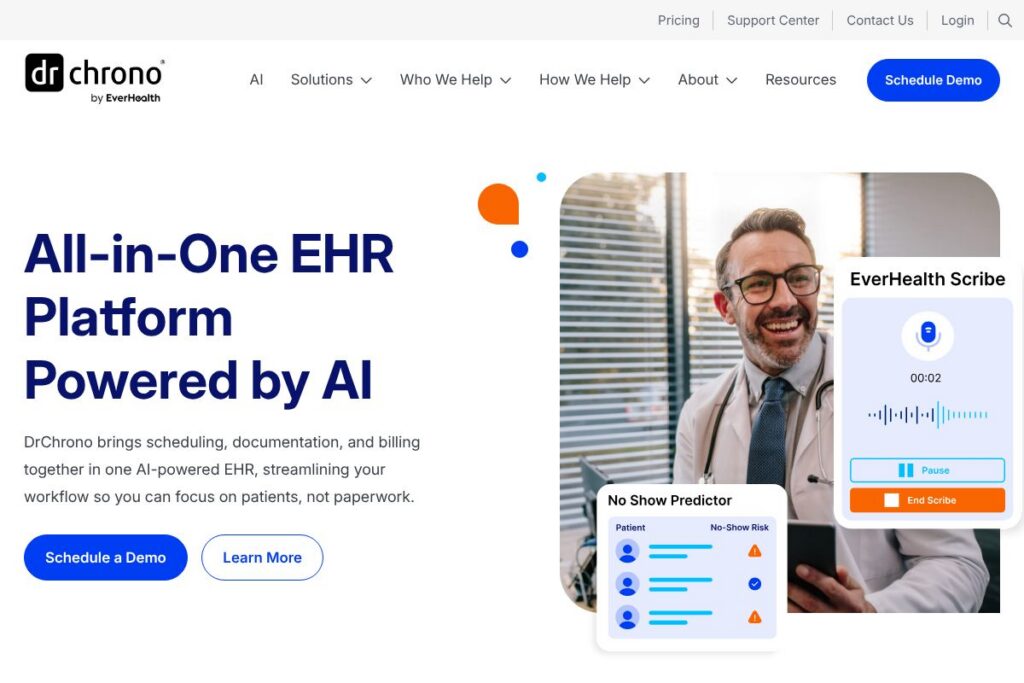
DrChrono is a cloud-based electronic health record platform built for independent and small-to-mid-size medical practices. The platform combines scheduling, AI-assisted documentation, telehealth, patient portal functionality, and integrated billing to support both clinical and administrative workflows from a single interface.
Compared with larger enterprise systems such as Epic and Cerner, DrChrono focuses on mobility, ease of use, and faster setup for smaller practices. Against practice-oriented competitors like Athenahealth and Kareo, DrChrono emphasizes an all-in-one experience with a strong mobile and iPad app presence and built-in telehealth and patient engagement tools.
DrChrono does particularly well at offering a compact, mobile-first EHR with native telehealth and integrated revenue cycle tools, making it a practical choice for independent physicians, small groups, and clinics that want a single platform to run clinical care and practice administration.
How DrChrono Works
The platform runs in the cloud and is accessed via web browser, native iOS apps, and mobile devices, which keeps deployment light and reduces local IT overhead. Practices can manage scheduling, patient intake forms, clinical documentation, e-prescribing, and billing workflows from linked modules without switching systems.
Clinical workflows rely on configurable templates and AI-assisted documentation to speed charting. Telehealth visits launch inside the same patient record so clinicians can view medical history and chart during video visits, and intake data flows directly into billing profiles to reduce administrative rework.
Administrative teams use the same system to run revenue cycle tasks: claims submission, payment posting, patient statements, and collections. Built-in patient engagement features let offices send reminders, collect forms via the patient portal, and accept payments online, consolidating patient interactions into one platform.
DrChrono features
DrChrono centers on integrated practice management and clinical documentation with recent emphasis on AI-assisted charting and improved telehealth. Core capabilities include scheduling and intake automation, mobile charting via iPad and iPhone apps, a patient portal called OnPatient, e-prescribing and lab integrations, and revenue cycle management tools for billing and claims.
Let’s talk DrChrono’s Features
Telehealth
Telehealth is embedded in the EHR so providers can launch video visits without separate software; clinicians can access the patient chart while on the call and document in real time. The OnPatient portal reduces patient friction by avoiding downloads and supports consent and document sharing before or during the visit.
AI-assisted charting
AI features assist with documentation by generating draft notes from templates and visit data, helping clinicians reduce time spent charting and standardize note content. These tools are intended to accelerate note completion while allowing providers to edit and maintain clinical accuracy.
Scheduling and patient intake
Scheduling includes configurable appointment types, automated reminders, and online booking to reduce no-shows and administrative calls. Digital intake and custom forms feed structured data straight into the patient record to speed rooming and coding.
Billing and revenue cycle management
Billing tools cover claim creation, submission, and payment posting, and support creating billing profiles for common visit types to speed charge capture. The platform aims to reduce billing errors and manual entry by linking documentation, CPT/ICD coding, and payment workflows.
Mobile EHR and native iPad app
Native iOS apps provide full charting, e-prescribing, and scheduling capabilities optimized for touch and offline use, enabling clinicians to work from exam rooms or remote locations. The mobile experience is a frequent differentiator for providers who prefer tablet-based workflows.
Patient portal (OnPatient)
OnPatient enables secure messaging, appointment booking, form completion, telehealth access, and online bill pay, which centralizes patient interactions and supports automated reminders. Portal use reduces front-desk phone volume by letting patients manage routine tasks themselves.
Reporting and analytics
Reporting tools provide operational and financial reports to track scheduling, billing performance, and clinical metrics, helping practices monitor revenue and identify bottlenecks. Custom reports support payer follow-up and quality measures needed for value-based programs.
With these capabilities, the biggest benefit of DrChrono is the consolidated platform approach: clinical documentation, telehealth, patient engagement, and billing are tightly linked to reduce duplicate work and accelerate both clinical and administrative tasks.
DrChrono pricing
DrChrono uses a flexible, subscription-based pricing approach with options tailored to practice size and required features. They do not publish a single, detailed public price table for all plans; instead, pricing is typically provided based on the modules and level of service a practice needs.
For specific plan options, modules, and enterprise or add-on fees, consult DrChrono’s website or contact their sales team to request a demo and a customized quote.
What is DrChrono Used For?
DrChrono is used to manage the full patient lifecycle for outpatient and ambulatory practices, from online booking and intake to documentation, telehealth visits, billing, and follow-up. It is designed for clinics that want fewer systems to maintain while keeping clinical and billing data connected.
Typical users include independent physicians, small group practices, specialty clinics, and ambulatory care centers that value mobile charting, integrated telehealth, and built-in revenue cycle management. Practices that require heavy enterprise customization or inpatient workflows may look to larger EHR vendors instead.
Pros and Cons of DrChrono
Pros
- Mobile-first design: The iPad and iPhone apps replicate core EHR workflows and let clinicians chart and prescribe from tablets and phones, reducing dependence on desktop terminals.
- Integrated telehealth and patient portal: OnPatient connects scheduling, telehealth, messaging, and payments so patients can complete many interactions without calling the office.
- Built-in billing workflows: Billing profiles and linked charge capture reduce manual entry and speed revenue cycle tasks for smaller practices.
Cons
- Limited enterprise-level customization: Large health systems requiring deep integrations and complex role-based controls may find the platform less configurable than enterprise EHRs.
- Variable reporting depth: Practices needing extensive population health analytics or advanced business intelligence may require external reporting tools for deeper insights.
- Pricing transparency: Because pricing is tailored, prospective buyers must contact sales for exact costs which can prolong procurement for some small practices.
Does DrChrono Offer a Free Trial?
DrChrono does not publish a free plan but offers demos and sales consultations. Prospective practices can request a live demo, explore platform capabilities, and discuss trial options with sales; demo requests and sales contacts are available via DrChrono’s website.
DrChrono API and Integrations
DrChrono provides an API for developers to build custom integrations and access patient, appointment, and clinical data programmatically. The DrChrono API documentation outlines endpoints, authentication, and example workflows for importing and exporting data.
The platform connects with common healthcare services and third-party apps such as e-prescribing networks, lab vendors, billing services, and middleware platforms. Integrations reduce duplicate entry and extend the platform for specialty workflows and third-party billing or analytics tools.
10 DrChrono alternatives
Paid alternatives to DrChrono
- Athenahealth — Cloud EHR with strong revenue cycle management and a network-driven approach for practices and ambulatory clinics.
- Epic — Enterprise-grade EHR commonly used by large health systems, with deep clinical functionality and extensive interoperability options.
- Cerner — Large hospital and clinic EHR platform offering comprehensive inpatient and outpatient solutions and population health tools.
- Kareo — Practice management and medical billing software focused on small practices and independent billing services.
- eClinicalWorks — Integrated EHR and practice management with telehealth and patient engagement tools for ambulatory care.
- AdvancedMD — Cloud practice management and EHR with an emphasis on billing and scheduling for small to mid-size practices.
- Practice Fusion — Cloud EHR aimed at small practices with streamlined charting and patient workflows.
Open source alternatives to DrChrono
- OpenEMR — Open-source electronic health record and practice management system with broad community support and extensibility.
- OpenMRS — Modular medical record system designed for resource-constrained settings and adaptable for various clinical contexts.
- GNU Health — Free health and hospital information system focusing on public health, clinical, and administrative modules.
- Oscar EMR — Open-source EHR used in several countries with features for outpatient care and extensible modules.
Frequently asked questions about DrChrono
What is DrChrono used for?
DrChrono is used to run ambulatory and outpatient practice operations, including scheduling, charting, telehealth, billing, and patient engagement from one cloud-based platform.
Does DrChrono integrate with other medical systems?
Yes, DrChrono supports integrations and provides an API, which lets practices connect labs, e-prescribing networks, billing partners, and other third-party applications via documented endpoints.
How much does DrChrono cost?
DrChrono uses flexible subscription pricing tailored to practice size and feature needs. For exact plan details and a customized quote, request a demo or contact their sales team through DrChrono’s website.
Can DrChrono be used for telehealth visits?
Yes, DrChrono includes built-in telehealth capabilities that launch from the patient record. Telehealth uses the OnPatient portal so patients can join without installing extra software.
Is DrChrono suitable for small independent practices?
Yes, DrChrono is well suited to independent physicians and small group practices. Its mobile apps, integrated billing, and patient portal are designed to reduce administrative overhead for smaller operations.
Final Verdict: DrChrono
DrChrono is a practical choice for independent practices and small to mid-size clinics that need a single platform to handle scheduling, charting, telehealth, patient engagement, and billing. Its mobile-first design and integrated telehealth reduce friction for clinicians who prefer tablet workflows, and linked billing profiles help shrink administrative workload.
Compared with a competitor like Athenahealth, DrChrono tends to be more focused on small-practice usability and mobile access, while Athenahealth emphasizes broader revenue cycle services and network effects for larger practices. Pricing for DrChrono is provided via customized quotes, so practices should request a demo to compare features and total cost of ownership against alternatives such as Athenahealth before deciding.