What is FullSession
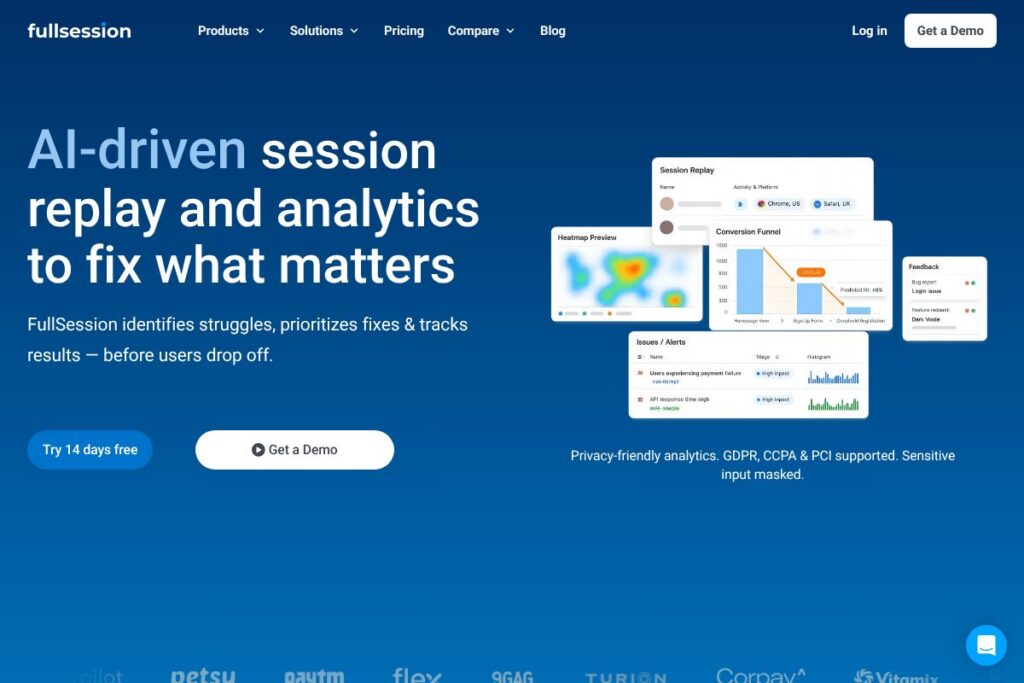
FullSession is a session replay and analytics platform that helps teams find where users struggle, prioritize fixes using AI, and measure whether changes improve key outcomes. It combines visual replay, heatmaps, funnel analysis, error linking, and in-app feedback to provide both qualitative evidence and quantitative context for conversion and retention issues.
Compared with FullStory and Hotjar, FullSession places extra emphasis on lightweight capture, configurable data masking, and an AI impact engine called Lift AI that ranks friction by likely effect on outcomes. Where FullStory aims at deep user-level debugging for large enterprises and Hotjar focuses on behavior signals and surveys at scale, FullSession positions itself between those use cases with a tighter privacy surface and AI-guided prioritization.
All of this makes FullSession a practical option for product teams, growth teams, and engineering groups that need fast evidence to act on, while keeping capture controls and access governance strict enough for regulated environments. It is particularly suitable for mid-market B2B SaaS, ecommerce teams, and any organization that wants to measure the result of fixes rather than rely on opinions.
How FullSession Works
FullSession captures user interactions in the browser with a lightweight, asynchronous SDK that avoids blocking the critical rendering path. Sessions are sampled and encoded efficiently, then linked to technical signals such as console errors and network failures so teams can move from a problem alert to the exact session that exhibited the issue.
Lift AI analyzes aggregated signals from replays, funnels, heatmaps, errors, and feedback, then ranks friction points by predicted impact on key outcomes like activation or conversion. Teams can jump from an AI-flagged issue to the evidence: the exact replay, supporting heatmap data, and associated error traces so prioritization and verification happen in one workflow.
Access and governance are enforced through role-based permissions, SSO integration, and audit logs so that teams can control who sees replays and which pages or elements are blocked from capture. Masking rules operate at capture time and during playback so sensitive values never leave the browser and specific teams see only the data they need.
FullSession features
FullSession bundles session replay, heatmaps, funnel and error analytics, in-app feedback, and an AI impact engine. Recent product direction emphasizes privacy-first capture controls, faster error-to-session linking, and AI-guided prioritization that helps teams pick the fixes likely to move metrics.
Session Replay
Replays show a pixel-accurate reconstruction of user journeys with timestamps, DOM events, and input masking applied. Replays are useful for reproducing issues, verifying UX flows, and providing product and design teams with concrete evidence of user struggle.
Heatmaps
Heatmaps aggregate click, scroll, and movement data to visualize where users focus and where they ignore content. Teams use heatmaps to validate layout changes, identify dead zones, and prioritize UX updates that affect engagement.
Funnels and Conversion Analysis
Funnels let teams see where users drop out of critical flows and quantify conversion loss at each step. Combined with replay links, funnels make it straightforward to diagnose whether drops are due to friction, technical errors, or confusing copy.
Lift AI (Impact Ranking)
Lift AI ranks friction by likely impact on specified outcomes, explains why an issue matters with evidence and context, and helps track results over time. This reduces time spent debating which experiments to run and focuses work on changes most likely to move metrics.
Error Tracking and Linking
Errors and console traces are captured alongside sessions so engineers can go from an alert to the exact sessions where an error occurred. This reduces back-and-forth between support, QA, and engineering when reproducing issues.
In-app Feedback and Surveys
In-app feedback ties qualitative user comments to sessions and screens, giving context to the numeric signals. Teams can correlate feedback with replay evidence to understand intent and prioritize fixes that address real user pain.
Privacy Controls and Data Masking
Configurable masking rules let teams hide passwords, payment fields, and other sensitive inputs at capture so these values never leave the browser. Elements or entire pages can be blocked from recording while preserving surrounding behavior and technical signals for analysis.
Access Control and Governance
Role-based permissions, SSO integration, and audit logs allow organizations to enforce least-privilege access and track who viewed which sessions and when. These controls support security reviews and compliance requirements for regulated teams.
Performance and SDK Efficiency
The SDK loads asynchronously, supports sampling, and uses compression to minimize bandwidth and CPU overhead on high-traffic or performance-sensitive pages. This reduces the chance that analytics capture will affect real-user performance.
With these capabilities, the biggest benefit is the closed loop from evidence to prioritized action and measurement: teams can find friction, fix it in prioritized order, and verify impact with the same dataset.
FullSession pricing
FullSession uses a flexible, subscription-based approach with tailored options for teams and enterprise deployments rather than a single public price list. Organizations typically evaluate capture volume, retention needs, and governance requirements to determine a plan that balances feature access with compliance controls; enterprise contracts include SSO, advanced audit logs, and custom capture policies.
For current plan options and to discuss seat counts, data retention, or enterprise SLAs, view the FullSession homepage for contact and sales options at the FullSession homepage. The team can provide a demo, trial details, and a price quote that matches your environment and compliance needs.
What is FullSession Used For?
Product and PLG teams use FullSession to improve activation and adoption by identifying where new users struggle in onboarding and core flows, then prioritizing fixes that move activation and retention. The combined visual and quantitative signals help reduce guesswork during roadmap and experiment planning.
Growth, CRO, and RevOps teams rely on FullSession to increase conversion without wasted experiments by surfacing the why behind drop-offs and highlighting the highest-impact friction points. Lift AI helps focus experiments on the changes most likely to improve outcomes.
Engineering and QA use FullSession to reproduce issues faster and prioritize by impact, linking errors to real user sessions so debugging is grounded in actual user behavior. This reduces back-and-forth across Product, QA, and Support when diagnosing and resolving bugs.
Pros and cons of FullSession
Pros
- AI-guided prioritization: Lift AI ranks friction by predicted impact and supplies evidence, helping teams choose fixes that are more likely to change outcomes.
- Privacy-first capture controls: Configurable masking rules and element/page blocking prevent sensitive values from being recorded, supporting GDPR and CCPA requirements.
- Fast error-to-session linking: Errors and traces link directly to sessions, which speeds up reproduction and reduces time spent chasing down intermittent bugs.
- Lightweight SDK and performance focus: Async loading, sampling, and compression keep capture overhead low for performance-sensitive pages.
- Role-based access and audit logs: Built-in governance supports enterprise security policies and least-privilege access for cross-functional teams.
Cons
- Enterprise sales model: Custom pricing and enterprise-oriented contracts can lengthen procurement for small teams that prefer transparent self-serve pricing.
- Feature overlap with larger platforms: Organizations already using deep analytics platforms may find some overlap in functionality and need to evaluate integration points.
- Dependence on sampling for scale: High-traffic sites may need careful sampling configuration to balance coverage and cost, which requires planning and tuning.
Does FullSession Offer a Free Trial?
FullSession offers a free trial option and personalized demos so teams can install the snippet, verify captures, and review initial replays and heatmaps before committing. For demo requests and trial setup, contact the team via the FullSession homepage to get started and confirm trial length and feature access.
FullSession API and Integrations
FullSession provides API access and a set of integrations to connect replay and signal data to other tools in your stack. The integrations page documents connectors for common platforms such as Google Tag Manager, analytics and error-tracking systems, and communication tools.
Developers can extend workflows with API endpoints for session retrieval, event exports, and webhook notifications; refer to the API documentation for endpoints, authentication, and rate limits. Integrations with tools like Slack, Segment, Sentry, and analytics platforms turn insights into action across the organization.
10 FullSession alternatives
Paid alternatives to FullSession
- FullStory — Offers deep session replay, rich user-level analytics, and product analytics aimed at enterprise customers with advanced debugging features.
- Hotjar — Combines heatmaps, recordings, and user feedback with an easy setup and plans that scale from small teams to enterprises.
- LogRocket — Focuses on session replay plus network and console logs to help engineers reproduce client-side issues quickly.
- Smartlook — Provides session recordings, event tracking, and funnels with a focus on product analytics for web and mobile.
- Crazy Egg — Offers visual analytics such as heatmaps and recordings aimed at marketers and CRO teams.
- Mouseflow — Includes recordings, heatmaps, funnels, and form analytics for conversion optimization.
- Contentsquare — Enterprise-grade digital experience analytics that combines behavior analysis with advanced segmentation.
Open source alternatives to FullSession
- OpenReplay — Open-source session replay and product analytics that you can self-host to retain full control over captured data.
- rrweb — A low-level open-source library for recording and replaying user interactions that teams can build into custom replay solutions.
- PostHog — Open-source product analytics with optional session recording, feature flags, and self-hosting for teams that want an extensible platform.
Frequently asked questions about FullSession
How fast can I see value with FullSession?
You can see first replays and heatmaps within minutes of installing the snippet. Install via Google Tag Manager or manually, invite teammates, and begin reviewing sessions and heatmaps almost immediately.
Is FullSession just session replay?
No, FullSession includes replays plus heatmaps, funnels, error analysis, and in-app feedback. The platform combines qualitative visuals with quantitative signals to explain why users behave a certain way.
What is Lift AI in FullSession?
Lift AI is an impact engine that ranks friction by predicted effect on outcomes and provides evidence and context. It helps teams prioritize fixes that are most likely to improve activation, conversion, or retention.
What is FullSession used for?
FullSession is used to find where users struggle, prioritize the highest-impact fixes, and measure whether those fixes improved key funnels. Product, growth, and engineering teams use it to reduce guesswork and accelerate measurable improvements.
Can Engineering and QA connect FullSession errors to real user sessions?
Yes, FullSession can link errors and console traces to the exact sessions where they occurred. That capability shortens debugging cycles and reduces miscommunication between support, QA, and engineering.
Final verdict: FullSession
FullSession offers a practical mix of session replay, heatmaps, funnels, error linking, and privacy controls, with Lift AI adding an evidence-driven way to prioritize fixes. It performs well for mid-market and enterprise teams that need governance, masking, and measured outcomes without a heavy SDK footprint.
Compared with FullStory, which often targets larger enterprises with deeper user-level analytics and a corresponding enterprise pricing model, FullSession emphasizes lightweight capture, configurable privacy, and AI-guided prioritization to help cross-functional teams act faster. If you need precise replay plus impact ranking and strict capture controls, FullSession is a strong choice; for organizations that require the deepest behavioral analytics regardless of cost, evaluating FullStory alongside FullSession will clarify trade-offs in features and procurement.