GitBook: An Overview
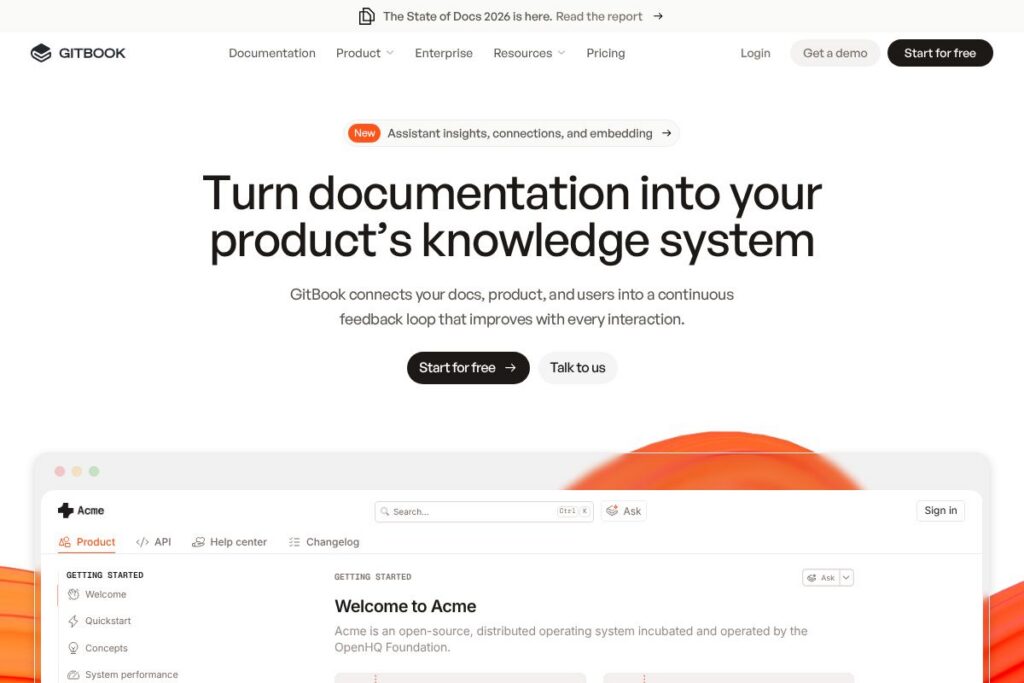
GitBook is a documentation platform designed to make product documentation a first-class knowledge system that connects docs, product, and users into a self-improving loop. It combines a modern editor, docs-as-code workflows, and AI-assisted insights to help teams author, maintain, and surface documentation that answers user questions and highlights knowledge gaps.
Compared with Confluence, GitBook focuses more on API and product documentation with a cleaner editor that prioritizes published docs and external-facing knowledge bases. Against ReadMe, GitBook provides stronger built-in docs-as-code workflows and role-based access controls for enterprise content. Compared with Notion, GitBook targets documentation at scale with versioning, compliance, and integrations tailored to developer and product teams rather than general-purpose notes.
GitBook works well for product, developer relations, and support teams that need a scalable documentation system tied to their product. It fits organizations that require authenticated content, granular permissions, and enterprise security controls while still offering an approachable editor for authors.
How GitBook Works
GitBook stores documentation in structured spaces that can be organized by product, topic, or audience, then published to a searchable knowledge base that can be public, private, or auth-protected. Authors can write in a WYSIWYG editor or connect docs-as-code workflows, syncing content from repositories and managing versions through Git integrations.
AI insights run across your docs to surface unanswered questions, suggest content improvements, and optimize pages for search and AI discovery. Teams connect GitBook to their product and support stack through integrations and webhooks so docs become part of the product experience and support flow.
GitBook features
GitBook centers its product around authoring, discovery, and governance. Core capabilities include a collaborative editor, docs-as-code support, AI-powered insights, role-based access control, and enterprise-grade security and compliance. Recent product direction emphasizes AI suggestions for content gaps and improved discoverability inside product experiences.
Collaborative editor
The collaborative editor supports inline comments, mentions, and real-time editing so multiple authors can work on a page together. It preserves structured content with code blocks, embeds, and version history to make technical documentation easier to maintain.
Docs-as-code workflows
GitBook integrates with Git repositories and CI pipelines to let teams treat documentation like code, enabling review processes and automated publishing. This approach benefits engineering-driven documentation where content changes need traceability and rollback.
AI insights and content suggestions
Built-in AI analyzes documentation to detect knowledge gaps, flag outdated pages, and propose new content topics based on user queries and usage patterns. These suggestions help prioritize work and improve self-serve support coverage for customers.
Role-based access control
Tiered roles and permissions let admins control who can view, edit, and publish content across spaces. Auth-protected content options allow gated documentation for customers, partners, or internal teams.
Enterprise security and compliance
GitBook supports SAML-based single sign-on, and advertises compliance with standards such as SOC 2, ISO 27001, and GDPR to fit enterprise security requirements. These controls are paired with audit logs and admin tools for governance.
Migration and professional services
The platform offers white-glove migration, 1:1 support, and training to help teams move content from legacy systems and establish publishing workflows quickly. Custom integrations and assistance reduce time-to-value for larger documentation projects.
With these capabilities, GitBook emphasizes accurate, discoverable documentation that scales with product complexity while meeting enterprise governance and security needs.
GitBook pricing
GitBook uses a SaaS subscription model with a freemium approach for individuals and custom enterprise pricing for larger organizations; detailed plan terms are managed directly through GitBook’s site and sales channels. For the most current plan options and any trial details, see GitBook’s pricing and plans on the GitBook website.
What is GitBook Used For?
GitBook is commonly used to build developer documentation, API references, product guides, onboarding materials, and internal knowledge bases that require versioning and controlled access. Its docs-as-code capabilities make it suitable for engineering-driven documentation where content needs to follow software development workflows.
Support and product teams use GitBook to reduce repetitive support requests by exposing searchable, AI-optimized help content inside product flows and support portals. Enterprises use GitBook where compliance, SSO, and auditability are required for documentation and customer-facing knowledge.
Pros and Cons of GitBook
Pros
- Docs-as-code friendly: GitBook connects with Git workflows, enabling review, version control, and CI-based publishing for engineering-centric documentation teams.
- AI-driven insights: Built-in AI surfaces knowledge gaps and suggestions, which helps prioritize documentation work and improve self-serve support coverage.
- Enterprise security: Offers SAML SSO, audit logs, and compliance features such as SOC 2 and ISO 27001 to meet enterprise requirements.
- Authenticated content: You can restrict access to specific docs so only authorized customers or teammates can view sensitive information.
Cons
- Enterprise focus can add complexity: Advanced features, compliance controls, and migration services may require coordination with sales or professional services for full setup. This can slow initial rollout for smaller teams.
- Less general-purpose than Notion: While powerful for documentation workflows, GitBook is not positioned as an all-purpose workspace and may feel constrained for teams wanting a freeform notes tool.
Does GitBook Offer a Free Trial?
GitBook offers a free tier alongside paid plans and enterprise options. The free tier covers basic documentation needs and public knowledge bases, while paid plans add features such as advanced access controls, single sign-on, and professional support. For specific trial lengths or feature limits, check GitBook’s available plans on the GitBook website.
GitBook API and Integrations
GitBook provides API access and integrations to connect documentation with development and support workflows. The API and developer docs describe endpoints for content, spaces, users, and webhooks to automate publishing and sync content with tooling; see the GitBook documentation for API details.
Integrations commonly used with GitBook include repository connections (GitHub, GitLab), identity providers for SSO, and messaging or automation tools like Slack and Zapier to surface documentation updates. These integrations help tie docs to code, product telemetry, and support processes.
10 GitBook alternatives
Paid alternatives to GitBook
- Confluence – An enterprise wiki from Atlassian that emphasizes team collaboration, deep integrations with Jira, and advanced permissioning for internal documentation.
- Notion – A flexible workspace used for notes and docs that is easy to adopt for cross-functional teams but less specialized for docs-as-code and enterprise compliance.
- ReadMe – Focuses on API reference documentation with developer portals and interactive API explorers tailored to developer experience.
- Document360 – A knowledge base platform with analytics, versioning, and category management aimed at support and product documentation teams.
- Help Scout Docs – Integrated with Help Scout’s support tools to provide a knowledge base that ties directly into customer conversations and support workflows.
- Zendesk Guide – Part of Zendesk’s suite, offering knowledge management that integrates tightly with ticketing and support automation.
- Slite – A lightweight knowledge base and documentation tool for small to mid-size teams that need a simple authoring and organization experience.
Open source alternatives to GitBook
- Docusaurus – A React-based static site generator optimized for documentation, designed to be used with a Git workflow and easily customized.
- MkDocs – A Python-based static site generator for project documentation with a straightforward Markdown workflow and multiple themes.
- Read the Docs – A hosted documentation service built on Sphinx and MkDocs workflows, often used for technical and open source project docs.
- Wiki.js – A modern, open source wiki with a visual editor, Git-backed storage, and flexible hosting options for teams wanting control over infrastructure.
Frequently asked questions about GitBook
What is GitBook best used for?
GitBook is best used for product and developer documentation. It is built to serve API references, developer portals, onboarding guides, and internal knowledge bases that need structured content, versioning, and discoverability.
Does GitBook support single sign-on?
Yes, GitBook supports SAML-based single sign-on. That capability is designed for organizations that need centralized identity management and role-based access to documentation.
Can GitBook integrate with Git repositories?
Yes, GitBook supports docs-as-code workflows and Git integrations. Teams can sync content with Git repositories to enable reviews, version control, and automated publishing as part of development pipelines.
Is GitBook secure and compliant for enterprise use?
GitBook provides enterprise-grade security features and compliance certifications. The platform includes SAML SSO, audit logs, and advertises compliance with standards such as SOC 2 and ISO 27001 to support enterprise requirements.
Does GitBook offer an API for automation?
Yes, GitBook exposes APIs and webhooks for automation. The API lets teams programmatically manage content, spaces, and users and integrate documentation workflows with CI/CD and support tooling.
Final verdict: GitBook
GitBook excels at turning documentation into an integrated knowledge system that supports docs-as-code workflows, authenticated content, and AI insights to identify gaps and suggest improvements. Its focus on product and developer documentation, combined with enterprise security controls and migration services, makes it a strong choice for teams that need scalable, governed documentation.
Compared with Confluence, GitBook provides a cleaner, documentation-first experience with more emphasis on external-facing docs and docs-as-code. Confluence tends to be broader as an internal wiki with deeper ties to Atlassian tooling, while GitBook emphasizes discoverability and AI-driven documentation quality; organizations should weigh those differences alongside each vendor’s pricing and enterprise support options. For up-to-date plan details and to evaluate which option fits your team, view GitBook’s available plans on the GitBook website.