What is HelpDocs
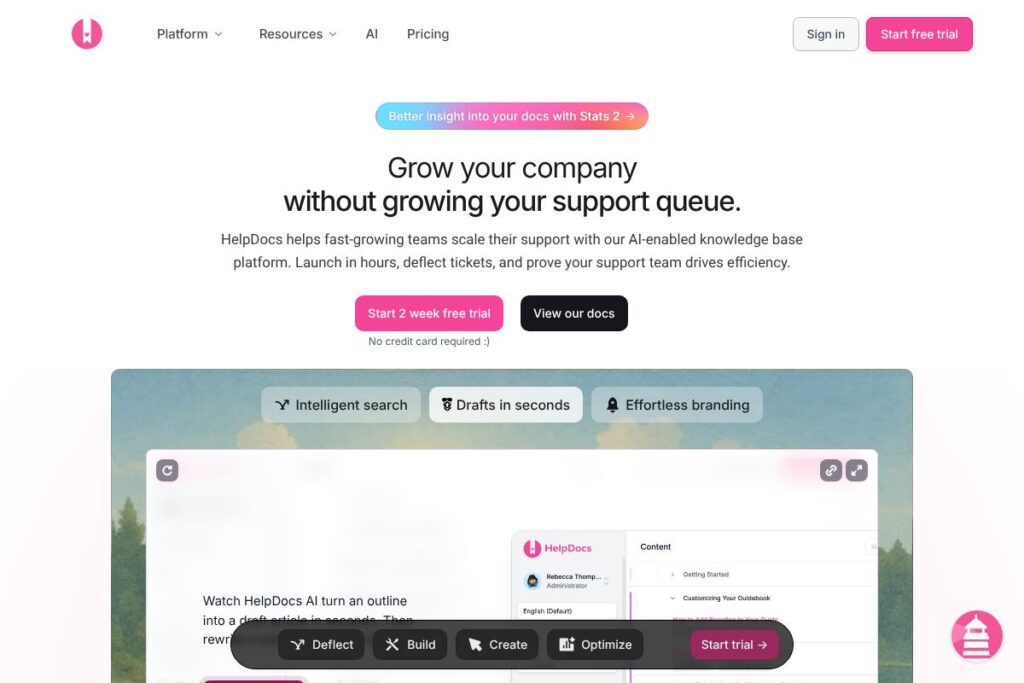
HelpDocs is knowledge base software designed to reduce incoming support tickets by delivering accurate self-service answers. It combines fast, typo-tolerant search, AI-generated summaries, and contextual help that can appear inside your app, chatbot, or documentation site to deflect common questions before a ticket is created.
Compared with centralized support suites like Zendesk Guide, HelpDocs focuses on a standalone knowledge base experience that emphasizes search quality, templates, and editorial tools. Against documentation platforms such as Confluence or product-first doc tools like Document360, HelpDocs puts more emphasis on customer-facing help, AI assistance for content drafting, and built-in SEO and accessibility for public docs.
HelpDocs does really well at converting documentation into a measurable support channel through search-driven discovery, AI summaries, and performance-oriented templates. It is suited to product and support teams that need a fast, customizable help site that scales with customer growth without immediately adding headcount.
How HelpDocs Works
Content is stored as articles that your team edits in a WYSIWYG editor with blocks, callouts, tables, and code blocks; AI assists by drafting content, rewriting for clarity, and generating alt text to accelerate authoring. Articles can be published to a public help site or kept private for internal documentation, and reusable Clips let teams drop standardized content across multiple pages.
Search is the primary deflection mechanism. The platform indexes your knowledge base and returns intent-aware, typo-tolerant results; AI-powered summaries synthesize answers from multiple articles so customers see short, reliable responses instead of hunting through full pages. Contextual delivery options include an embeddable Lighthouse widget, chatbots that cite source pages, and integrations with common support tools so help appears where users already ask questions.
Deployment and theming use a no-code to full-code model. Teams can launch with prebuilt V5 templates that are optimized for speed and accessibility, then iterate using a staging environment and custom HTML, CSS, and JavaScript when more control is needed.
HelpDocs features
HelpDocs centers its product around search-driven self-service, AI authoring, and customizable help sites. Core capabilities include typo-tolerant search, AI-generated answers, a block-based editor with multilingual support, performance-optimized templates, and analytics that surface deflection and content gaps.
AI-powered Summaries
Natural language questions return concise answers synthesized from your knowledge base, reducing the chance of hallucinations by citing source articles. This shortens resolution time for customers and reduces repetitive ticket volume for support agents.
Smart Search
Search understands intent and tolerates typos rather than matching keywords only, which improves findability for diverse queries. That leads to higher self-service rates because customers locate relevant articles faster.
Embeddable Lighthouse Widget and Chatbot Sources
You can surface help inside your app or web product using the Lighthouse widget or feed answers into chatbots that link back to source documentation. This puts answers where customers already interact with your product and shortens support funnels.
Editor with AI Assistance
The editor uses blocks, reusable Clips, and AI features to draft articles from outlines, rewrite content for clarity, and generate accessibility-friendly alt text. This reduces the time authors spend on first drafts and keeps content consistent with a style guide.
Multilingual Support and Machine Translation
Automatically translate articles into 100+ languages while preserving formatting, or manage manual translations for higher accuracy. This helps teams scale support for a global customer base without long delays.
Fast, Accessible Templates
Prebuilt V5 templates are engineered for SEO, accessibility, and speed, with dark mode included on the latest templates. Templates are designed to convert visitors into self-serve users and can be customized progressively from no-code settings to full-code templates.
Versioning, Staging, and .dev Environments
Developers can build and preview template changes in a staging environment before promoting them live, which reduces risk and allows collaborative design workflows. The staging workflow keeps production docs stable while new layouts or features are tested.
Analytics, Deflection Metrics, and Content Health
Built-in metrics track views, searches, feedback, and self-service rates to identify content gaps and stale pages. Dashboards surface article performance and deflection efficiency so teams can prioritize updates that improve support outcomes.
Permissioning and Targeted Content
Role-based groups and special links let teams serve different content to different audiences, useful for customer tiers, partners, or internal vs external docs. Permissioning supports segmented documentation strategies without maintaining multiple sites.
With these capabilities combined, HelpDocs aims to make documentation both easier to author and more effective as a support channel, turning articles into measurable reductions in ticket volume.
HelpDocs pricing
HelpDocs uses a subscription SaaS pricing model with tiered plans and a free trial; however, public detailed plan pricing was not listed in the source material. For the most up-to-date plan details, seat counts, and enterprise options, view HelpDocs’ current pricing and plans on their official site.
What is HelpDocs Used For?
HelpDocs is used to build customer-facing help centers that reduce the number of repetitive support tickets by improving findability and delivering concise answers. Product teams use it to host onboarding guides, troubleshooting steps, API docs, and contextual in-app help that appears exactly when users need it.
Support and documentation teams use HelpDocs to centralize knowledge, measure article performance, and identify content gaps using search logs and deflection metrics. Its translation and permissioning features also make it suitable for businesses serving multiple regions or customer segments.
Pros and Cons of HelpDocs
Pros
- High-quality search and AI answers: The search is intent-aware and typo-tolerant, while AI summaries synthesize answers from across articles, reducing ticket volume and improving first-contact success.
- Flexible theming and staging: Teams can launch quickly with polished templates and later move to full HTML/CSS/JS customization, with a staging environment to preview changes before publishing.
- Content authoring efficiency: AI drafting, reusable Clips, and block formatting speed up documentation workflows and enforce consistent style and accessibility practices.
- Multilingual scale: Machine translation to 100+ languages and support for manual translations lets teams serve global customers without long delays.
Cons
- Custom feature trade-offs for smaller teams: Achieving full customization requires developer time for HTML templating, which may be more than some small teams want to invest upfront.
- Enterprise feature visibility: Detailed enterprise pricing and feature bundling are typically handled through sales, meaning exact costs for large deployments require direct contact with HelpDocs.
- Third-party dependency for some workflows: Teams that rely heavily on built-in ticketing or CRM features may still need separate support platforms to handle complex ticket routing and agent workflows.
Does HelpDocs Offer a Free Trial?
HelpDocs offers a 14-day free trial. The trial provides access to core features so teams can evaluate AI-assisted authoring, search, templates, and integrations before committing to a subscription.
HelpDocs API and Integrations
HelpDocs integrates with a variety of support tools to surface help where customers and agents already work, and the platform publishes integration details on its integrations list. Common connections include chatbots, ticketing systems, and analytics platforms so content can be consumed or suggested inside other products.
For developers, HelpDocs offers programmatic access and documentation for automations and content management; consult the developer API documentation and integrations list to see available endpoints and prebuilt connectors.
10 HelpDocs alternatives
Paid alternatives to HelpDocs
- Zendesk Guide — Part of the Zendesk support suite, integrates tightly with ticketing and agent workflows and is suitable for teams that want knowledge base features bundled with full helpdesk functionality.
- Intercom Articles — Built into Intercom’s Messenger and Conversations product, useful if you want knowledge base content tightly integrated with chat and customer messaging.
- Document360 — Focused on technical documentation with versioning and strong search; it targets product and engineering documentation use cases.
- Confluence — Atlassian’s collaborative documentation platform, well suited for internal docs, engineering runbooks, and cross-functional knowledge sharing.
- Helpjuice — A customer knowledge base tool emphasizing analytics and extensive customization for larger documentation libraries.
- Guru — Knowledge management that centers on distributed teams and workflows, combining verified knowledge cards with browser and Slack integrations.
- Freshdesk Knowledge Base — Part of Freshworks’ Freshdesk product family, suitable if you want knowledge and ticketing in the same ecosystem.
Open source alternatives to HelpDocs
- Docusaurus — A static site generator designed for technical documentation with strong developer customization and React-based theming.
- Read the Docs — A documentation hosting platform that automates building and hosting Sphinx or MkDocs projects, popular for developer-facing docs.
- MkDocs — A Python-based static site generator for documentation that is simple to configure and extend with community plugins.
- BookStack — An open source wiki and documentation platform with straightforward authoring and book/chapter organization suitable for internal knowledge bases.
- Hugo — A general-purpose static site generator often used for documentation sites when combined with appropriate themes and search tooling.
Frequently asked questions about HelpDocs
What is HelpDocs used for?
HelpDocs is used to build customer-facing and internal knowledge bases that reduce support tickets. Teams publish searchable articles, embed contextual help, and measure deflection to improve self-service.
Does HelpDocs integrate with other support tools?
Yes, HelpDocs integrates with common support and chat platforms. You can connect it to ticketing systems, chatbots, and analytics tools so help appears where users and agents already work; see the integrations list for specifics.
Can HelpDocs handle multiple languages?
Yes, HelpDocs supports machine translation into 100+ languages and manual translations. This preserves formatting and lets teams serve global customers quickly while retaining options for manual review.
Is there an API for automating HelpDocs content?
Yes, HelpDocs provides developer APIs and documentation for automating content and integrations. The developer documentation describes endpoints for managing articles, templates, and automation workflows.
How does HelpDocs measure deflection and content performance?
HelpDocs includes analytics for views, searches, self-service rate, and deflection efficiency. Those metrics help teams identify stale content, search gaps, and articles that need improvement to increase self-service.
Final verdict: HelpDocs
HelpDocs is a focused knowledge base platform that prioritizes search quality, AI-assisted authoring, and performance-optimized help sites to reduce support load. It is best for product and support teams that want a standalone documentation system with strong developer controls for customization and measurable deflection metrics.
Compared with Zendesk Guide, which is typically sold as part of a larger support suite and is attractive when you need integrated ticketing and agent workflows, HelpDocs is a cleaner option for teams that want a dedicated documentation layer with faster setup and built-in AI features. For organizations deciding between a bundled helpdesk or a specialized knowledge base, HelpDocs provides a cost-effective way to scale support through self-service while retaining options to integrate with broader support tooling.