What is Help Scout
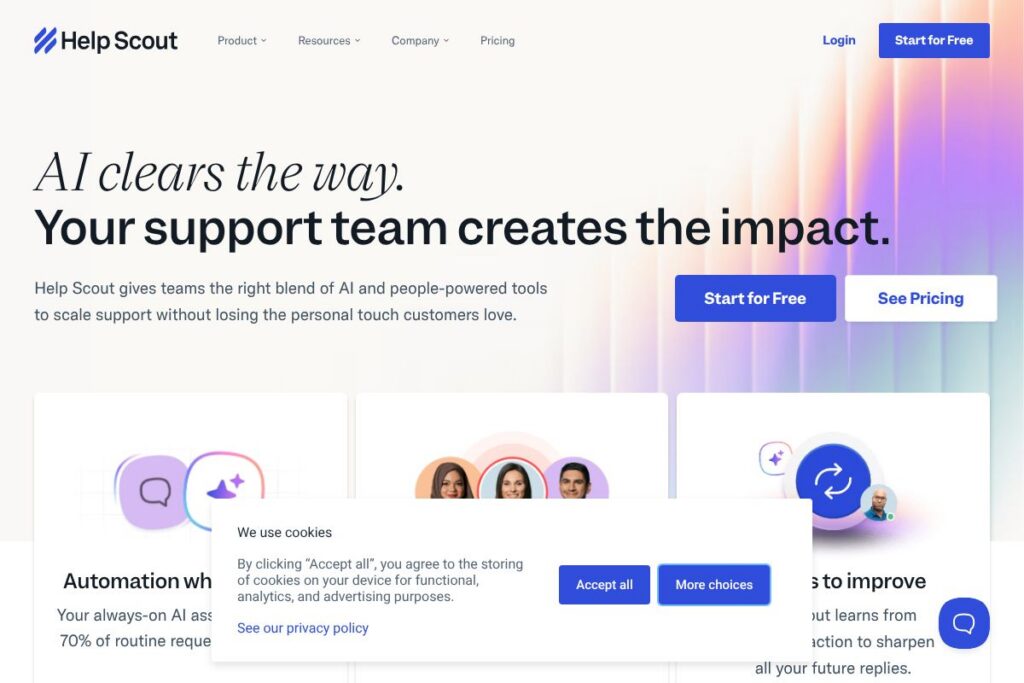
Help Scout is a customer support platform that centers on an email-style shared inbox, a searchable help center, and an embeddable live chat widget. It blends human workflows with automation and AI capabilities so teams can handle volume while keeping conversations personal and contextual.
Compared with Zendesk, Help Scout favors an email-first, conversational interface with fewer complex modules, which makes it faster to adopt for support teams that prioritize simplicity. Against Intercom, Help Scout is less focused on product-led messaging and in-app campaigns, and instead emphasizes threaded support conversations, Docs, and account-level context. Compared with Freshdesk, Help Scout offers a cleaner inbox experience for collaborative email workflows while still supporting chat and knowledge base features.
All of this makes Help Scout particularly well suited to small and mid-market companies that want an easy-to-use shared inbox, a help center for self-service, and light-weight chat, without introducing heavy admin overhead. Teams that need deep enterprise-level customization or advanced omnichannel routing may prefer alternatives, but Help Scout excels at day-to-day customer conversations and maintaining account context.
How Help Scout Works
Conversations arrive into a shared Inbox where agents can assign, tag, and reply using inline context for customers and companies. The interface shows conversation history, linked customer records, and collision detection so teammates do not reply twice.
The product includes an embeddable widget, Beacon, that surfaces Articles from the help center, starts a live chat, or opens a contact form. Workflows automate common tasks like tagging, routing, and escalation while Saved Replies and AI-assisted drafts speed up responses.
Behind the scenes, Help Scout stores company-level metadata so agents can view account details rather than only individual messages. Reporting and conversation metrics let managers measure response times, support volume, and team performance for continuous improvement.
Help Scout features
Help Scout combines core support tools with automation and AI to reduce repetitive work. Core capabilities include a collaborative shared Inbox, an embeddable help widget for live chat and Docs, workflows for automation, Saved Replies, and integrations with popular business apps. Recent emphasis has been on AI features that summarize threads and draft replies to speed up agent work.
Shared Inbox
A single, email-like Inbox surfaces all customer conversations with assignment, private notes, tags, and collision detection so teams can collaborate without stepping on each other. Shared views and custom folders help organize requests by product, SLA, or priority, which improves routing and handoffs.
Beacon (Live Chat + Docs)
The embeddable Beacon widget gives visitors access to Articles, contact forms, and live chat from a single UI element on your site or app. It reduces ticket volume by surfacing relevant help center content first while still allowing customers to start a conversation if self-service does not resolve their issue.
AI Assistant
Built-in AI features help summarize long threads, generate first-draft replies, translate messages, and suggest message edits, which speeds triage and keeps replies consistent. Agents can accept, edit, or discard AI suggestions so the human remains in control of tone and content.
Workflows and Automation
Workflows let teams automate repetitive tasks such as assigning conversations, applying tags, changing statuses, and sending internal notifications. Automation reduces manual processing and ensures repeatable handling for common request types.
Saved Replies
Saved Replies store proven responses for common questions or procedures and insert variable fields to personalize messages quickly. This reduces response time and helps new agents maintain consistent replies across the team.
Company Management
Company profiles group multiple users under a single account record, providing account-level context like plan, custom fields, and related conversations. This helps support teams resolve multi-user or account-level issues without hunting for separate threads.
Snooze and Send Later
Snooze allows agents to temporarily remove a conversation from the Inbox and resurface it at a specific time or condition. Send Later schedules outbound replies so messages arrive at an optimal time for the customer.
Multiple Inboxes and Channels
Multiple Inboxes provide separate workspaces for different departments, products, or brands while preserving a shared operational model. Native channel support and integrations let teams manage email, chat, and messages from platforms like Shopify or social channels in one place.
Reporting and Insights
Built-in reporting tracks response time, resolution metrics, and inbox activity so managers can spot trends and capacity issues. Reports can be filtered by mailbox, team member, tag, or timeframe to inform staffing and process changes.
With these features Help Scout helps reduce repetitive work, keep answers consistent, and deliver contextual support. The biggest payoff is an Inbox-first workflow that keeps customer conversations threaded and team collaboration straightforward.
Help Scout pricing
Help Scout uses a subscription-based pricing model with tiered plans that scale from small teams to larger organizations. Plan details and any promotional or annual discounts are published directly by the vendor and can change, so consult the vendor for the latest rates.
For the most accurate and current pricing information see Help Scout’s current pricing options. Enterprise buyers can contact Help Scout for custom contracts, seat counts, and add-on services through the same site.
What is Help Scout used for
Help Scout is used for customer support and service operations where teams want email-style conversations, a self-service help center, and light-weight chat in one platform. It is commonly used by support teams, customer success, and small product teams to handle inbound requests, onboard customers, and maintain account context.
Typical use cases include triaging customer emails from multiple brands, surfacing help articles to reduce ticket volume, managing account-level support for B2B customers, and automating routine tasks with workflows. The platform is also used to generate knowledge base content and to provide asynchronous chat support that complements email workflows.
Pros and cons of Help Scout
Pros
- Email-style collaboration: The shared Inbox provides a familiar, threaded view that makes it easy for teams to collaborate and keep conversations in context, reducing miscommunications and duplicated replies.
- Lightweight setup and ease of use: Onboarding is straightforward compared to more complex enterprise suites; teams can start responding quickly with Saved Replies and basic workflows in place.
- Integrated help center and widget: Beacon combines Articles, contact forms, and chat into a single embeddable experience that reduces friction for customers and cuts down ticket volume.
- AI-assisted productivity: Built-in AI tools for summarization and draft replies speed up responses while allowing agents to edit and keep control of tone and content.
Cons
- Limited advanced routing: For organizations that require highly complex omnichannel routing, custom SLAs, or rule engines, Help Scout can feel less flexible than larger enterprise platforms.
- Fewer native enterprise features: Compared with full-featured service clouds, Help Scout offers fewer built-in CRM and workflow customization options for very large businesses.
- Reporting depth: While reports cover the essentials, organizations that need deep analytics or custom dashboards may need to export data or connect to third-party BI tools.
Does Help Scout Offer a Free Trial?
Help Scout offers a free trial that lets teams test the Inbox, Beacon, Docs, and automation features before committing to a subscription. The trial provides access to core functionality so teams can evaluate workflows and integrations; check Help Scout’s site for current trial length and any conditions on account size or usage.
Help Scout API and Integrations
Help Scout provides a public API for developers to read and write conversations, manage customers and companies, and extend platform behavior; the Help Scout API documentation outlines available endpoints and authentication methods. The API supports common use cases like syncing customer records, automating ticket creation, and pulling reporting data into external systems.
Integrations connect Help Scout to tools such as Slack, Shopify, Salesforce, Zapier, and many others; an integrations directory on Help Scout’s site lists available apps and configuration guidance. These integrations help embed support data into CRM workflows, e-commerce platforms, and team communication channels.
10 Help Scout alternatives
Paid alternatives to Help Scout
- Zendesk — Comprehensive customer service platform with omnichannel routing, advanced reporting, and hundreds of integrations, suitable for large enterprises.
- Intercom — Product-led customer messaging platform with in-app chat, bots, and targeted messaging combined with a customer data layer for product teams.
- Freshdesk — Cloud help desk with multichannel support, automation, and modular add-ons for growing teams.
- Front — Shared inbox focused on collaborative email and chat workflows with strong automation and team assignments.
- Salesforce Service Cloud — Enterprise-grade customer service solution tightly integrated with Salesforce CRM and advanced case management.
- Groove — Simple help desk built for small businesses that want an easy-to-use shared inbox and knowledge base.
- Kayako — Customer service platform that emphasizes a single view of the customer across channels.
Open source alternatives to Help Scout
- Zammad — Open source help desk with ticketing, user management, and basic reporting that can be self-hosted.
- osTicket — Widely used open source support ticket system that handles email piping, forms, and basic workflows.
- UVdesk — Open source help desk built on PHP with e-commerce integrations and self-hosting options.
- OTRS (Community Edition) — Flexible ticketing system used for ITSM and customer support in self-hosted deployments.
Frequently asked questions about Help Scout
What is Help Scout used for?
Help Scout is used for customer support and account-level service. Teams rely on its shared Inbox, Docs, and Beacon widget to manage inbound requests, provide self-service, and maintain company context across conversations.
Does Help Scout integrate with Slack?
Yes, Help Scout integrates with Slack. The integration can send notifications, create conversations from Slack messages, and help teams surface support activity in channels; configuration details are in Help Scout’s integrations directory.
Can Help Scout be extended with an API?
Yes, Help Scout provides a public API for developers. The API supports conversations, customers, companies, and reporting endpoints and is documented on Help Scout’s developer site.
Is Help Scout suitable for small businesses?
Yes, Help Scout is well suited to small and mid-size businesses. Its Inbox-first approach, easy setup, and help center features make it a practical choice for teams that need collaborative email workflows without heavy admin overhead.
Does Help Scout offer multilingual support or translation features?
Help Scout supports translation workflows and multilingual content through AI-assisted drafting and Docs organization. Agents can translate messages or edit AI-generated drafts to ensure responses match the customer’s language and tone.
Final verdict: Help Scout
Help Scout stands out as an email-first customer support platform that keeps human conversation at the center while adding automation and AI where it reduces repetitive work. Its shared Inbox, Beacon widget, and knowledge base combine into a coherent workflow that is easy for teams to adopt and use day to day.
Compared with Zendesk, Help Scout is generally more approachable and simpler to administer, while Zendesk offers deeper enterprise routing and reporting. Teams choosing between the two should weigh Help Scout’s cleaner inbox experience and lower operational complexity against Zendesk’s advanced feature set and scalability for large, highly customized deployments.
Overall, Help Scout is a strong choice for support teams that prioritize fast agent productivity, clear account context, and an integrated help center. For organizations that need deep enterprise customization or extensive omnichannel routing, evaluating Help Scout alongside larger service platforms will help determine the best fit.