JobPack Explained
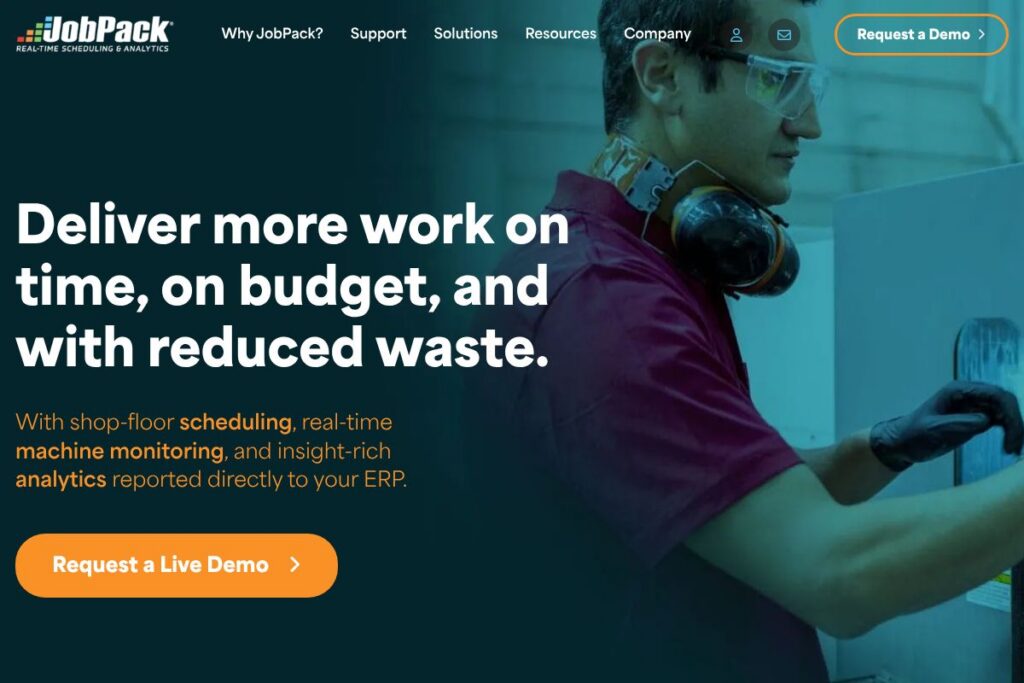
JobPack is a shop-floor production scheduling system designed to help manufacturers plan, monitor, and adjust production in real time. It connects scheduling, machine monitoring, and analytics to ERP systems so teams can track short-term progress, reduce downtime, and make data-driven decisions about staffing and materials.
Compared with tools like Katana, Prodsmart, and Plex, JobPack focuses on visual, side-by-side scheduling and deep traceability for discrete and job-shop environments. Katana targets small-to-mid sized manufacturers with straightforward SaaS plans and built-in inventory; Prodsmart emphasizes mobile-first machine data capture; Plex is a broader MES/ERP suite for larger factories. JobPack sits between these approaches by delivering focused shop-floor scheduling and machine-level visibility while integrating tightly with a company’s ERP.
All of this makes JobPack especially well suited to job shops and discrete manufacturers that need rapid what-if planning and real-time machine status across a heterogeneous machine base. The product works best for operations that require reversible test-case scheduling, close ERP coordination, and clear visual boards for shop-floor teams.
How JobPack Works
JobPack runs on a server-installed architecture, with lightweight shop desktop or terminal shortcuts for operators and planners. It imports master data from the ERP, then uses that data to populate a visual scheduling board that reflects machines, working centers, job priorities, and resource constraints.
Schedulers can run what-if scenarios in a test mode that does not affect live data, compare side-by-side plans, and then commit the selected schedule back to production. Real-time machine monitoring feeds actual runtime and downtime into the schedule so the board updates with current status and exceptions.
Typical workflows include creating or importing jobs from the ERP, assigning operations to machines, running capacity checks, and executing the schedule while monitoring exceptions. Managers use built-in analytics to measure on-time performance, machine utilization, and the gap between projected and actual costs.
JobPack features
JobPack centers on production scheduling, machine monitoring, and ERP-integrated analytics. Core capabilities include a visual drag-and-drop scheduling board, live machine connectivity for status and OEE metrics, what-if scenario testing, and detailed reporting that ties back to your ERP. The platform also supports reversible test-case runs so planners can evaluate alternatives without changing the active schedule.
Let’s talk JobPack’s Features
Visual Scheduling Board
The board provides a drag-and-drop interface where jobs, operations, and resources appear on a timeline so planners can adjust sequencing and identify bottlenecks visually. This reduces reliance on spreadsheets and helps teams see the downstream impact of schedule changes quickly.
Real-time Machine Monitoring
Connected machines report status, OEE, and downtime events so the schedule reflects live conditions and exceptions. That immediate feedback allows operators and supervisors to react faster and reduces the gap between planned and actual output.
ERP Integration
JobPack synchronizes job, routing, and inventory data with your ERP so schedules use authoritative master data and reporting can reconcile to financials. Integration enables better planning around materials and costing and reduces duplicate data entry.
What-if Scenario Testing
Planners can run alternate schedules in test mode, simulate machine or staff outages, and compare outcomes side-by-side without impacting the production environment. This feature helps teams evaluate trade-offs and select plans that minimize late deliveries and excess work-in-progress.
Analytics and Shop-floor Reporting
The analytics module aggregates job, machine, and staffing metrics into dashboards and exportable reports, showing on-time delivery, utilization, scrap rates, and cost variance. These reports are designed to be traceable back to ERP transactions for budgeting and month-end reconciliation.
Traceability and Audit Trails
Every schedule change and machine event is logged so teams can follow the history of job progress and decisions. Traceability supports continuous improvement efforts and provides evidence for quality or customer inquiries.
With these capabilities, JobPack helps manufacturers reduce waste, shorten lead times, and improve delivery performance through tighter alignment of scheduling, machines, and ERP data.
JobPack pricing
JobPack uses a custom enterprise pricing model tailored to shop size, deployment needs, and integration complexity, with options for on-premises installation and server-based deployments. Pricing is typically structured around licenses, machine-monitoring nodes, and integration or implementation services rather than a one-size-fits-all monthly plan.
For current pricing details, configuration options, and to request a tailored quote or live demo, see JobPack’s product and demo request page.
What is JobPack Used For?
Manufacturers use JobPack to plan and execute production schedules while maintaining real-time visibility into machine status and job progress. It is frequently deployed in job shops, contract manufacturers, and discrete production lines that require frequent rescheduling, short runs, and tight coordination with purchasing and finance.
Operational users rely on JobPack to reduce machine downtime and scrap, improve on-time delivery metrics, and produce traceable reports for costing and month-end reconciliation. Plant managers use the side-by-side scheduling and analytics to evaluate throughput improvements and staffing adjustments.
Pros and Cons of JobPack
Pros
- Visual scheduling clarity: The drag-and-drop board makes it easy for planners and floor supervisors to see sequencing and bottlenecks, shortening decision cycles and reducing reliance on spreadsheets.
- Real-time machine visibility: Machine-level monitoring feeds actual runtime and downtime into the schedule, enabling faster reaction to exceptions and improved OEE tracking.
- ERP-aligned reporting: Reports and analytics map back to ERP transactions so finance and purchasing can reconcile forecasts with actuals and make informed inventory decisions.
- Reversible what-if scenarios: Test-case mode lets teams simulate disruptions and compare outcomes without altering the live schedule, which reduces risk when evaluating options.
Cons
- Enterprise deployment model: The server-installed architecture and integration work mean implementation requires IT and ERP involvement, which can be longer than lighter SaaS alternatives.
- Custom pricing approach: Because pricing is tailored to each customer, prospective buyers must engage sales for a quote rather than self-service the purchase online.
- Learning curve for complex shops: Advanced scheduling and analytics features may require training for planners and shop supervisors to use effectively in highly variable environments.
Does JobPack Offer a Free Trial?
JobPack offers custom enterprise licensing and provides live demos on request. Prospective customers can request a live demo to see the scheduling board, machine monitoring, and analytics in action and discuss a tailored deployment with sales via the JobPack demo request form.
JobPack API and Integrations
JobPack integrates with ERP systems to import jobs, routings, and inventory and to export production confirmations and actual costs. For development teams and integrators, JobPack supports server-to-server data exchange and can be configured to match existing ERP interfaces; consult the JobPack team for API documentation and integration guidance.
Key integrations typically include ERP platforms, shop-floor data collectors, and SCADA or PLC connectors for machine-level telemetry. Contact JobPack for specifics on supported ERP connectors and recommended integration patterns via their integration overview.
10 JobPack alternatives
Paid alternatives to JobPack
- Katana — Cloud-based manufacturing and inventory platform with built-in production planning and clear per-user SaaS pricing; favored by small-to-mid sized manufacturers.
- Prodsmart — Mobile-first shop-floor data capture and MES functionality for real-time tracking and analytics, often used by factories seeking rapid deployment.
- Plex — Full MES and ERP suite for larger manufacturers that need deep shop-floor control and enterprise-grade ERP capabilities.
- MRPeasy — Lightweight MRP with scheduling, inventory, and purchasing, aimed at small manufacturers who want a simpler SaaS experience.
- Priority Software — Modular ERP with production scheduling and shop-floor management capabilities for mid-market manufacturers.
- Oracle NetSuite Manufacturing — Broad cloud ERP with advanced manufacturing modules for companies that want a unified financials-to-manufacturing platform.
- Infor CloudSuite Industrial (SyteLine) — ERP and manufacturing execution features for discrete and mixed-mode manufacturers with complex requirements.
Open source alternatives to JobPack
- ERPNext — Open source ERP with manufacturing modules including work orders and basic scheduling; suited to teams that can self-host and customize.
- Odoo (Community Edition) — Community edition provides manufacturing and MRP features that can be extended via community modules and custom development.
- inoERP — Open source ERP focused on core ERP functions with manufacturing support for teams able to adapt and extend the system.
Frequently asked questions about JobPack
What is JobPack used for?
JobPack is used for production scheduling, machine monitoring, and shop-floor analytics. It helps manufacturers plan work, monitor machines in real time, and report production metrics back to the ERP.
Does JobPack integrate with existing ERPs?
Yes, JobPack integrates with ERP systems to exchange job, routing, and production data. Integrations are configured per customer to ensure traceability between schedules and financial records.
Can JobPack monitor machines in real time?
Yes, JobPack supports real-time machine monitoring and OEE tracking. Machine status and downtime feed into the scheduling board so planners and operators see current conditions.
How does JobPack handle scenario planning?
JobPack provides reversible what-if scenario testing for schedules. Planners can run alternate schedules in test mode, compare outcomes, and then apply the chosen plan without risking the live environment.
Is JobPack suitable for small job shops?
JobPack is suitable for job shops that need visual scheduling and ERP-integrated reporting. Small shops that require lighter SaaS solutions may prefer simpler alternatives, while shops needing deep traceability and custom integrations will benefit from JobPack.
Final Verdict: JobPack
JobPack excels at providing a visual, ERP-integrated approach to shop-floor scheduling and machine monitoring that helps manufacturers reduce waste and improve on-time delivery. Its reversible what-if testing and server-based deployment make it a strong choice for job shops and discrete manufacturers that need control, traceability, and close ERP alignment.
Compared to Katana, which publishes transparent SaaS plans and targets smaller operations with built-in inventory control, JobPack emphasizes deeper ERP integration and custom enterprise deployments. That difference means JobPack is better suited to organizations that need tailored integrations and on-premises or server-hosted installations, while Katana is often easier to adopt for companies looking for clear, subscription-based pricing and quicker onboarding.
Overall, JobPack is a practical scheduling and shop-floor visibility solution for manufacturers that prioritize live machine data, reversible planning, and ERP-grade reporting. For a tailored demonstration and pricing, request a live demo or contact JobPack through their demo and contact pages.