What is Kayako
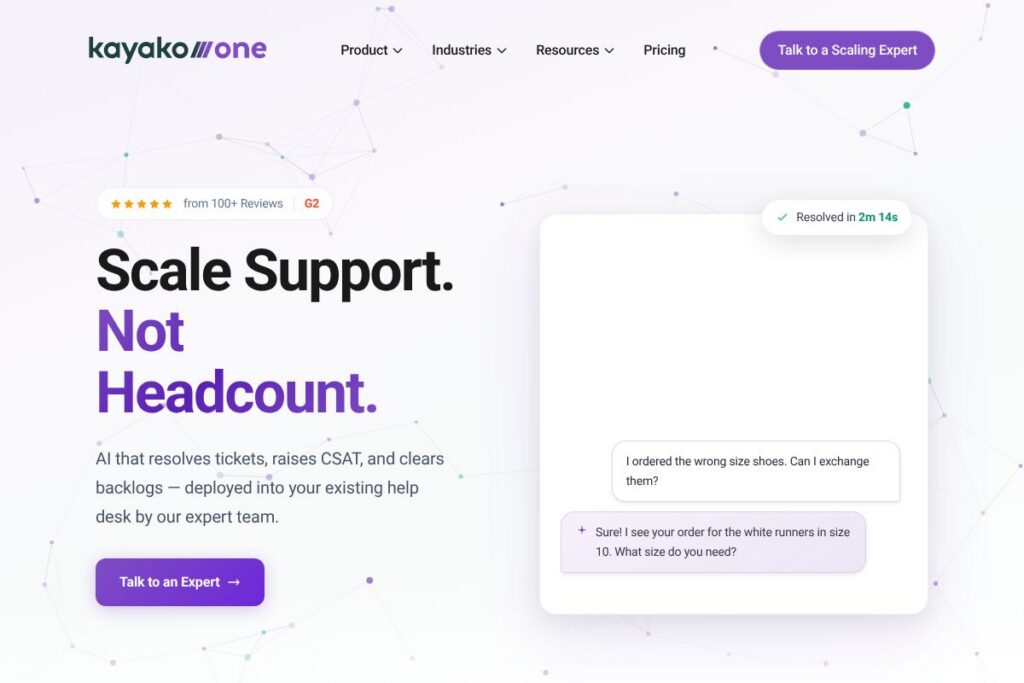
Kayako is an AI-first customer support platform built to automate large volumes of repetitive tickets, speed up first response, and provide a human-in-loop escalation path for edge cases. The product focuses on automating triage, drafting replies, and resolving straightforward cases so support teams can concentrate on complex issues and relationship-building work.
In category terms, Kayako sits between broad help desk suites and specialized AI-first automation platforms. Compared with Zendesk, Kayako emphasizes out-of-the-box AI triage and response automation targeted at reducing cost per ticket; compared with Intercom, Kayako focuses more on full-queue automation rather than only live chat; compared with Freshdesk, Kayako positions its value around AI-driven backlog reduction and implementation services to integrate automation into existing workflows.
All of this makes Kayako a strong fit for support organizations that need to scale capacity without adding large numbers of agents. It is particularly useful for e-commerce, SaaS, and mid-size enterprises that handle high ticket volume and want measurable improvements in backlog, handle time, and CSAT.
How Kayako Works
Kayako layers AI on top of an existing help desk workflow to classify, enrich, and act on incoming tickets. Incoming messages are auto-classified and routed, relevant customer and order context is injected, and tickets are prioritized so agents see the highest-impact work first.
For simple or repetitive cases the platform drafts or sends automated replies using configurable templates and guardrails, lowering handle time and increasing first contact resolution. When a case needs human judgment Kayako escalates seamlessly and learns from the agent resolution to improve future automation coverage.
Deployments are typically phased: discovery and rules configuration, pilot on a single queue, expansion across channels, and continuous optimization using operational metrics. Kayako’s implementation team assists with dataset tuning, template creation, and governance so the automation aligns with brand voice and compliance needs.
Kayako features
The platform combines ticket automation, contextual enrichment, and human-in-loop escalation so teams automate routine work while retaining control over tricky cases. Recent focus areas include improved AI intent detection, tighter knowledge base connections, and reporting that ties automation to cost savings.
The platform includes several powerful capabilities:
Automated triage and routing
Tickets are automatically classified by intent and priority, then routed to the correct queue or team. This reduces manual sorting and speeds up initial response, particularly on multi-channel setups where consistency matters.
AI-drafted replies and follow-ups
The AI generates suggested responses and follow-up questions using configurable templates and brand voice settings. Agents can accept, edit, or send the suggested reply, which shortens handle time and helps scale consistent, accurate responses.
Auto-resolution and deflection
For common requests like exchanges, refunds, and password resets, Kayako can complete the full resolution workflow without agent intervention. This reduces backlog and the number of tickets that require human attention, which directly lowers operational costs.
Context enrichment and knowledge integration
Kayako pulls customer, order, and product data into tickets so the AI and agents have the right context to act quickly. It also integrates with knowledge bases to suggest relevant articles for self-service and agent responses.
Human-in-loop escalation and learning
Edge cases are escalated to agents with the AI-provided context and suggested next steps. The platform learns from human resolutions to expand automation coverage over time while preserving safety controls and audit trails.
Reporting and ROI tracking
Built-in dashboards show automation coverage, resolution time, backlog reduction, and CSAT impact so you can measure the business case. Those metrics support continuous tuning and show where additional automation will yield the highest returns.
With these capabilities, the biggest benefit is predictable, measurable automation that reduces repetitive work and improves support metrics while allowing teams to maintain control over customer interactions.
Kayako pricing
Kayako uses a custom enterprise-style pricing model with plans tailored to automation volume, channels, and implementation needs rather than fixed public tiers. Organizations typically engage Kayako for a demo and sizing conversation to determine licensing and professional services fees.
For details on plan options and to request a quote, view Kayako’s current pricing options or book a strategy session with their implementation team through the Kayako homepage. The implementation scope, number of support seats, and expected automation coverage are common factors that determine final pricing.
What is Kayako Used For?
Kayako is used to automate high-volume, routine customer support work such as order changes, returns, password resets, billing inquiries, and basic troubleshooting. By handling those cases automatically or with AI-drafted suggestions, teams see faster response times and fewer escalations.
It is ideal for support leaders who need to lower cost per ticket and reduce backlog without hiring aggressively. Typical users include e-commerce support teams, mid-market SaaS companies, and internal IT/service desks that want consistent responses and measurable operational improvements.
Pros and Cons of Kayako
Pros
- Strong automation-first approach: Kayako focuses on automating triage and first replies to remove repetitive work and shorten resolution time. This leads to lower backlog and visible cost savings for high-volume queues.
- Context-aware responses: The platform enriches tickets with order and account data so AI responses and agent handoffs are informed and accurate. This reduces back-and-forth and improves first contact resolution.
- Human-in-loop safety: Escalation paths and learning from human resolutions maintain quality while expanding automation coverage over time. Teams can control where automation is applied and iteratively increase trust.
- Implementation support: Kayako provides services to tune models, create templates, and integrate with existing systems so deployments move faster and avoid common AI pitfalls.
Cons
- Custom pricing model: Pricing is tailored to each customer which requires sales engagement to understand costs and value; this may slow initial evaluation for small teams. Negotiation and scoping are usually necessary to get an accurate quote.
- Change management required: To realize full benefits teams need to invest in governance, training, and workflow changes so agents and automation work well together. Organizations that skip this step may see slower gains.
- Limited public pricing transparency: Because pricing is not published in standard tiers, comparing vendor costs requires outreach and side-by-side pilots or demos.
Does Kayako Offer a Free Trial?
Kayako offers paid plans with trial or pilot access arranged through sales and implementation. Prospective customers can request a personalized demo or short pilot to evaluate automation impact and integration with existing systems.
Kayako API and Integrations
Kayako provides an API for developers and common third-party integrations to connect customer, order, and product data with the help desk. The API documentation provides endpoints for ticket operations, webhooks, and data enrichment to support custom workflows.
Key integrations typically include CRM and commerce platforms, team collaboration tools, and analytics systems; you can explore Kayako’s third-party integrations to see connectors for channels like email, chat, and popular business applications. These integrations enable the context enrichment that powers accurate AI responses.
10 Kayako alternatives
Paid alternatives to Kayako
- Zendesk — A widely used help desk platform with a large ecosystem of apps and marketplace integrations, suitable for organizations that want a broad feature set and extensive third-party support.
- Freshdesk — Offers ticketing, automation, and self-service with a straightforward admin experience and a range of add-ons for growing support teams.
- Intercom — Focuses on conversational customer experiences with strong live chat, product messaging, and in-app support capabilities combined with automation features.
- Help Scout — Simplified, email-first support platform with collaborative inboxes and built-in docs, aimed at small to mid-size teams that prioritize human workflows.
- Gorgias — Designed for e-commerce support, it integrates tightly with platforms like Shopify to automate order-related tickets and unify commerce data.
- Zoho Desk — Part of the Zoho suite, it offers multi-channel ticketing and workflow automation with competitive pricing for organizations already using Zoho apps.
- Front — Combines shared inboxes with workflow automation and collaboration primitives for teams that manage email-first customer communication.
Open source alternatives to Kayako
- Zammad — An open source help desk with ticketing, automation rules, and basic reporting suitable for teams that want to self-host and customize workflows.
- osTicket — A lightweight open source ticketing system that handles basic ticket workflows and email piping for organizations with modest automation needs.
- Request Tracker (RT) — A mature, open source ticketing system that offers highly customizable workflows and scripting for technical support environments.
- UVdesk — An open source e-commerce support solution with integrations for commerce platforms and self-hosting options for teams that need full control.
Frequently asked questions about Kayako
What is Kayako used for?
Kayako is used to automate ticket triage, draft responses, and resolve routine customer support issues. Teams deploy it to cut backlog, speed first response, and raise CSAT while keeping humans involved for complex work.
Does Kayako integrate with CRM and commerce platforms?
Yes, Kayako integrates with CRM, commerce, and collaboration platforms. These integrations provide the customer and order context that the AI uses to draft accurate replies and automate common support flows.
Can Kayako reduce support headcount costs?
Kayako is designed to lower cost per ticket by automating high-volume, repetitive tasks. Many customers report fewer hire needs for routine queues while repurposing agents for higher-value work.
How does Kayako handle escalation to human agents?
Kayako escalates edge cases to human agents with enriched context and suggested next steps. The platform learns from agent resolutions to expand automation safely over time.
Does Kayako provide an API for custom workflows?
Yes, Kayako provides a developer API for ticket operations, webhooks, and data enrichment. Developers can use the API documentation to build custom integrations and automation pipelines.
Final verdict: Kayako
Kayako specializes in AI-first automation for help desks, with a clear focus on reducing backlog, shortening handle time, and improving first contact resolution. Its implementation-led approach and contextual enrichments make it effective for teams that need measurable operational improvements rather than experimental pilots.
Compared with Zendesk, which publishes tiered per-agent pricing and provides a broad marketplace of apps, Kayako favors a custom pricing model tied to automation volume and implementation scope. Feature-wise, Kayako’s strength is targeted AI automation and a deployment process that emphasizes rapid ROI, while Zendesk offers a wider set of product modules and extensibility for organizations that prioritize an expansive ecosystem.
For support leaders who prioritize reducing repetitive work and proving cost savings from automation, Kayako is a practical option. Teams that need a turnkey AI automation partner with implementation support will find Kayako’s approach aligned to those goals, while organizations seeking transparent per-seat pricing or a massive app marketplace may prefer a generalist help desk solution.