What is Kustomer
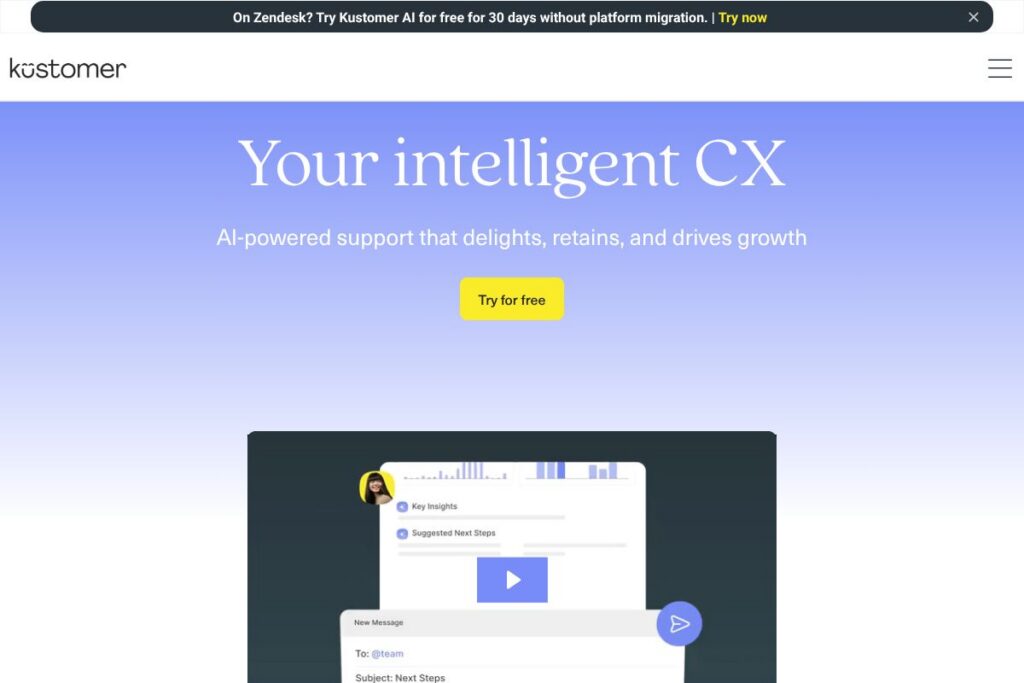
Kustomer is an AI customer service CRM designed to unify conversations, profile data, and operational workflows so support teams can resolve issues faster and with more context. The platform combines a single customer timeline, automation tools, and built-in AI agents to handle routine interactions while surfacing real-time guidance for human agents.
Kustomer sits in the customer service software category alongside vendors such as Zendesk, Salesforce Service Cloud, and Freshdesk. Compared with Zendesk, which centers on ticketing and a broad app ecosystem, Kustomer places more emphasis on a unified customer timeline and AI-driven orchestration. Against Salesforce Service Cloud, Kustomer offers a more focused CX workflow layer with no-code orchestration and AI agents that natively tie conversations to customer history, while Salesforce emphasizes deeper CRM and platform extensibility for large enterprises.
All of this makes Kustomer well suited for customer support and CX teams that need a single source of truth across channels and want to apply AI to automate routine tasks while keeping agents in control. It is particularly relevant for companies with omnichannel support needs and those that want to build complex automated journeys without heavy engineering effort.
How Kustomer Works
Kustomer collects interactions from email, chat, SMS, social channels, and voice into a single timeline for each customer so agents see history and context in one place. That unified record lets the platform apply AI to intent detection, suggested responses, and routing decisions based on prior activity and stored attributes.
Teams use Kustomer’s no-code workflow builder to design automated journeys that trigger when a customer action or intent is detected. Workflows can run automated responses via AI Agents, escalate to human agents, create tasks in the CRM, update customer attributes, or send follow-up messages across channels.
In day-to-day use an agent sees conversational context, proactive signals, and AI suggestions in the workspace. Supervisors and leaders get aggregated analytics and conversation-level explanations so teams can iterate on routing rules, automate more outcomes, and keep oversight with human-in-the-loop controls.
Kustomer features
Kustomer’s feature set centers on unified context, AI-driven automation, and orchestration at scale. Core capabilities include a unified customer timeline, AI Agents for automated handling and draft generation, a no-code workflow builder for complex journeys, omnichannel routing, and analytics that turn conversations into actionable insights. Recent emphasis has been on deeper AI reasoning and explainability for enterprise compliance.
The platform includes several powerful capabilities worth highlighting:
Unified customer timeline
A single view aggregates conversations, purchase history, and customer attributes into a chronological timeline that reduces context switching. Agents use that timeline to resolve inquiries faster because historical actions and previous resolutions are visible alongside the current conversation.
AI Agents and autonomous workflows
AI Agents can answer common questions, draft replies for agent approval, and complete endpoint actions when authorized. This reduces agent workload and shortens resolution times by automating repeatable interactions while allowing human oversight where required.
No-code workflow builder
Visual workflow design lets non-technical users create routing rules, escalations, and multi-step journeys that react to intents and customer attributes. Teams can test and iterate flows quickly without engineering changes, which accelerates operational improvements.
Omnichannel routing and orchestration
Kustomer routes conversations across email, chat, SMS, social, and voice with real-time intent detection to send interactions to the right resource. Orchestration ensures context is maintained when handoffs occur between channels or agents.
CRM and customer data management
Built-in CRM features store customer attributes, order information, and custom objects so support actions can update records and trigger downstream workflows. The unified data model provides a source of truth for both AI and human agents.
Reporting and conversational analytics
Analytics dashboards surface trends in intent, volume, agent performance, and customer sentiment so leaders can prioritize improvements. Conversation-level AI explanations help auditing and compliance by showing why an automated decision was made.
Security, compliance, and oversight
Kustomer provides role-based access, audit logs, and tools for human-in-the-loop review to support compliance needs and transparent AI decisions. These controls are designed for regulated environments and enterprise governance.
Kustomer’s biggest practical benefit is its focus on applying AI where it reduces repetitive work while preserving contextual accuracy and oversight. Teams get a single operational layer that ties automated agents, human reps, and analytics to the same customer data.
Kustomer pricing
Kustomer follows an enterprise SaaS pricing model with custom quotes tailored to company size, required channels, AI usage, and support needs. For specific plan options, trial availability, and enterprise features, view Kustomer’s official pages and contact their sales team via Kustomer’s website.
What is Kustomer Used For?
Kustomer is used to manage omnichannel customer support with a unified timeline that connects conversations to orders, subscriptions, and other customer data. Support teams use it to reduce ticket resolution time, automate routine interactions with AI, and maintain context during handoffs across agents and channels.
It is also used by operations and CX leaders to orchestrate multi-step customer journeys, analyze conversation trends, and enforce compliance with explainable AI decisions. Typical users include e-commerce brands, subscription services, and B2C/B2B companies that handle high volumes of cross-channel support.
Pros
- Unified customer view: Provides a single timeline combining messages, order data, and attributes so agents have full context when responding.
- AI-driven automation: AI Agents and intent detection reduce repetitive work and improve first response times through automated replies and routing.
- No-code orchestration: Visual workflow builder lets product and support teams implement complex journeys without engineering support.
- Explainability and oversight: Built-in human-in-the-loop controls and conversation-level explanations help with compliance and auditing.
Cons
- Enterprise-focused pricing: Can be less accessible for very small teams since pricing and capacity are oriented toward larger deployments.
- Platform learning curve: The range of automation and orchestration features can require time to configure and optimize for complex customer journeys.
- Integration setup for specialized systems: Integrating with niche or legacy systems may still require engineering work or custom connectors.
Does Kustomer Offer a Free Trial?
Kustomer offers a 30-day free trial for Kustomer AI that lets teams test AI Agents, unified timelines, and workflow orchestration. The trial is designed to show impact on response times, agent productivity, and routing; contact Kustomer via their website to request a trial and onboarding support.
Kustomer API and Integrations
Kustomer provides developer APIs for accessing customer records, conversations, and workflow endpoints; the Kustomer developer documentation explains available endpoints and authentication. Explore the Kustomer developer documentation for API reference, webhooks, and SDKs.
The platform also connects to common CX and commerce systems, including retail and messaging platforms, and offers out-of-the-box integrations and connector frameworks for tools such as Shopify, Slack, Salesforce, and Zendesk. Integrations remove data silos so automation and AI have access to the full customer context.
10 Kustomer alternatives
Paid alternatives to Kustomer
- Zendesk — A widely used helpdesk and customer support suite focused on ticketing, self-service, and app ecosystem integrations.
- Salesforce Service Cloud — Enterprise-grade CRM with deep platform extensibility, case management, and omnichannel support for large organizations.
- Freshdesk — A support platform with ticketing, automation, and multichannel messaging aimed at mid-market and SMBs.
- Intercom — Conversational relationship platform that combines live chat, bots, and product messaging for sales and support.
- Help Scout — Email-first helpdesk with an emphasis on shared inboxes, simple workflows, and customer profiles.
- Genesys Cloud — Contact center platform with blended voice, digital channels, and workforce engagement features.
- Gladly — Customer service platform centered on people-based routing and contact history for high-touch brands.
- HubSpot Service Hub — Service module within HubSpot CRM with ticketing, knowledge base, and customer feedback tools.
- LivePerson — Conversational AI and messaging-first customer engagement platform with focus on automation at scale.
- Zoho Desk — Helpdesk product with multichannel ticketing, automation, and integration across the Zoho suite.
Open source alternatives to Kustomer
- Zammad — Open source helpdesk and ticketing system with multichannel support and a customizable interface.
- osTicket — Lightweight ticketing system that handles email-based support and basic workflow automation.
- UVdesk — Open source helpdesk built on PHP with e-commerce integrations and API support.
- Request Tracker (RT) — Mature ticketing system used for incident and request management in technical support environments.
Frequently asked questions about Kustomer
What is Kustomer used for?
Kustomer is used for omnichannel customer support and CRM. It centralizes conversations, customer data, and workflows so teams can resolve issues with context and automation.
Does Kustomer include AI features?
Yes, Kustomer includes AI Agents and intent detection. The AI supports draft replies, routing, and automated handling with human-in-the-loop controls for oversight.
How much does Kustomer cost?
Kustomer uses enterprise SaaS pricing with custom quotes. For exact plans, channel counts, and AI usage tiers, review Kustomer’s website and contact their sales team.
Can Kustomer connect to Shopify and other commerce platforms?
Yes, Kustomer integrates with commerce and messaging platforms. Prebuilt connectors and APIs allow teams to bring orders, customer data, and events into the unified timeline.
Is there an API for Kustomer?
Yes, Kustomer provides developer APIs and webhooks. The Kustomer developer documentation covers endpoints for conversations, profiles, and workflow automation.
Final verdict: Kustomer
Kustomer excels at combining a unified customer timeline with AI-driven automation and a no-code orchestration layer, which makes it effective for teams that need context-rich, omnichannel support. The platform is particularly strong where businesses want AI to handle routine interactions while keeping humans in control and maintaining explainability for decisions.
Compared with Zendesk, Kustomer emphasizes a single customer timeline and built-in AI for automation rather than just ticket lifecycle management. Pricing for Kustomer is offered via enterprise quotes tailored to organization size and AI usage, while Zendesk publishes per-agent subscription tiers; feature selection will determine which approach is more cost-effective for a given team.
Overall, Kustomer is a strong choice for mid-market and enterprise customer service operations that require advanced automation, transparent AI, and a unified data model for CX. For teams that need simple, low-cost ticketing, a more lightweight helpdesk may be a better fit, but for companies prioritizing AI-driven orchestration and a single source of truth, Kustomer is a solid option to evaluate via the trial and sales conversations on Kustomer’s website.