Layer: An Overview
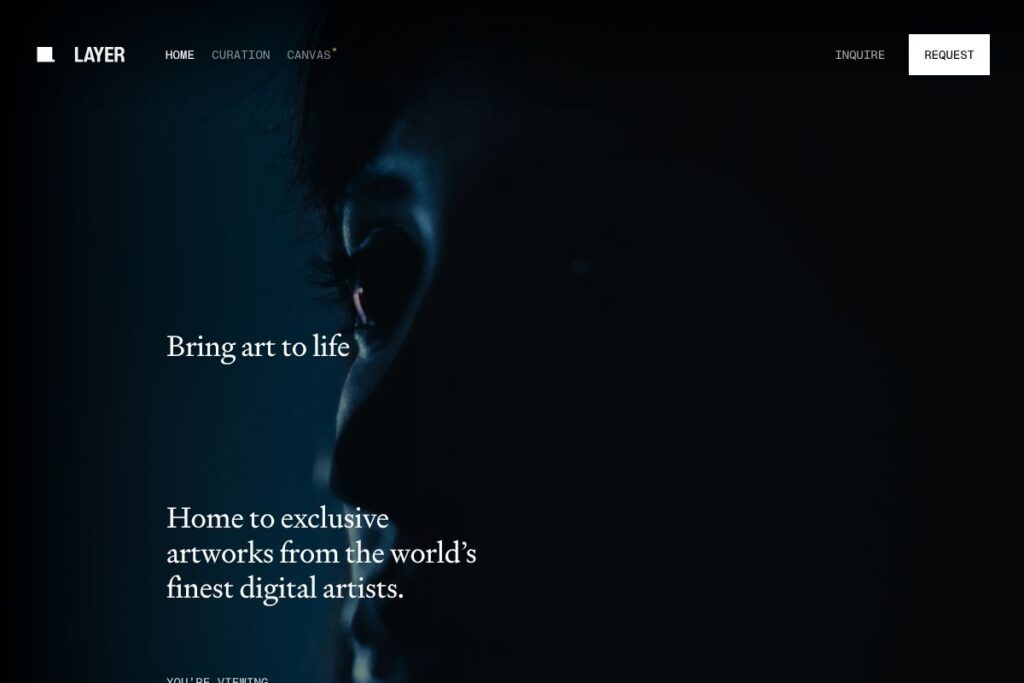
Layer curates contemporary digital fine art and presents it on a dedicated hardware display called the Layer Canvas. The offering combines exclusive digital works, a sequencing engine that adapts to your space, and engagement tracking called ViewTime that records exposure and artistic reach.
Compared with consumer art displays such as Samsung The Frame and dedicated digital art frames like Meural by NETGEAR, Layer emphasizes museum-grade rendering and an editorial curation model. Unlike subscription-based art marketplaces that focus on volume, Layer positions itself around curated, often exclusive works shown only on its canvas, plus analytics for artists.
All of this makes Layer a specialized option for collectors, galleries, and design-focused homeowners who want a display purpose-built for digital fine art. It is particularly well suited to people who value curated collections, realtime rendering fidelity, and measurable audience engagement through ViewTime.
How Layer Works
Layer delivers curated artworks to a dedicated display device, the Layer Canvas, which is engineered to reproduce the color, motion, and timing intended by the artist. The Canvas runs the artwork in real time, handling framerate, color profiles, and ambient light adaptation so pieces look consistent in domestic or gallery settings.
A server-side curation layer sequences content based on an Art Intelligence engine that factors in the artwork palette, motion, and the design vibe of the room to produce a flowing, coherent rotation. ViewTime tracks how long pieces are visible and aggregates that data to reward artists and inform curatorial decisions.
Layer handles delivery, rendering, and engagement tracking end to end; installation and onboarding typically include configuring the Canvas for the space and activating the curated collection associated with the device. For more on procurement and setup, see the Layer homepage and the Layer Canvas product page for installation details.
Layer features
Layer combines a curated catalog, purpose-built display hardware, and analytics to present digital art as a native, lived experience. Core capabilities include the museum-grade Layer Canvas, the Layer Curation catalog of exclusive works, a sequencing engine called Art Intelligence, and ViewTime engagement tracking. The platform also supports Founding Member access for early patrons and a gallery-grade presentation workflow.
Let’s talk Layer’s Features
Layer Canvas
The Layer Canvas is a hardware display engineered for digital fine art with precise color, high dynamic range, and real-time rendering. It is optimized to minimize reflections and preserve viewing angles common in domestic and gallery spaces, which helps artworks appear as intended by the artist. The Canvas includes integrated processing that ensures playback fidelity without needing an external computer.
Layer Curation
Layer Curation is an editorially selected collection of contemporary digital works that are distributed exclusively on the Layer Canvas. The program focuses on commissioning and presenting pieces that work well in timed rotations and physical spaces, giving collectors access to works that are not broadly distributed elsewhere. Curation support helps match pieces to rooms and aesthetic preferences.
Art Intelligence
Art Intelligence is Layer’s sequencing engine that analyzes thousands of works and adapts playlists to the visual rhythm and design of your space. It accounts for color balance, motion intensity, and duration so the rotation feels intentionally curated rather than random. This automated sequencing reduces manual playlist management for owners while maintaining an editorial sensibility.
ViewTime
ViewTime is an engagement-tracking feature that measures how long artworks are displayed and how often they are viewed, producing metrics that can be shared with artists and curators. Those analytics help quantify reach and influence, providing a new feedback loop for digital creators. ViewTime can support artist royalties, exhibition reporting, and collector insights.
Founding Membership & Collector Experience
Layer offers a Founding Member program that grants early patrons access to the full curated catalog on a Founder Edition Canvas and priority commissioning opportunities. Membership experiences typically include support for installation, prioritized curation, and early access to exclusive drops. This model blends collector services with ownership of a museum-grade display.
With these capabilities, Layer’s biggest benefit is presenting digital art with the fidelity and editorial context expected from galleries while also providing measurable audience engagement. That combination makes it useful for collectors, interior designers, galleries, and artists looking for controlled presentation and data-driven reach.
Layer pricing
Layer uses a curated product and membership approach rather than a simple self-serve price list, and public, itemized pricing is not displayed in the material provided here. For details on purchase options, membership tiers, and any available financing for the Layer Canvas, consult the official Layer homepage and the Layer Canvas product pages for current pricing and ordering information.
What is Layer Used For?
Layer is used to present digital fine art in homes, galleries, and public spaces where visual fidelity and curated sequencing matter. Collectors use Layer to replace static framed prints with dynamic digital works that are displayed with museum-grade rendering and editorial sequencing.
Artists and galleries use Layer to reach audiences with tracked exposure via ViewTime, which helps quantify viewership and supports new models of commissioning and compensation. Interior designers and hospitality operators use Layer to integrate changing artwork into suites, lobbies, and public rooms without sacrificing presentation quality.
Pros and cons of Layer
Pros
- Museum-grade display: The Layer Canvas reproduces color, motion, and contrast with hardware and processing tailored for digital art, producing presentation quality that matches gallery expectations.
- Curated exclusive works: Layer Curation focuses on editorial selection and exclusive pieces, which helps collectors access artworks not widely available on general platforms.
- Engagement analytics: ViewTime provides measurable data on artwork exposure, giving artists and collectors objective metrics to assess reach and impact.
- Automatic sequencing: Art Intelligence sequences collections to fit a room’s aesthetic, reducing manual playlist creation and ensuring a cohesive viewing experience.
Cons
- Premium positioning: The combination of dedicated hardware, exclusive curation, and analytics creates a higher-cost model than consumer art displays, which may not suit budget-oriented buyers.
- Limited public pricing transparency: Purchase and membership details are handled through direct channels rather than a fully public price list, which can slow comparison shopping for some buyers.
- Hardware dependence: The curated catalog and optimal playback are tied to the Layer Canvas hardware, so users who want the same artworks on third-party displays may face restrictions.
Does Layer Offer a Free Trial?
Layer offers purchase-based access and limited Founding Member access for early adopters. Founding Members receive entry-level access to the full Layer Curation on Founder Edition hardware, while general availability typically involves purchasing a Layer Canvas or joining a membership; contact Layer directly via their homepage for any trial or showroom viewing options.
Layer API and Integrations
Layer does not broadly advertise a public developer API for third-party developers, instead focusing on curated presentation and curated integrations for installation partners. For organizations seeking integration with gallery systems, building management, or smart home platforms, Layer provides partner and installation support; contact Layer through the Layer homepage for integration and API inquiries.
10 Layer alternatives
Paid alternatives to Layer
- Samsung The Frame — A consumer television with an art mode and marketplace that displays curated art; it’s widely available through retail channels and supports rotating collections.
- Meural — A dedicated digital canvas by NETGEAR designed for art display with an art library and app-driven curation.
- Canvia — A digital art frame tailored for homeowners with curated collections and simple wall-mounted hardware.
- Nixplay — A consumer-focused digital frame that supports photos and curated artworks with cloud-based playlists and remote management.
- Sedition — A platform for buying and licensing digital artworks for display on consumer devices and supported frames.
- LUMIN (art displays) — Specialist digital displays focused on high-fidelity presentation for galleries and collectors.
- Artland (platform services) — A marketplace and viewing platform that connects collectors, galleries, and digital exhibitions.
Open source alternatives to Layer
- MagicMirror² — An open-source display framework that runs on a Raspberry Pi and can be customized to show art, clocks, and widgets for a bespoke display solution.
- Screenly OSE — An open-source digital signage player for Raspberry Pi that can be adapted to display curated visuals and timed rotations.
- Yodeck — A free tier digital signage solution that supports media scheduling on small displays, useful for DIY art rotations.
- info-beamer — A Raspberry Pi-based, scriptable display platform for advanced users who want custom rendering and tight control over playback.
Frequently asked questions about Layer
What is Layer used for?
Layer is used to present curated digital fine art on a museum-grade display. Collectors and galleries use it to show exclusive works with precise rendering and editorial sequencing.
Does Layer offer a subscription or purchase model?
Layer offers a purchase and membership approach rather than a single subscription-only model. Potential buyers consult Layer for purchase options, Founding Member opportunities, and any available service packages through the official site.
Can Layer Canvas integrate with smart home systems?
Layer supports integration workflows for installations but does not promote a public smart-home API. Installation partners and enterprise customers can work with Layer for custom integrations and automation details.
How does ViewTime work in Layer?
ViewTime measures artwork exposure by tracking how long works are displayed and viewed. Those metrics are used to report reach to artists, inform curation, and support artist compensation models.
Is Layer suitable for galleries and museums?
Yes, Layer is designed for galleries, museums, and professional collectors. The museum-grade Canvas, curated catalog, and exposure analytics make it a fit for exhibition-grade display needs.
Final Verdict: Layer
Layer stands out for combining a purpose-built museum-grade display with editorial curation and engagement analytics, forming a coherent system for presenting digital fine art. Its strengths are precise rendering, exclusive curation through Layer Curation, and measurable reach via ViewTime, which together serve collectors, galleries, and artists who need presentation fidelity and data-driven exposure.
Compared to a mainstream option like Samsung The Frame, which is sold as a consumer television with an art mode and separate art subscription, Layer focuses on an integrated, gallery-oriented experience that typically commands a premium. If your priority is a gallery-grade presentation and curated exclusivity, Layer is a strong match; if you need a lower-cost, broadly available art display, a consumer TV with art-mode capabilities may be more appropriate.