About 3CX Live Chat
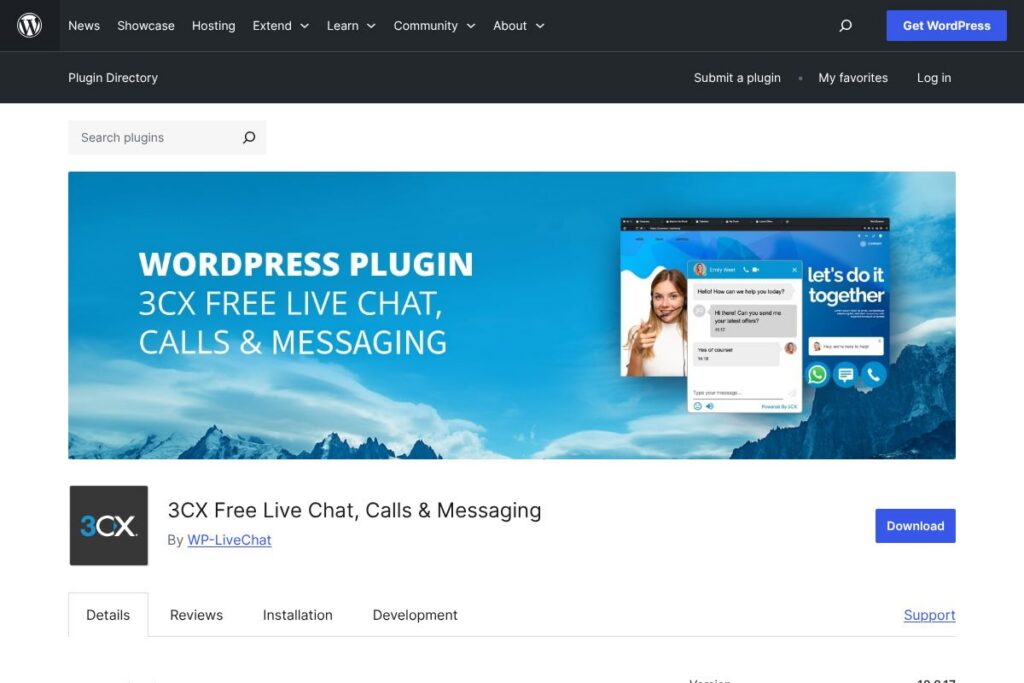
3CX Live Chat is a WordPress plugin that provides live website chat, browser-based voice calls, and unified messaging in a single, free package. It connects site visitors to agents through chat bubbles, optional call buttons, and popout chat windows, and can route WhatsApp, Facebook, and SMS messages into the same interface so agents handle all conversations in one place. The plugin is distributed via the WordPress plugin directory and is open source under standard plugin licensing, so it integrates directly into WordPress sites and workflows.
Compared with competitors, 3CX Live Chat focuses on communications breadth rather than only text chat. For example, Intercom concentrates on customer lifecycle messaging and in-app product experiences and is a paid service with more built-in marketing automation. LiveChat offers a polished chat widget and extensive reporting, usually as a paid SaaS. Tawk.to is also free and easy to install, but 3CX adds browser call functionality and built-in routing for WhatsApp and Facebook that many free offerings do not include. All of this makes 3CX Live Chat particularly useful for businesses that want a single hub for chat and voice tied to a PBX or cloud phone system.
3CX Live Chat does its best work for small to medium sized businesses that already use or plan to use a SIP trunk or cloud PBX, and for teams that need to consolidate multiple messaging channels into one agent interface. It is a suitable option for sites that require browser calling and conference features in addition to text chat.
How 3CX Live Chat Works
The plugin injects a configurable chat widget into pages and connects that widget to a 3CX account or a standalone chat engine. After installing the plugin and linking it to a 3CX account, incoming visitor chats and calls appear in the 3CX Web Client or mobile/desktop apps where agents can answer, transfer, or conference calls. Messages from WhatsApp, Facebook, and SMS are routed into the same dashboard when those channels are configured, allowing teams to handle all inbound conversations from one place.
Typical workflows include embedding the chat widget on high-conversion pages, configuring operating hours and offline forms, and assigning departments or ring groups so the right agents receive chats and calls. Agents can accept a chat, escalate to a voice call in the browser, invite other agents into a conference, and review chat transcripts later. The plugin also supports popout chats and customizable greetings, which helps adapt the widget behavior for desktop and mobile visitors.
3CX Live Chat features
3CX Live Chat bundles a broad set of communications features aimed at replacing several point tools with one integrated system. Core capabilities include live website chat, in-browser voice and video calls, multi-channel message routing, agent management, and mobile and desktop clients. The plugin has seen frequent updates improving mobile behavior, chat UI, and integration with the 3CX hosted and on-premise PBX.
Key functionality includes:
Live website chat
The widget provides a customizable chat bubble for real-time conversations. Visitors can start text chats immediately or submit an offline form when agents are unavailable, and chats can include attachments and basic message formatting to help agents resolve requests faster.
Browser voice calls
Visitors can place voice calls directly from the browser without sharing phone numbers, and agents can answer those calls in the 3CX Web Client or mobile apps. This feature reduces friction for voice interactions and enables quick escalation from chat to a live call.
Unified messaging (WhatsApp, Facebook, SMS)
Inbound messages from WhatsApp, Facebook, and SMS can be routed into the same agent interface alongside live chats. This centralization removes the need for separate apps and makes it easier to maintain context across channels during a customer conversation.
Video conferencing and Meet links
Agents can initiate video conferences and share 3CX Meet or Talk links with visitors. This is useful for product demos, support sessions, or internal team discussions without requiring a separate conferencing subscription.
Agent and PBX integrations
The plugin integrates with 3CX phone system features like ring groups, auto attendants, and SIP trunk selection. Agents can be grouped by department, calls can be routed based on availability, and the plugin works with both hosted and self-managed 3CX deployments.
Mobile and desktop apps
3CX provides native mobile and desktop clients so agents can answer chats and calls away from the web client. This ensures continuity for distributed teams and supports remote work from smartphones or laptops.
With these features combined, the biggest benefit is reduced tool fragmentation. Teams get chat, voice, and multi-channel messaging in one interface so handoffs and history remain consistent across conversations.
3CX Live Chat pricing
3CX Live Chat follows a free, open distribution model for the WordPress plugin and the 3CX Free tier provides no-cost access to live chat and basic PBX features. Additional hosting, higher user counts, or dedicated deployments are available through the broader 3CX product family for organizations that need larger scale or advanced PBX capabilities.
Free and open-source
3CX Live Chat is free and open-source as a WordPress plugin, and the plugin package can be installed from its WordPress.org listing. For businesses that need more seats or an enterprise-level PBX, 3CX offers hosted or self-managed options that are part of the wider 3CX platform; see the 3CX account sign-up and product pages for information about hosted plans and deployment choices. View the plugin on the WordPress.org plugin page and learn about account options on the 3CX sign-up and product pages.
What is 3CX Live Chat Used For?
3CX Live Chat is used to add real-time customer conversations to websites, combining chat, browser calls, and messaging channels into a single agent interface. Common uses include customer support, lead capture on sales pages, quick troubleshooting via chat-to-call escalation, and scheduling or demo requests via video meetings.
It also serves businesses that want to consolidate inbound messages from WhatsApp, Facebook, and SMS into one workflow, reducing the need to switch between multiple vendor dashboards. Small businesses and organizations that already use or anticipate using SIP trunks and PBX features will find 3CX Live Chat especially useful because it connects website interactions with a full telephony system.
Pros and Cons of 3CX Live Chat
Pros
- Multi-channel consolidation: The plugin routes WhatsApp, Facebook, SMS, live chat, and browser calls into a single agent interface which reduces context switching for support teams.
- Free core offering: The plugin is provided free for basic use, including chat and browser calling for a limited number of users, which makes it accessible for small organizations and personal sites.
- Browser calling and conferencing: Agents can accept voice calls and start video conferences from the web client without additional services, useful for demos and support calls.
- Integration with PBX features: Support for ring groups, auto attendants, SIP trunk selection, and moving to a dedicated cloud phone system gives teams a path from simple chat to full telephony.
Cons
- Mobile widget behavior: Some users report the chat bubble positioning and padding on mobile needs fine-tuning, which can require custom CSS to correct on certain themes and devices.
- Learning curve for PBX features: Organizations that do not use SIP trunks or PBX concepts may find parts of the admin and integration surface confusing compared with chat-only solutions.
- Configuration complexity for multi-channel messaging: Setting up WhatsApp and Facebook integrations requires extra configuration and may involve additional provider steps outside WordPress.
Does 3CX Live Chat Offer a Free Trial?
3CX Live Chat offers a free plan through the WordPress plugin and the 3CX Free account, which includes live chat and browser calling for small teams. The plugin is free to install and use, and businesses that need unlimited users or hosted PBX options can evaluate hosted 3CX offerings when they are ready to scale; start the process at the 3CX sign-up page.
3CX Live Chat API and Integrations
3CX provides APIs and webhooks as part of the wider 3CX platform to extend and automate call and messaging flows; see the 3CX API documentation for developer details and available endpoints. The WordPress plugin itself integrates closely with the 3CX Web Client and supports routing from WhatsApp, Facebook, and SMS when those channels are configured in your 3CX account.
For common connections, teams often pair 3CX with CRMs and helpdesk systems through webhooks or third-party middleware to log conversations, create tickets, or trigger workflows. The plugin also supports mobile and desktop apps so agents can stay connected without being in the WordPress admin.
10 3CX Live Chat alternatives
Paid alternatives to 3CX Live Chat
- Intercom — Customer messaging platform with onboarding and product messaging capabilities, stronger automation and analytics, but offered on a paid subscription model.
- LiveChat — Hosted chat widget with extensive reporting, ticketing and integrations aimed at sales and support teams as a paid SaaS.
- Zendesk Suite — Combines chat with ticketing and knowledge base features, focused on enterprise support workflows and paid plans.
- Drift — Conversational marketing and sales chat platform emphasizing lead qualification and playbooks, delivered as a paid service.
- Olark — Simple hosted live chat with integrations and automation for sales and support teams, available as a paid subscription.
- Freshdesk Messaging — Part of the Freshworks suite, offers chat and messaging integrated with helpdesk ticketing on paid plans.
Open source alternatives to 3CX Live Chat
- Chatwoot — Open source customer engagement platform with live chat, inbox, and multi-channel support that you can self-host or use as a managed service.
- Live Helper Chat — Self-hosted live chat solution with a widget, operator console, and user tracking, suitable for teams wanting full control.
- Rocket.Chat — Open source team chat that can be extended to public-facing live chat and integrated with other services; good for organizations that want both internal and external messaging.
- Mibew Messenger — Lightweight open source live chat focused on text chat, easy to self-host and integrate into websites.
- Tawk.to — A free hosted chat platform with premium paid services for hiring agents, popular as a zero-cost option for basic live chat needs.
Frequently asked questions about 3CX Live Chat
What is 3CX Live Chat used for?
3CX Live Chat is used to add live chat, browser calls, and multi-channel messaging to WordPress sites. It centralizes chat, voice calls, and inbound WhatsApp/Facebook/SMS into the 3CX Web Client so agents handle conversations from one interface.
Does 3CX Live Chat remain free forever?
Yes, the WordPress plugin is free to use and distributed as open source. The free tier provides live chat and basic calling capabilities; larger scale hosted or self-managed PBX options are available through the broader 3CX platform.
How do I set up 3CX Live Chat on my WordPress site?
Install the plugin from the WordPress.org plugin page and link it to a 3CX account. After signing up for a 3CX account you log into the Web Client, go to Office Settings or Admin to add Live Chat, customize the widget, and paste the provided Live Chat URL into the plugin configuration.
Can 3CX Live Chat receive WhatsApp and Facebook messages?
Yes, 3CX Live Chat can route WhatsApp and Facebook messages into the same agent interface. Those channels must be configured in your 3CX account and connected to the plugin so incoming messages appear alongside live chats and calls.
Does 3CX Live Chat provide APIs for integration?
Yes, 3CX offers API endpoints and webhooks as part of the platform. Developers can consult the 3CX API documentation for integration points to connect chats, calls, and events to CRMs or automation services.
Final verdict: 3CX Live Chat
3CX Live Chat stands out as a comprehensive, free WordPress plugin that combines live chat, in-browser voice and video, and multi-channel messaging into a single workflow. Its close integration with 3CX PBX features such as ring groups and SIP trunk selection makes it a particularly good fit for businesses that want both website messaging and telephony under one roof.
Compared with a chat-focused competitor like Intercom, 3CX Live Chat is significantly more communication-centric and is available at no cost for many small setups, while Intercom targets product-led messaging and typically operates as a paid subscription with more built-in marketing automation. For organizations that prioritize unified communications and want to consolidate chat and calls without a subscription, 3CX Live Chat is a practical, cost-conscious choice.