LiveHelpNow: An Overview
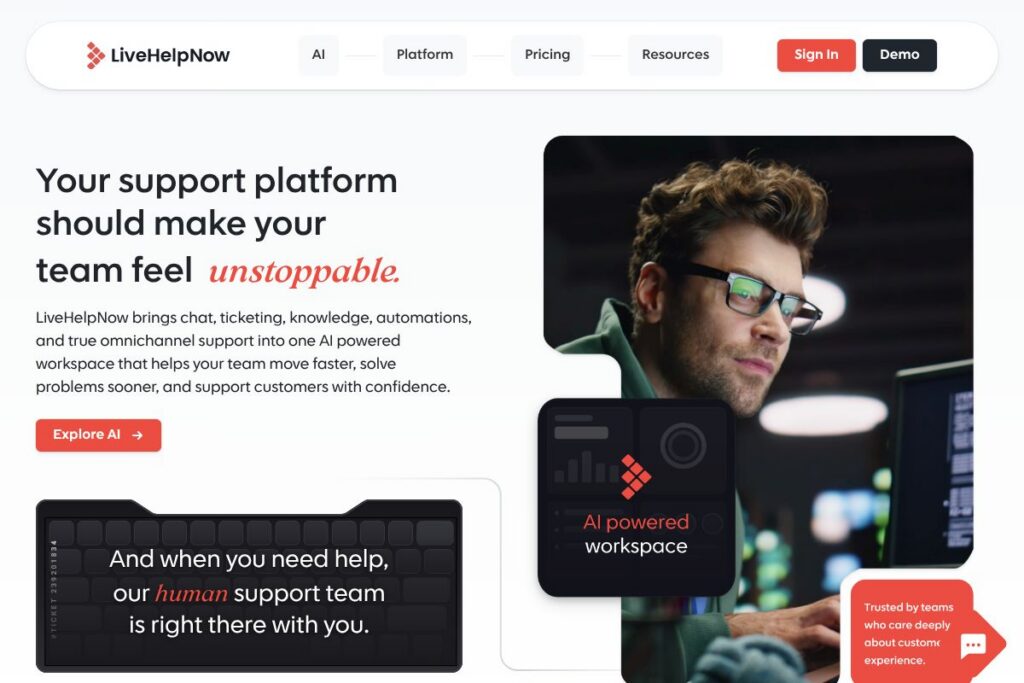
LiveHelpNow is a customer support platform that consolidates live chat, ticketing, knowledge management, automations, and omnichannel messaging into one workspace. It is designed for support teams that need a single place to manage customer conversations, deliver consistent answers, and reduce manual work with AI and workflow rules.
Compared with Zendesk, LiveHelpNow aims for a simpler, more focused stack that keeps core support tools together without the complexity of large enterprise suites. Against Intercom, LiveHelpNow focuses more on structured ticketing and multi-brand knowledge management rather than heavy product-led engagement tooling. Compared to Freshdesk, LiveHelpNow competes on unified channels and automation, while keeping configurations straightforward for growing teams.
LiveHelpNow performs well for small to mid-market support teams, multi-brand operations, and organizations that want a single-pane support workspace with built-in AI assistance. The platform’s combination of chat, knowledge, and routing makes it especially suited to teams that need predictable workflows and centralized oversight across several properties.
How LiveHelpNow Works
Incoming customer contacts are captured in a shared workspace where live chat, email tickets, and other channels appear as unified conversations. Agents can respond from the same interface, escalate chats into tickets, attach knowledge base articles, and use prebuilt automations to keep cases moving.
Bots and automated routing handle simple requests and direct more complex issues to the right agent based on skills and availability, while AI-powered suggestions surface relevant articles and response templates in real time. Teams connect external systems through integrations so customer context travels with each conversation and reporting stays unified.
LiveHelpNow features
LiveHelpNow bundles real-time messaging, ticketing workflows, a centralized knowledge base, automations, omnichannel routing, and AI enhancements into one support product. Recent product emphasis has been on strengthening AI suggestions and routing to reduce agent effort while keeping configuration accessible for multi-brand teams.
Live Chat & Chat Bots
LiveHelpNow provides modern chat widgets and programmable bots that handle initial triage, collect customer details, and trigger ticket creation when needed. Chat bots reduce wait times and allow agents to focus on higher-value interactions by resolving common questions automatically.
Ticketing
Ticketing organizes conversations into queues with clean workflows, SLA tracking, and status management so nothing falls through the cracks. Tickets can be created from chat, email, or internal notes and routed through tiers or teams until resolution.
Knowledge Base
The built-in knowledge base stores and categorizes articles that agents can attach to responses or publish for self-service. Structured content, version control, and multi-brand article sets help keep answers consistent across channels.
Automations
Automations reduce repetitive work by routing messages, assigning tickets, sending follow-ups, and applying tags based on rules and triggers. These workflows speed resolution and enforce consistent handling across teams.
Omnichannel Support
All customer interactions are kept connected across web chat, email, social messaging, and other channels so agents have full conversation context. Omnichannel history helps reduce repeated questions and improves first-contact resolution.
Integrations
LiveHelpNow connects to common business systems so customer data and order context follow each interaction. Integrations help agents resolve issues faster by showing CRM records, order history, or conversation context alongside tickets.
AI Assistance (Hue AI)
AI features assist agents with suggested replies, article recommendations, and conversational intelligence that highlights trends and recurring issues. These tools are designed to speed responses, improve clarity, and surface knowledge where it matters.
Intelligent Routing and Smart Suggestions
Routing rules send conversations to the right agent based on skill, availability, or contextual signals, while smart suggestions surface relevant knowledge base articles and response templates in real time. The result is fewer manual handoffs and faster resolutions.
With LiveHelpNow your support team gets a single workspace that reduces context switching and accelerates common workflows. The biggest benefit is bringing chat, tickets, knowledge, and basic AI into one manageable system so teams can scale support without adding complexity.
LiveHelpNow pricing
LiveHelpNow uses a flexible, business-focused pricing approach with options for growing teams and custom enterprise agreements rather than a single fixed set of public plans. Enterprise accounts can request configurations and support levels tailored to complex or multi-brand deployments.
For specific plan tiers, seat counts, and feature bundles, visit the LiveHelpNow homepage or contact their sales team through the LiveHelpNow contact page to get pricing shaped to your organization. Enterprise buyers can request custom quotes and implementation guidance suited to multi-property or regulated environments.
What is LiveHelpNow Used For?
LiveHelpNow is commonly used to deliver customer support across web chat, email, and other messaging channels while keeping knowledge and ticket workflows centralized. Support teams use it to triage incoming traffic, automate routine responses, and maintain consistent answers across multiple brands or products.
Teams also use LiveHelpNow to consolidate reporting and oversight for multi-site or multi-brand operations, to implement skill-based routing, and to reduce manual follow-up through automations and AI suggestions. It fits customer support, e-commerce help desks, and service teams that need both real-time and asynchronous support channels.
Pros and Cons of LiveHelpNow
Pros
- Unified workspace: Centralizes chat, tickets, knowledge, and automations so agents work from one interface without switching apps. This reduces context loss and speeds response times.
- Multi-brand support: Supports multiple chat domains and knowledge bases, allowing separate brands or properties to coexist under one account with unified reporting.
- AI-powered assistance: Provides smart suggestions and conversational intelligence to help agents write clearer replies and find relevant knowledge quickly.
- Flexible automation and routing: Automations and intelligent routing reduce repetitive work and ensure conversations reach the most appropriate agents.
Cons
- Enterprise features require customization: Large organizations often need custom configuration and pricing to unlock advanced controls and integrations, which can add implementation time.
- Less emphasis on marketing automation: If your primary need is product-led customer engagement or inbox-style marketing messaging, dedicated engagement platforms may provide more specialized tools.
- Scaling integrations may need work: Complex environments that rely on many bespoke systems may require development to fully integrate context into the support workspace.
Does LiveHelpNow Offer a Free Trial?
LiveHelpNow offers a free trial and demo options for new users that allow teams to test core chat, ticketing, and knowledge features before committing, with enterprise demos available on request. To start a trial or schedule a demo, use the LiveHelpNow homepage or reach out via the contact page.
LiveHelpNow API and Integrations
LiveHelpNow provides integration options and developer APIs for connecting CRM systems, e-commerce platforms, and business tools, enabling context to flow into conversations and tickets. See the LiveHelpNow integrations directory for connectors and common use cases.
For developers, LiveHelpNow exposes APIs and webhook endpoints to automate ticket creation, synchronize customer data, and extend the platform into custom workflows; check their developer resources via the LiveHelpNow homepage or contact support for API documentation.
10 LiveHelpNow alternatives
Paid alternatives to LiveHelpNow
- Zendesk — A broad customer service suite with deep enterprise features, omnichannel routing, and extensive reporting for large support operations.
- Intercom — Focused on conversational relationships with strong in-product messaging, bots, and customer engagement workflows.
- Freshdesk — Ticketing-first platform with multi-channel support, automation rules, and an app marketplace for integrations.
- Help Scout — Simple shared inbox model combined with knowledge base and customer context for small to mid-size teams.
- Drift — Conversational marketing and sales-focused messaging platform that combines bots and live chat for lead capture and qualification.
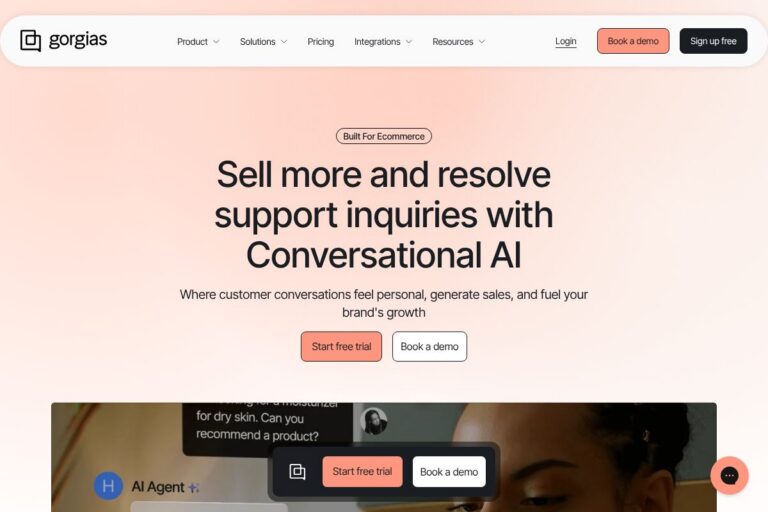
- Gorgias — E-commerce support platform with deep Shopify integrations, macros, and ticket automation for online stores.
- Zoho Desk — Configurable help desk with multi-channel support, process automation, and integration into the Zoho suite.
Open source alternatives to LiveHelpNow
- osTicket — An open source ticketing system that handles email piping, ticket filters, and basic automation for self-hosted support teams.
- Zammad — A web-based open source helpdesk with chat, ticketing, and role-based access, suitable for teams wanting full control over hosting.
- UVDesk — Open source support suite focused on e-commerce and multi-channel ticketing with community and enterprise editions.
Frequently asked questions about LiveHelpNow
What is LiveHelpNow used for?
LiveHelpNow is used for customer support across live chat, email tickets, and knowledge management. Teams use it to handle real-time and asynchronous requests in a single workspace while maintaining consistent answers and workflows.
Does LiveHelpNow integrate with CRMs and e-commerce platforms?
Yes, LiveHelpNow integrates with common CRMs, e-commerce platforms, and business tools. The integration directory lists connectors that bring customer context into tickets and chats to speed resolution.
Can LiveHelpNow handle multiple brands or websites?
LiveHelpNow supports multi-brand setups with separate chat domains and knowledge bases. This lets organizations manage different properties while retaining unified reporting and shared teams where appropriate.
Does LiveHelpNow include AI features?
Yes, LiveHelpNow includes AI-powered suggestions and conversational intelligence. AI surfaces relevant knowledge articles, suggests reply templates, and helps identify trends across conversations.
Is LiveHelpNow suitable for enterprise deployments?
LiveHelpNow offers enterprise-grade deployments with custom pricing and configurations. Larger organizations can request tailored SLAs, integrations, and implementation support to meet complex requirements.
Final Verdict: LiveHelpNow
LiveHelpNow stands out as a practical, consolidated support platform that brings chat, ticketing, knowledge, automation, and AI into a single workspace. It is especially strong for teams that support multiple brands or sites and need predictable workflows without the overhead of a large enterprise suite.
Compared with Zendesk, LiveHelpNow aims to deliver a simpler setup and more focused costs for growing support teams, while Zendesk typically targets broader enterprise feature sets and higher per-seat pricing. If you want a lightweight but capable support workspace with built-in AI suggestions and multi-brand support, LiveHelpNow is a compelling option; enterprise buyers can request custom plans and implementation through the LiveHelpNow contact page.