What is Arena?
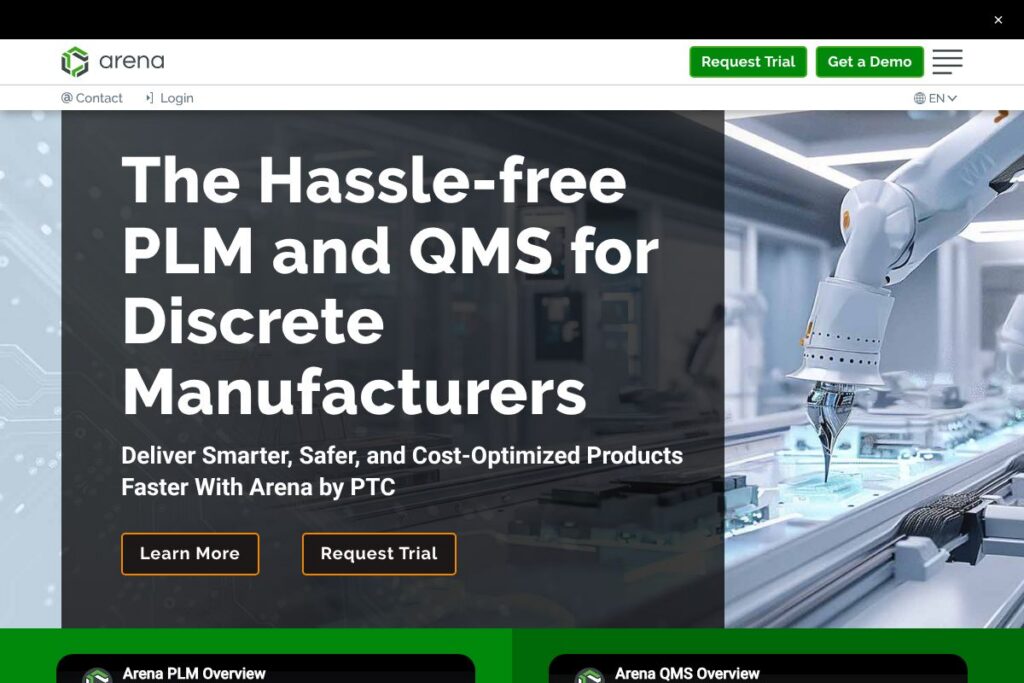
Arena is a cloud-native product lifecycle management (PLM) and quality management system (QMS) designed for manufacturers and hardware-focused development teams. It centralizes product records, bills of materials, engineering change orders, and quality processes so distributed teams work from a single source of truth while preserving audit trails and traceability.
Arena sits in the same market as enterprise PLM packages but emphasizes cloud delivery and out-of-the-box QMS workflows. Compared with PTC Windchill, which often targets large on-premises deployments and heavy customization, Arena focuses on a faster cloud onboarding model. Compared with Siemens Teamcenter, Arena trades extensive platform configurability for a simpler cloud-first experience that reduces infrastructure overhead and shortens implementation timelines.
Arena does particularly well at connecting design and quality processes, managing complex BOMs, and supporting regulated industries that need traceability. It is aimed at product teams, contract manufacturers, and regulated companies that need integrated PLM and QMS functionality without a large on-premises IT project.
How Arena Works
Arena stores product data, BOMs, documents, and quality records in managed cloud workspaces where role-based access controls and audit history are built in. Teams create and route engineering change notices, link CAD items to part records, and attach documentation such as work instructions or test results so the product record reflects the latest approved state.
Integration points let Arena sync selected product and change information with ERP, procurement, and CAD systems to keep manufacturing and sourcing aligned. A typical workflow starts in CAD, syncs parts into Arena, routes a change for review and approval, and then publishes approved BOMs and release packages to downstream systems.
Arena features
Arena combines PLM and QMS capabilities with integrations and reporting that support regulated product development and global manufacturing. Core components include BOM management, change control, document management, supplier and quality workflows, and analytics that convert PLM data into operational insights.
Key functionality includes:
Core PLM
Centralized part and BOM management with hierarchical BOM views, version control, and part lifecycle states. This helps engineering and supply chain teams avoid duplicate parts, reconcile supplier data, and maintain a single product record for manufacturing and service.
Quality Management System (QMS)
Integrated QMS workflows cover nonconformance, CAPA, corrective actions, audits, and supplier quality. Teams can link quality events to parts and changes so quality issues are visible alongside the engineering record.
Change Management
Formal engineering change processes let reviewers, approvers, and downstream stakeholders collaborate on proposed updates. Workflows capture approvals, require supporting documentation, and create audit trails needed for compliance reviews.
BOM Control and Manufacturing Handoffs
Bill of materials control includes multi-level BOMs, BOM compare tools, and release packaging for manufacturing. Features reduce BOM errors and support clean handoffs to ERP or contract manufacturers.
CAD Integrations
Prebuilt connectors and sync workflows let CAD systems publish parts and BOMs to Arena to keep design and PLM in sync. The Onshape integration is commonly used to enforce process discipline and reduce manual sync work; see Onshape for the CAD platform.
Analytics and Reporting
Real-time dashboards and reporting translate PLM data into operational metrics so teams identify bottlenecks and measure cycle times. Arena Analytics converts product records into business intelligence for configuration control and management decisions.
Multi-Workspace and Access Controls
Multiple workspaces allow separate product lines, customers, or contract manufacturers to have tailored access policies while keeping data segregated. Role-based permissions enforce least-privilege access across global teams.
APIs and Extensibility
A REST API and integration framework support automation, custom connectors, and integration with ERP or manufacturing execution systems. Organizations use the API to automate data synchronization and extend Arena into broader toolchains.
Compliance and Security
Built-in audit logs, traceability, and secure cloud hosting options support regulatory requirements such as AS9100 and ITAR compliance. Arena can be deployed in environments designed to meet higher security and regulatory needs.
Overall, Arena’s feature set focuses on eliminating BOM errors, enforcing change discipline, and connecting design, quality, and manufacturing data so teams ship reliably.
Arena pricing
Arena uses an enterprise subscription pricing model with custom quotes tailored to company size, required modules, and deployment options. Pricing typically depends on the number of users, the mix of PLM and QMS modules, integrations, and any compliance hosting (for example, FedRAMP or ITAR-ready environments).
For current pricing and plan options, see the Arena homepage or contact Arena sales for a tailored quote and evaluation of licensing and deployment choices.
What is Arena Used For?
Arena is commonly used for managing engineering product records, controlling bills of materials, and running formal change control processes that span engineering, quality, and manufacturing. Product teams use it to reduce BOM errors, coordinate global suppliers, and ensure the released product matches documentation and quality requirements.
It is also used by regulated companies to document compliance activities and preserve auditable trails for design changes, training records, and quality events. Contract manufacturers and startups benefit from Arena when they need a managed cloud PLM/QMS that scales without building an on-premises infrastructure.
Pros and Cons of Arena
Pros
- Integrated PLM and QMS: Combining product lifecycle and quality workflows in one system reduces data handoffs and preserves traceability across engineering and quality processes.
- Cloud-native deployment: Fast onboarding and managed hosting remove much of the infrastructure burden associated with traditional on-premises PLM systems.
- CAD and ERP connectivity: Prebuilt integrations and APIs help synchronize parts and BOMs between design tools and downstream systems, reducing manual sync work.
- Traceability and compliance: Built-in audit logs, version history, and configurable workflows support regulated industries that require formal documentation and approvals.
- Analytics and reporting: Real-time metrics and dashboards convert PLM data into actionable insights for configuration control and decision-making.
Cons
- Enterprise pricing model: Custom subscription pricing may be less transparent for small businesses seeking fixed-price tiers, requiring a sales engagement for a quote.
- Less deep configurability than some on-prem platforms: Customers seeking extreme platform customization may find heavier-weight PLM suites like PTC Windchill more configurable for highly specialized workflows.
- Integration effort for legacy systems: Connecting older ERP or custom manufacturing systems can require integration development and project planning.
- User training required for full value: Organizations must invest in process mapping and user onboarding to ensure consistent use of change and quality workflows.
Does Arena Offer a Free Trial?
Arena offers trial and evaluation access through sales and demo accounts so prospective customers can validate core PLM and QMS workflows against their use cases. Trial arrangements commonly include access to workspace features, BOM and change management, and sample integrations; contact Arena for a structured evaluation or sandbox environment via the Arena homepage.
Arena API and Integrations
Arena provides REST APIs and an integration framework that teams use to connect CAD, ERP, and manufacturing systems. The platform supports common CAD integrations such as Onshape and SolidWorks, and customers typically connect ERP systems like SAP or Oracle NetSuite to automate BOM publication and manufacturing handoffs.
For developer resources and integration guidance, request documentation or integration notes via Arena’s support and resource channels on the Arena website.
10 Arena alternatives
Paid alternatives to Arena
- Siemens Teamcenter — Enterprise PLM with deep configurability and a broad set of CAD and systems integrations targeted at large manufacturers.
- PTC Windchill — Feature-rich PLM with strong engineering data management and lifecycle control, commonly used in complex engineering environments.
- Autodesk Fusion 360 Manage — Cloud-focused PLM that integrates with Autodesk CAD and CAM tools, aimed at nimble engineering teams.
- Oracle Agile PLM — Scalable PLM with strong enterprise integration capabilities for global organizations and complex product portfolios.
- Aras Innovator — Flexible platform that supports model-based enterprise PLM and can be extended for complex change and configuration management.
- Dassault Systèmes ENOVIA — PLM offering with deep collaboration and systems engineering capabilities for multi-discipline product development.
Open source alternatives to Arena
- Odoo (PLM module) — Open source ERP with a PLM module that offers basic BOM and change control functionality integrated with inventory and manufacturing.
- ERPNext — Community-driven ERP that includes manufacturing and BOM features suitable for smaller teams or companies preferring self-hosted options.
- openPLM — An open source product data management project that provides core PLM functions for teams that want to self-host and customize.
- DocDokuPLM — Open source PLM focused on collaborative product development with document and revision control features.
Frequently asked questions about Arena
What is Arena used for?
Arena is used for product lifecycle management and quality management across engineering, manufacturing, and quality teams. It centralizes BOMs, change control, and quality records to preserve traceability and reduce product development errors.
Does Arena integrate with Onshape and other CAD systems?
Yes, Arena integrates with Onshape and common CAD platforms. These integrations sync parts and BOM data so design changes update the product record and enforce process discipline.
Can Arena help with regulatory compliance and audits?
Yes, Arena supports traceability, audit logs, and formal quality workflows needed for regulated industries. Customers use the platform to document approvals, CAPA actions, and training records required for standards like AS9100.
How does Arena connect with ERP systems?
Arena connects to ERP systems through built-in integrations and APIs to publish released BOMs and part data. Integrations reduce manual data entry and keep sourcing and manufacturing aligned with engineering changes.
Is Arena suitable for small teams and startups?
Arena is suitable for startups and small teams that need managed PLM and QMS without heavy infrastructure. Its cloud-first model supports faster onboarding than many legacy on-premises PLM systems while still scaling to larger organizations.
Final verdict: Arena
Arena delivers a pragmatic cloud-native approach to PLM and QMS that reduces BOM errors, enforces disciplined change processes, and connects design with quality and manufacturing. Its combination of integrated quality workflows, BOM control, and analytics makes it a strong option for hardware product teams and regulated industries that require traceability and auditability.
Compared with a competitor like PTC Windchill, Arena typically offers a lower infrastructure and onboarding burden because it is delivered as a cloud subscription rather than an on-premises licensed platform. While Windchill can provide deeper platform customization for very large enterprises, Arena provides a faster path to value through managed hosting, integrated QMS, and prebuilt CAD and ERP connections, making it a practical choice for teams aiming to accelerate product development without a heavy IT project. For evaluation and pricing details, contact Arena via the Arena homepage.