Loom: An Overview
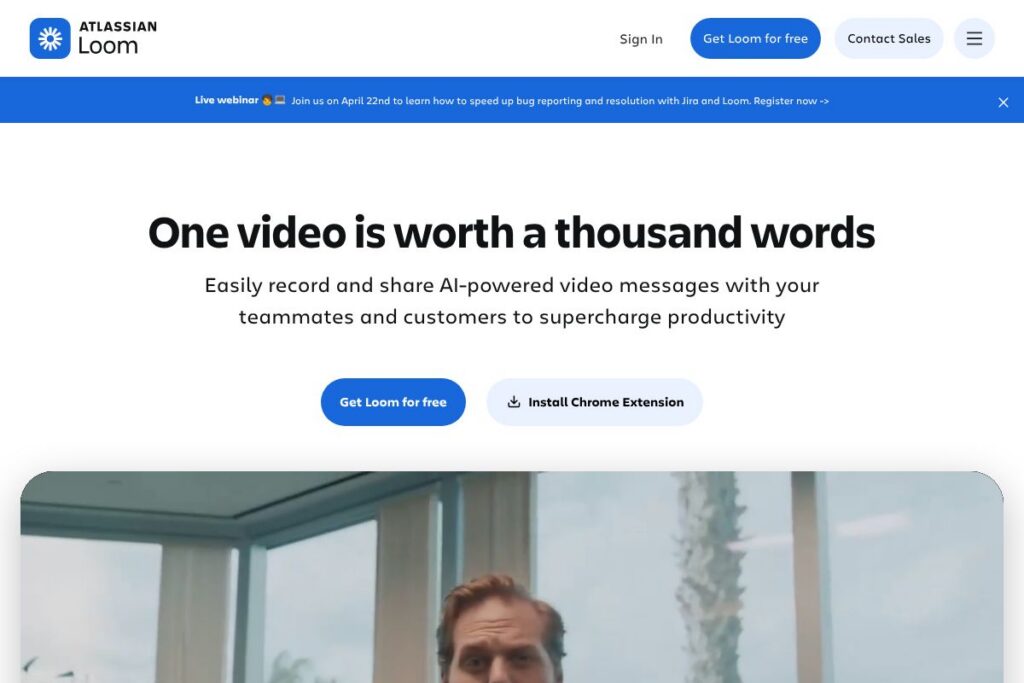
Loom is a cloud-first screen and camera recorder that focuses on short-form video messages for team communication, customer outreach, and troubleshooting. It provides recording in a browser, desktop app for Mac and PC, a simple editor for trimming and stitching clips, and hosted video pages with captions, transcripts, and viewer analytics.
Compared with Zoom, Loom is not primarily a meeting platform; Loom emphasizes asynchronous recordings rather than live calls. Compared with Camtasia, Loom trades off advanced desktop editing and a local file workflow for faster capture, instant cloud delivery, and collaborative features. Compared with Vimeo, Loom places heavier emphasis on quick internal sharing and integrations with collaboration tools, while Vimeo is oriented toward polished publishing and video hosting at scale.
What Loom does especially well is reduce back-and-forth text and meetings by letting people explain work visually, annotate recordings, and share instantly. This makes Loom a fit for product teams, customer support, sales outreach, and distributed organizations that rely on asynchronous communication.
How Loom Works
Recording starts from the browser extension or the Loom desktop app, where you choose whether to capture screen only, camera only, or both. A single click begins recording, and you can pause, annotate briefly, or stop to upload the video to your Loom account automatically.
After upload, Loom generates a hosted video page with playback controls, an editable transcript, closed captions, and viewer analytics. Users can trim or stitch clips in Loom’s editor, change privacy settings, and copy a share link or embed code to distribute the recording across other tools.
Workflows commonly pair Loom with ticketing and collaboration systems. For example, an engineer can record a bug reproduction and attach the Loom link to a ticket, while a salesperson can send a personalized prospect video and track viewer engagement before follow up.
What does Loom do?
Loom centers on quick video capture and lightweight editing, with recent additions aimed at developer workflows and AI-assisted features. Core capabilities include screen and camera recording, an in-browser and desktop recorder, a simple timeline editor, automatic transcripts, captions in multiple languages, and sharing controls for team or public visibility.
The platform includes several powerful capabilities:
Screen and camera recording
Record full screen, application windows, or browser tabs while capturing a webcam overlay so viewers can see the speaker. This combination is useful for walkthroughs, demos, and personal outreach where visual context and the presenter’s expression matter.
Editor (trim, stitch, overlays)
Trim unwanted sections, splice clips together, and add text or arrow overlays to emphasize parts of the recording. The editor is designed for quick edits that make videos concise and easier to consume without requiring a separate desktop editing suite.
Automatic transcripts and closed captions
Loom generates a transcript after upload and provides closed captions in multiple languages to improve accessibility and searchability. Transcripts are editable, enabling creators to correct errors before distributing the recording.
Sharing, embedding, and privacy controls
Each video gets a shareable link and embed code, with options to set team-only access, password protection, or public visibility. These controls let teams use Loom for internal knowledge sharing as well as external customer-facing content while maintaining appropriate access restrictions.
Integrations and viewer actions
Loom integrates with collaboration tools so videos can be shared directly to platforms like Google Workspace and Slack, and include viewer actions such as reactions, comments, and call-to-action buttons on hosted video pages. This keeps conversation and context close to the content.
AI bug reports and developer data capture
Loom can capture technical details such as device, browser, OS, console logs, and network activity alongside the recorded walkthrough, and convert recordings into structured work items for issue tracking systems. This feature accelerates triage and reduces back-and-forth when reproducing bugs.
Download, upload, and analytics
Creators can download MP4s or keep videos in Loom’s cloud, and team admins can view engagement metrics to see who watched and how much was viewed. Those insights help prioritize follow ups and measure the effectiveness of video outreach.
With these features, Loom’s biggest benefit is enabling fast, context-rich communication that reduces synchronous meetings and speeds decision making. Its combined capture, edit, and share workflow is aimed at teams that need clear visual context quickly.
Loom pricing
Loom uses a freemium subscription model with a free tier for individual use and paid plans for teams and enterprises. The free tier includes basic recording, editing, and sharing features while paid subscriptions add more advanced admin controls, expanded storage, and team-oriented capabilities.
For up-to-date plan details and any promotional offers, consult Loom’s homepage for current subscription options and enterprise inquiries. View Loom’s homepage for the latest plan structure and customer options.
What is Loom Used For?
Loom is commonly used for asynchronous team communication such as status updates, design reviews, and product demos where a short video conveys context faster than a written message. It is also used to record onboarding walkthroughs, how-to guides, and internal documentation that benefit from visual demonstration.
Outside of internal use, Loom supports sales outreach through personalized video messages, customer support by sharing troubleshooting steps, and engineering by attaching visual bug reproductions to tickets. It is suitable for distributed teams, customer-facing roles, and anyone who needs to explain processes visually without scheduling a live meeting.
Pros and Cons of Loom
Pros
- Fast capture and sharing: Recording and uploading are immediate so creators can send a link right after recording, reducing friction in asynchronous workflows.
- Built-in transcripts and captions: Automatic transcription and closed captions improve accessibility and make videos searchable without separate tools.
- Simple editing for quick polish: Trim, stitch, and annotate features let users clean up recordings rapidly without learning a complex editor.
- Integrations with collaboration tools: Native connections to platforms like Google Workspace and Slack make it easy to embed videos in existing workflows.
Cons
- Limited advanced editing: For long-form or heavily edited video projects, Loom’s editor lacks the depth of dedicated desktop tools such as timeline effects and multi-track audio mixing.
- Cloud-dependent workflow: Videos are optimized for cloud hosting and sharing, which may be a drawback for teams that require strict on-premises storage or full local editing workflows.
- Usage limits on free tier: The free plan has restrictions on storage and recording length that may require paid upgrades for heavy users.
Does Loom Offer a Free Trial?
Loom offers a free plan and paid subscription options. The free plan includes basic screen and camera recording, trimming, automatic transcripts, and link sharing, with limits on video length and storage that encourage upgrades for team usage. Paid plans add administrative controls, advanced privacy options, and team features; check Loom’s homepage for the exact differences and any trial promotions.
Loom API and Integrations
Loom provides developer resources and an API to embed recording, playback, and upload functionality into other applications. The Loom developer documentation explains available endpoints, authentication, and examples for automating uploads or creating custom integrations.
Key built-in integrations include connections with Google Workspace and Slack, and Loom also offers integrations for popular tools used by product and design teams. See Loom’s integrations page for a full list of supported apps and platform-specific add-ons.
10 Loom alternatives
Paid alternatives to Loom
- Zoom: Primarily a live meeting platform that also supports local recording and cloud recordings; better for synchronous calls and webinars with large participant counts.
- Camtasia: Desktop-focused screen recorder and advanced video editor, suited to creators who need rich editing tools and a file-first workflow.
- Vimeo: Video hosting and publishing platform with advanced privacy, distribution, and monetization features for polished content.
- Vidyard: Sales- and marketing-oriented video platform with hub pages, personalized video features, and viewer analytics geared toward revenue teams.
- CloudApp: Quick capture tool similar to Loom with screenshot and GIF support, integrated annotations, and enterprise sharing controls.
- Snagit: TechSmith’s screen capture tool focused on screenshots and short recordings with strong annotation and image editing features.
- Screencast-O-Matic: Affordable recorder with basic editing and hosting, positioned for educators and small teams who need simple publishing.
Open source alternatives to Loom
- OBS Studio: Open source, cross-platform recording and live streaming software with flexible scenes and capture options for higher control over recordings.
- ShareX: Windows-only open source capture tool with extensive capture methods, upload destinations, and automation options.
- Kazam: Lightweight Linux screen recorder designed for quick desktop captures and simple exports.
- SimpleScreenRecorder: Linux-focused recorder optimized for efficient CPU usage and high-quality output.
Frequently asked questions about Loom
What is Loom used for?
Loom is used for creating short video messages, walkthroughs, tutorials, and demos to share asynchronously. Teams use it to replace status updates, explain bugs visually, and send personalized messages to customers and prospects.
Does Loom offer transcription and captions?
Yes, Loom provides automatic transcripts and closed captions. Transcripts are editable and captions are available in multiple languages to improve accessibility and searchability.
Can Loom integrate with Slack and Google Workspace?
Yes, Loom integrates directly with Slack and Google Workspace. These integrations allow users to share recordings, embed videos in documents, and receive notifications inside collaboration tools.
Does Loom provide an API for developers?
Yes, Loom provides developer documentation and API access. The Loom developer documentation explains endpoints for uploads, playback, and embedding for custom integrations.
Is Loom free to use?
Loom offers a free plan alongside paid subscriptions for teams and enterprises. The free tier includes core recording and sharing features with usage limits; paid plans add administrative and advanced team controls.
Final Verdict: Loom
Loom excels at fast, asynchronous video communication by combining one-click recording, cloud hosting, simple editing, and viewer analytics. It reduces the need for synchronous meetings and provides accessible transcripts and integrations that keep video content connected to team workflows.
Compared to desktop-first tools like Camtasia, which focus on advanced editing and local files, Loom favors speed, cloud collaboration, and team management features. For organizations deciding between the two, Loom is better for distributed teams that value quick sharing and collaboration, while Camtasia suits creators who need deeper editing capabilities and a file-based workflow.
Overall, Loom is a practical choice for teams that need to explain work visually, speed up handoffs, and keep a searchable library of short, actionable videos. For pricing tiers and enterprise options, review Loom’s homepage for current subscription details and enterprise contact options.