What is Mentimeter
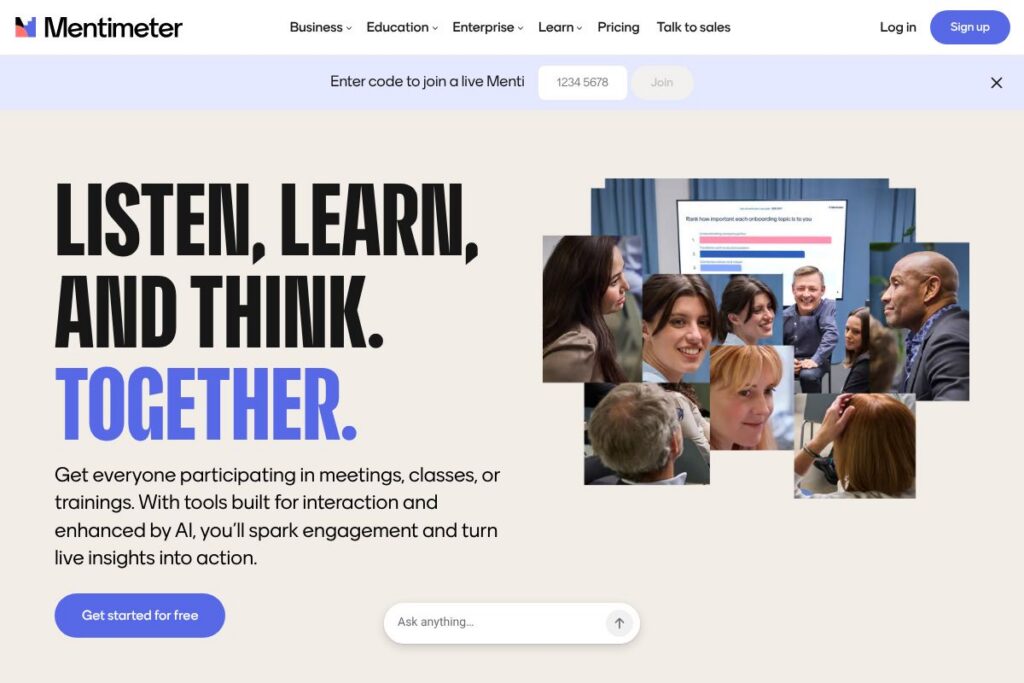
Mentimeter is a cloud-based tool for creating interactive presentations that collect live audience input using polls, quizzes, Q&A, and visualizations. Presenters build slides or use templates, then participants join a session on any device to respond in real time, while results appear instantly in the presenter view and audience-facing displays.
Compared with Slido, Poll Everywhere, and Kahoot!, Mentimeter emphasizes fast setup, a wide range of response types, and template-driven flows that suit meetings and classroom use. Slido focuses tightly on Q&A moderation and deep conferencing platform integrations, Poll Everywhere offers extensive question types for research and large events, and Kahoot! is designed primarily around competitive learning and game-style quizzes.
All of this makes Mentimeter well suited for meeting facilitators, teachers, training professionals, and event organizers who need to add structured participation quickly. It performs particularly well when you want low-friction participation, clear visualizations of responses, and tools to turn audience feedback into next steps for discussion or teaching.
How Mentimeter Works
Presenters build interactive slides using a web editor, choosing question types such as multiple choice, word cloud, ranking, open text, and timed quizzes. Slides can be created from templates, imported into presentations, or generated with AI prompts to accelerate setup.
During a session, participants join via a short code or a join link on their phones or laptops, submit responses, and see live results immediately. Organizers can present results as charts or word clouds, collect anonymous responses when needed, and export the data for analysis after the session. Integrations or add-ins let presenters embed live interactions into PowerPoint or run polls inside meeting platforms for hybrid audiences.
Mentimeter features
Mentimeter centers on real-time audience interaction and visual feedback. Core capabilities include live polling, quizzes, Q&A moderation, word clouds, slide templates, and exportable analytics. The platform has also added AI-assisted content creation and more flexible templates to speed up presentation setup.
Live Polls
Create multiple-choice, single-choice, and ranking polls that update in real time as participants submit answers. Live polls are useful for quick temperature checks, decision-making during meetings, and gathering instant feedback from remote or in-room audiences.
Quizzes and Games
Timed quizzes and leaderboard features turn knowledge checks into interactive moments that increase attention and participation. In classrooms and workshops, quizzes can be used for formative assessment or to recap key points.
Q&A and Moderation
Audience members submit questions or comments which presenters can curate and display. Moderation controls let hosts filter entries, upvote popular items, and manage the flow of questions during panels and large sessions.
Word Clouds and Open Text
Open-text responses feed visualizations like word clouds and frequency charts that surface common themes quickly. These visualizations help facilitators and teachers identify patterns in feedback or unexpected ideas that deserve follow-up.
Templates and AI-Driven Creation
Prebuilt templates cover meeting agendas, icebreakers, training sessions, and classroom lessons that you can customize. AI prompts can help generate slide content and question phrasing to speed up the authoring process.
Analytics and Exports
Session data can be exported for deeper analysis, including respondent-level exports when identification is enabled and aggregated charts for reports. Exports support CSV and other standard formats to integrate with evaluation workflows.
Integrations and Add-ins
Mentimeter connects with common presentation workflows through a PowerPoint add-in and meeting platform integrations that allow live interactions inside virtual meeting rooms. These integrations reduce context switching for presenters and help hybrid audiences participate equally.
With these features, Mentimeter makes it straightforward to collect live feedback, turn responses into visual insights, and reuse interaction templates across classes, meetings, and events.
Mentimeter pricing
Mentimeter uses a subscription SaaS model with tiers aimed at individuals, teams, and organizations. Specific plan names, tiered features, and current rates are published by the vendor and can change, so check Mentimeter’s pricing options for the latest details.
For enterprise and large-scale deployments, Mentimeter typically offers custom contracts that include centralized billing, advanced security controls, and deployment support. View Mentimeter’s pricing options for the current plan structure and details tailored to your organization.
What is Mentimeter Used For?
Mentimeter is commonly used to run live polls and gather feedback during meetings, lectures, training sessions, conferences, and workshops. Teams use it to break up long presentations, crowdsource opinions, check comprehension, and prioritize discussion topics based on real-time votes.
Educators use Mentimeter for formative assessment, icebreakers, and to make lessons more interactive, while corporate facilitators use it for decision workshops, employee engagement, and retrospective exercises. Event organizers use Mentimeter to run audience-driven sessions and collect post-event insights.
Pros and Cons of Mentimeter
Pros
- Low barrier to entry: The web editor and templates let new users create interactive slides quickly without design expertise.
- Wide range of interaction types: Supports polls, quizzes, word clouds, open responses, and ranking questions that cover most engagement needs.
- Real-time visual feedback: Responses are instantly visualized, which helps facilitators steer the session based on live data.
- Template library and AI prompts: Ready-made templates and AI-assisted content speed up presentation creation for common meeting and classroom scenarios.
- Hybrid-friendly integrations: Add-ins and meeting platform integrations let remote and in-room participants join in the same flow.
Cons
- Audience size limits on lower tiers: Free or entry-level accounts often constrain participant counts, which can be restrictive for large events.
- Advanced analytics behind paid plans: Detailed reporting and respondent-level exports typically require a paid subscription.
- Branding and customization: Full white-labeling and advanced theme control are reserved for upper-tier or enterprise plans.
- Dependency on internet access: Sessions require connectivity for participants to join and submit responses in real time.
Does Mentimeter Offer a Free Trial?
Mentimeter offers a free plan and trial access to paid features. The free tier provides basic question types and limited slides, while trial or evaluation access to paid features varies by plan; check Mentimeter’s account options for current limits and trial availability by visiting Mentimeter’s pricing options.
Mentimeter API and Integrations
Mentimeter provides integrations for common presentation and meeting workflows, including a PowerPoint add-in and apps for meeting platforms to embed live interactions. See Mentimeter’s integrations page for a list of supported connections and setup guides.
For automation, data export, and enterprise workflows, Mentimeter offers developer and help resources that describe available endpoints and export options; consult Mentimeter’s help center to locate API documentation and integration instructions.
10 Mentimeter alternatives
Paid alternatives to Mentimeter
- Slido — Real-time Q&A and polling with deep conferencing platform integrations and moderation features for meetings and webinars.
- Poll Everywhere — A long-standing live polling solution with many question types and options suited to research, education, and large events.
- Kahoot! — Game-based quizzing platform focused on competitive learning and attention in classrooms and training sessions.
- AhaSlides — Interactive presentation tool with polls, quizzes, and templates aimed at workshops and classes.
- Crowdpurr — Audience engagement platform with live trivia, leaderboards, and robust event-focused features.
- Microsoft Forms — Simple surveys and quizzes included in Microsoft 365, useful for quick polls and integration with Office apps.
- Vevox — Audience response and polling tool that targets enterprise meetings, town halls, and classroom engagement.
Open source alternatives to Mentimeter
- LimeSurvey — Self-hosted survey platform that supports many question types and data export for organizations that need full control over data.
- BigBlueButton — Open-source web conferencing system with built-in polling suitable for remote classrooms and interactive online lectures.
- Apache OpenMeetings — Web conferencing and collaboration project that includes polling and Q&A features for self-hosted deployments.
Frequently asked questions about Mentimeter
What is Mentimeter used for?
Mentimeter is used to add live interaction to presentations, classes, and events. Users run polls, quizzes, and Q&A to collect immediate audience input and visualize results for discussion or analysis.
How much does Mentimeter cost?
Mentimeter uses subscription plans for individuals, teams, and enterprises. Exact plan names and rates change over time, so refer to Mentimeter’s pricing options for the most up-to-date information.
Does Mentimeter integrate with other presentation tools?
Yes, Mentimeter provides integrations and add-ins for common presentation workflows. Notable integrations include a PowerPoint add-in and apps for meeting platforms; check Mentimeter’s integrations page to see supported connections.
Can Mentimeter be used in classrooms?
Yes, Mentimeter is widely used by educators for formative assessment and interactive lessons. Question types, quizzes, and templates support classroom activities and student engagement across in-person and remote settings.
Does Mentimeter offer data export and reporting?
Yes, Mentimeter supports session exports and analytics. Aggregated charts and downloadable exports are available, with more advanced reporting features typically included in paid plans.
Final verdict: Mentimeter
Mentimeter is a practical solution for anyone who needs fast, reliable audience engagement during meetings, lessons, or events. Its template library, variety of question types, and real-time visualizations make it simple to gather input and adapt sessions on the fly, which is especially helpful for educators and facilitators who run frequent interactive sessions.
Compared with Slido, Mentimeter is more template-driven and focused on rapid slide creation and visual result types, while Slido emphasizes advanced moderation and deeper meeting platform integrations for large-scale events. For organizations evaluating fit, Mentimeter’s freemium entry point and AI-assisted content creation make it a strong choice for recurring meetings and classes, and enterprise buyers can negotiate feature sets and deployment options with the vendor via Mentimeter’s account pages.