What is Microsoft
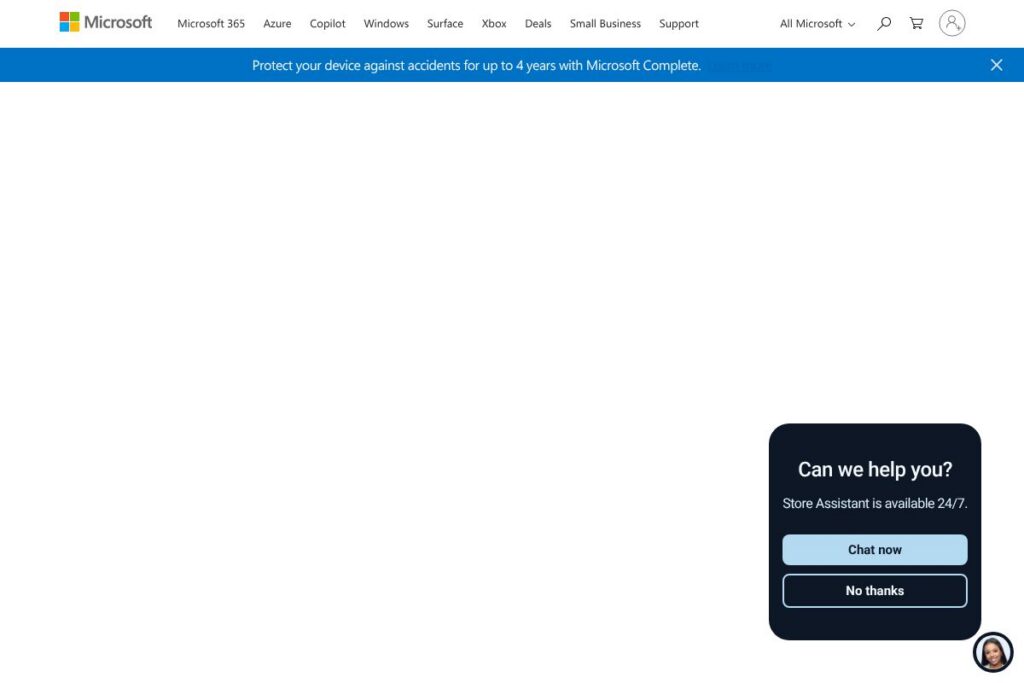
Microsoft is a technology company that builds operating systems, productivity applications, cloud infrastructure, developer tools, and consumer devices for individuals and organizations. The product portfolio spans Windows for PCs, Microsoft 365 for productivity and collaboration, Azure for cloud computing, Surface hardware for personal computing, and Xbox for gaming.
Compared with competitors, Microsoft sits at the intersection of software, services, and hardware. Against Google Workspace, Microsoft emphasizes integrated desktop apps and advanced enterprise identity and device management. Against Amazon Web Services, Microsoft offers a broader stack for enterprise application modernization through Azure while integrating tightly with Windows and SQL Server workloads. Compared with Apple, Microsoft focuses more on cross-platform productivity and enterprise services rather than exclusive hardware and consumer ecosystems.
Microsoft excels at delivering an end-to-end stack for organizations that need desktop productivity, cloud infrastructure, identity and security controls, and device management in one ecosystem. This makes it especially suitable for enterprises, education institutions, SMBs with hybrid IT, and developers building cloud-native and cross-platform applications.
How Microsoft works
Microsoft delivers products through several connected channels: packaged consumer offerings and subscription services, enterprise licensing and support, and cloud pay-as-you-go resources. For productivity, Microsoft 365 provides cloud storage, exchange email, and online versions of Office apps while allowing local desktop installations and centralized administration through Microsoft Endpoint Manager.
Azure supplies infrastructure and platform services that integrate with on-premises Windows and Linux environments, enabling hybrid cloud scenarios with tools like Azure Arc. Microsoft exposes APIs and developer platforms such as Microsoft Graph and Azure SDKs so teams can automate identity, device management, data flows, and application deployments.
Surface devices and Xbox are sold through retail and business channels, with device-specific warranties, accessory ecosystems, and trade-in or protection programs available through the Microsoft Store. Consumer services like Xbox Game Pass and cloud gaming run on Microsoft’s backend services and integrate with account-level subscriptions.
What does Microsoft do?
Microsoft’s product set centers on productivity, cloud infrastructure, developer services, collaboration, devices, and consumer entertainment. Recent additions emphasize AI integration, notably Microsoft Copilot across Microsoft 365 and Copilot+ PCs, and expanded Azure AI services that support model hosting and inference at scale.
Let’s talk Microsoft’s Features
Windows
Windows provides a desktop and laptop operating system with built-in security, driver support, and enterprise management features. It benefits IT teams through group policy, Azure Active Directory integration, and support for legacy and modern applications.
Microsoft 365
Microsoft 365 bundles Office apps, Exchange email, OneDrive cloud storage, and Microsoft Teams for communication and collaboration. It reduces device-based license management by centralizing user access, data loss prevention, and multi-factor authentication.
Microsoft Teams
Teams is a collaboration hub combining chat, video meetings, file sharing, and app integrations. It helps distributed teams coordinate work, run virtual meetings, and connect workflow apps using built-in connectors and bots.
Microsoft Copilot and AI
Copilot integrates generative AI into Microsoft 365 apps and Windows to assist with drafting, summarizing, and automating routine tasks. For organizations, Copilot can accelerate document creation and meeting follow-ups while preserving enterprise controls over data.
Azure
Azure offers compute, storage, networking, databases, and specialized AI and analytics services with global datacenter coverage. It supports hybrid deployments, container orchestration, managed databases, and platform services for building and scaling applications.
Microsoft Graph and Developer Tools
Microsoft Graph provides a unified API for accessing Microsoft 365 data and identity services, while Visual Studio and Azure DevOps support the development lifecycle. These tools help developers automate workflows, build integrations, and instrument enterprise applications.
Surface and Accessories
Surface devices include laptops, tablets, and accessories designed for Windows with features like pen input and enterprise-grade security. Surface hardware is often used by professionals who need a consistent Windows experience across devices.
Xbox and Game Pass
Xbox consoles and Xbox Game Pass deliver console and cloud gaming experiences, including access to day-one titles and cross-platform play for PC and console. Game Pass consolidates a library of games under a subscription model.
With its breadth of products, Microsoft delivers an integrated environment where productivity apps, identity and device management, cloud services, and hardware can work together to support business operations and developer workflows.
Microsoft pricing
Microsoft uses a mixed pricing model that includes consumer retail pricing for devices, subscription plans for productivity and gaming, and usage-based billing for cloud services. Pricing varies by product line, from fixed annual subscriptions to pay-as-you-go cloud billing and device retail prices.
Microsoft 365 (consumer and business)
Personal – $69.99/year (1 user, Office apps, OneDrive storage)
Family – $99.99/year (up to 6 users, shared OneDrive storage)
Microsoft 365 Business Basic – $6.00/user/mo (web and mobile apps, Exchange email)
Microsoft 365 Business Standard – $12.50/user/mo (desktop Office apps, Teams, business services)
For the latest consumer and business plan comparisons and regional pricing, see the Microsoft 365 plans and pricing page.
Azure and cloud services
Azure uses a pay-as-you-go pricing model with per-resource billing for compute, storage, networking, and platform services. Many services offer reserved or spot pricing to reduce costs for predictable workloads. For detailed rate cards and cost calculators, consult the Azure pricing information.
Xbox and gaming subscriptions
Xbox Game Pass Ultimate typically costs $14.99/month for access to console, PC, and cloud game libraries. Console pricing for devices like the Xbox Series X varies by retailer; check the Xbox storefront and subscription pages for regional offers.
Surface devices and accessories
Surface hardware is sold at fixed retail prices that depend on model and configuration. Microsoft Store listings show current device prices, trade-in promotions, and protection plans such as Microsoft Complete; see the Surface devices store for details.
Enterprise licensing and support
Enterprise and volume licensing, Premier support, and custom Azure enterprise agreements use negotiated pricing based on seat counts, usage, and term length. For enterprise quotes and program details, review the Microsoft for Business and Enterprise pages.
What is Microsoft Used For?
Organizations use Microsoft to standardize productivity and collaboration across users, combining Office desktop apps, Exchange email, SharePoint file services, and Teams for communications. IT teams commonly deploy Microsoft 365 to centralize identity, device management, and security policies across a mixed fleet of endpoints.
Azure is used to run cloud-native applications, host databases, and provide scalable infrastructure for web services and analytics workloads. Developers use Visual Studio, Azure DevOps, and Microsoft Graph to build integrations that connect cloud services to internal systems.
Pros and cons of Microsoft
Pros
- Extensive ecosystem: Microsoft integrates OS, productivity apps, cloud services, identity, and devices into a cohesive platform that reduces friction between layers. This tight integration simplifies administration and single sign-on across services.
- Enterprise-grade security and management: Advanced identity, threat protection, and device management tools give large organizations controls for compliance and risk reduction. Features like Azure AD conditional access and Microsoft Defender provide centralized protection.
- Broad developer platform: APIs such as Microsoft Graph and Azure SDKs support robust automation, custom app development, and integration with third-party systems. This helps teams build complex workflows and enterprise applications.
- Multiple deployment options: Support for on-premises, hybrid cloud, and fully managed cloud deployments lets organizations migrate at their own pace while preserving existing workloads.
Cons
- Complex licensing and pricing: Licensing across Microsoft 365, Azure, and enterprise agreements can be complex to navigate and optimize, requiring active management to control costs. Organizations may need licensing expertise to match plans to needs.
- Ecosystem lock-in risk: Heavy reliance on Microsoft products can make multi-vendor strategies more difficult and increase switching costs if teams need to move to alternative platforms.
- Surface hardware cost: Surface devices tend to be positioned at premium price points, which can be a barrier for cost-sensitive buyers looking for bulk procurement options.
Does Microsoft Offer a Free Trial?
Microsoft offers a mix of free trials and free tiers including free web versions of Office apps, time-limited trials for Microsoft 365 subscriptions, and an Azure free account with $200 credit for 30 days plus a set of always-free services. Consumers can use Office.com web apps at no charge, while businesses can trial Microsoft 365 and test Azure resources through the Azure free account and Microsoft 365 trial offers.
Microsoft API and Integrations
Microsoft publishes developer APIs and integration points, most notably Microsoft Graph for accessing Microsoft 365 data and identity. The Microsoft Graph documentation provides endpoints for mail, calendars, users, and device data.
Azure exposes REST APIs and SDKs for provisioning and managing cloud resources, with documentation and reference material available on the Azure developer center. Microsoft also maintains connectors to popular third-party tools and marketplaces for Teams and Azure services.
10 Microsoft alternatives
Paid alternatives to Microsoft
- Google Workspace — Cloud-first productivity suite with Gmail, Drive, Docs, and Meet that emphasizes web-native collaboration.
- Amazon Web Services (AWS) — Large cloud provider offering IaaS and PaaS services for compute, storage, and machine learning workloads.
- Apple — Consumer and professional hardware with integrated software; strong in creative workflows and device ecosystems.
- Salesforce — CRM and cloud platform for customer relationship management and enterprise automation.
- Adobe — Creative and document cloud services that compete with Office workloads for content creation and PDF workflows.
- Slack — Focused collaboration and chat platform that integrates with productivity and developer tools.
- Zoom — Video-first communication platform used for meetings and webinars, often paired with other productivity tools.
Open source alternatives to Microsoft
- Nextcloud — Self-hosted file sync and collaboration platform that provides an alternative to SharePoint and OneDrive.
- LibreOffice — Open source desktop office suite for document creation and spreadsheets as a replacement for Office desktop apps.
- OpenStack — Open infrastructure platform for building private clouds as an alternative to public cloud IaaS.
- Mattermost — Open source messaging platform that can replace Teams or Slack in regulated environments.
- Rocket.Chat — Self-hosted chat and collaboration software for teams that need control over data and deployment.
Frequently asked questions about Microsoft
What is Microsoft used for?
Microsoft is used for productivity, cloud computing, device management, and consumer entertainment. Organizations deploy Microsoft software and services for email, document collaboration, identity, cloud infrastructure, and desktop management.
Does Microsoft offer an API for Microsoft 365?
Yes, Microsoft provides the Microsoft Graph API for Microsoft 365 integration. Developers use Microsoft Graph to access mail, calendars, files, users, and directory data across Microsoft services.
How much does Microsoft cost for businesses?
Microsoft uses subscription and usage-based pricing that varies by product. Small businesses typically choose Microsoft 365 plans billed per user per month, while Azure is billed on a pay-as-you-go model and enterprise agreements are negotiated.
Can Microsoft services be used on non-Windows platforms?
Yes, many Microsoft services and apps run cross-platform. Microsoft 365 web apps, Teams, Visual Studio Code, and Azure SDKs support macOS, Linux, Android, and iOS in addition to Windows.
Is Microsoft suitable for small businesses?
Yes, Microsoft offers business-focused plans and cloud services tailored to small and medium businesses. Microsoft 365 Business plans, Teams, and Azure starter resources provide tools to run email, collaboration, and hosting without large on-premises investments.
Final verdict: Microsoft
Microsoft provides a comprehensive suite that covers desktop productivity, cloud infrastructure, developer tooling, and consumer hardware. Its strengths are the tight integration between desktop apps and cloud services, enterprise-grade identity and security controls, and a mature developer ecosystem that supports complex, large-scale deployments.
Compared with Google Workspace, Microsoft typically provides deeper desktop application capabilities and broader enterprise management features, while Google Workspace often matches on price at entry-level tiers and emphasizes web-first collaboration. For organizations that require full-featured Office desktop apps, Windows integration, and hybrid cloud options, Microsoft remains a practical choice despite more complex licensing and the potential for vendor lock-in.