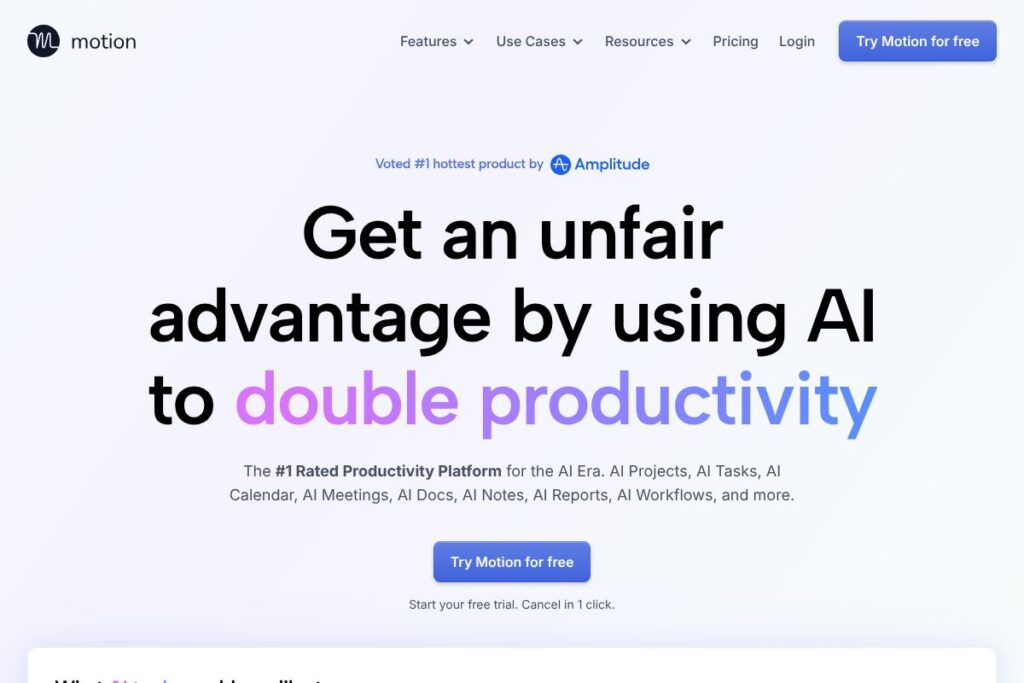
Motion: An Overview
Motion is an AI-first productivity platform that combines task management, project planning, calendar optimization, meeting capture, document editing, and analytics into a single workspace. Its AI features create projects and task plans, timeblock work on your calendar, take meeting notes and follow-ups, and turn documents into actionable work without requiring manual setup.
Compared to established tools, Motion focuses on automation and end-to-end context. Unlike Asana, which centers on task workflows and manual project configuration, Motion emphasizes AI-generated project plans and dynamic schedule optimization. Compared with ClickUp, Motion reduces the need for heavy configuration by using AI to generate and maintain task lists and timelines, while compared with Notion, Motion integrates real-time calendar and task automation alongside docs rather than primarily providing a flexible notes canvas.
All of this makes Motion well suited for individuals and teams that need continuous, automatic planning and fewer manual updates. It is particularly useful for teams that juggle many concurrent projects and want AI to maintain schedules, surface risks, and convert meeting outputs into assigned tasks and tracked work.
How Motion Works
Motion ingests your calendar accounts, tasks, projects, and documents to provide a single source of truth for what needs to get done. Its AI analyzes priorities, durations, dependencies, and individual availability to auto-generate task schedules and timeblocks on your calendar that update dynamically as priorities change.
In practice, a typical workflow is: describe a project or paste an SOP into a Motion doc, let the AI create the project with tasks, deadlines, and assignees, then watch Motion timeblock high-priority tasks on each person’s calendar while flagging at-risk items. Meetings are recorded and converted into summaries and action items that are linked into the relevant projects and tasks.
Motion features
Motion centers its capabilities around AI-driven planning, meeting automation, and integrated docs. Core features include AI task and project generation, dynamic calendar optimization, an AI meeting notetaker, document-to-task conversion, workflow templating, business intelligence dashboards, and native integrations for common apps. Recent emphasis has been on improving meeting accuracy, cross-context search, and automatic reassignment when capacity shifts.
AI Task Planner
Motion automatically detects priorities across projects, deadlines, and dependencies, then builds and continuously optimizes a prioritized task plan for each user. This reduces manual triage and re-planning, and it surfaces at-risk work with proactive warnings so teams can correct course before deadlines slip.
AI Project Manager
Describe a project or attach supporting documents and Motion generates a full project with tasks, stages, deadlines, and suggested assignees, typically requiring only a quick review. The platform auto-updates statuses and assigns next steps, which reduces idle time between tasks and cuts down on status-checking meetings.
AI Meeting Notetaker
Motion records meetings, generates summaries, extracts action items, and assigns tasks to attendees automatically, linking notes back to projects and calendar events. Transcripts and minute-marked highlights let you jump to specific parts of a recording, and meeting follow-up emails can be sent automatically to attendees.
AI Docs Assistant
Motion turns notes, long-form docs, and SOPs into organized tasks and projects without manual transcription, and it surfaces buried tasks from old notes into a unified task view. Docs can be used as wikis, processes, or live pages and can embed tasks, tables, and attachments for contextual execution.
AI Calendar Assistant
The calendar assistant timeblocks prioritized work, reconciles multiple calendar accounts, and reschedules when conflicts or priority changes occur, so you always know what to work on next. It also creates meeting booking pages and recommends meeting times that protect focused work blocks.
AI Workflow Builder
Motion converts SOP documents into repeatable workflows and templates that can be instantiated as projects with assigned tasks and timelines. The AI keeps workflows aligned with team capacity so members receive a simple, prioritized list of what to execute next.
AI Business Intelligence
Motion predicts project ETAs based on team capacity and current workload, alerts when projects are off-track, and provides dashboards that highlight bottlenecks and resource imbalances. These insights help teams rebalance work and improve delivery predictability.
Integrations and Security
Motion connects to common tools and platforms to pull tasks, calendar events, and communications into a single context, and it supports enterprise security standards such as SOC 2 Type 2 with encryption for data at rest and in transit. Integration with email, meeting, and CRM systems keeps AI decisions grounded in your existing tools.
With Motion you get continuous, context-aware automation across planning, execution, and meetings, which reduces manual coordination and preserves a single source of truth for work.
Motion pricing
Motion uses a subscription-based pricing model with tiered plans and enterprise options, and pricing details are managed on the vendor site. For exact plan comparisons, seat counts, and enterprise agreements, view Motion’s current pricing options on the official site.
What is Motion Used For?
Motion is used to automate planning and execution for individuals, teams, and entire organizations, replacing disconnected task lists and manual rescheduling with an AI-driven system that maintains plans in real time. It is commonly used to schedule focused work, run client and internal projects, and convert meeting outcomes into tracked tasks.
Teams use Motion to reduce busywork such as manual re-planning, repetitive status requests, and post-meeting follow-ups, while individual users rely on it for daily timeblocking and prioritization. Companies use Motion to improve delivery predictability, reduce email volume, and centralize documentation and SOP-based workflows.
Pros and Cons of Motion
Pros
- AI-driven planning: Motion’s AI greatly reduces manual scheduling and project setup by auto-generating plans and timeblocks that adapt as priorities change.
- Integrated meeting capture: Meetings become actionable work through automatic summaries, transcripts, and assigned follow-ups linked to projects and tasks.
- Context-rich docs and search: Documents, tasks, projects, and calendar data are combined so the AI can produce personalized outputs without lengthy prompts.
- Enterprise-grade security: SOC 2 Type 2 compliance and encryption help meet corporate security requirements while enabling AI on enterprise data.
Cons
- Learning curve for AI workflows: Teams used to manual task management may need time to trust AI assignments and adjust their workflows accordingly.
- Integration dependency for full value: To get the most accurate planning and context, Motion works best when connected to calendars, email, and collaboration apps, so partial adoption reduces some benefits.
- Potential overautomation: Organizations that need strict manual approval gates for every change may find some automated reassignments or schedule shifts require extra controls.
Does Motion Offer a Free Trial?
Motion offers a free trial so new users can test core AI features such as project generation, calendar optimization, and the notetaker; check Motion’s homepage for trial length and any freemium tier details.
Motion API and Integrations
Motion provides native integrations and connector support to pull tasks and calendar events from common apps and services; its integrations include Zapier, Zoom, Google Meet, Gmail, Outlook, Siri, HubSpot, Salesforce, Teams, and Slack. For developer automation and custom integrations, consult Motion’s integration resources on the official site.
10 Motion alternatives
Paid alternatives to Motion
- Asana – A mature work management platform focused on task and project workflows with boards, timelines, and reporting.; strong for teams that prefer manual control over automation.
- ClickUp – An all-in-one work platform with customizable views, docs, goals, and native automation.; useful for teams that want a high degree of configuration.
- Notion – A flexible notes and knowledge workspace that combines docs, databases, and simple task lists.; best when documentation and lightweight task tracking are priorities.
- Trello – A kanban-style task board that is simple to adopt for visual task management and lightweight workflows.; good for small teams and single-project views.
- monday.com – A customizable work OS with strong visual workflows and templates for different business functions.; suitable for teams that want configurable boards and reporting.
- Basecamp – A straightforward project and team communication tool focused on simplicity and message-based collaboration.; suitable for teams that want minimal structure and fewer features.
- Todoist – A personal and small-team task manager with strong natural language input and simple project views.; ideal for individual productivity and small groups.
Open source alternatives to Motion
- OpenProject – An open source project management tool with timelines, task tracking, and reporting; self-hosting gives control over data and customization.
- Taiga – A project management platform geared toward agile teams with kanban and scrum support, suited for developers and designers.
- Wekan – An open source kanban board that provides simple visual task management for self-hosted teams.
- Kanboard – A minimal, self-hosted kanban tool focused on automation through plugins and scripts.
- Redmine – A flexible, self-hosted project tracker with issue tracking, Gantt charts, and extensible plugins.
Frequently asked questions about Motion
What is Motion used for?
Motion is used to automate planning, scheduling, and project execution. Teams and individuals use it to convert docs and meetings into tracked tasks, timeblock priority work, and get predictive ETAs.
Does Motion integrate with Google Calendar and Outlook?
Yes, Motion integrates with Google Calendar and Outlook. It merges multiple calendars so scheduling conflicts are resolved and timeblocking works across work and personal accounts.
Can Motion take meeting notes and create tasks from them?
Yes, Motion records meetings, produces summaries, and turns action items into tasks. Transcripts, minute markers, and automatic follow-up emails help reduce after-meeting busywork.
Is Motion secure for enterprise use?
Motion supports enterprise-grade security including SOC 2 Type 2 compliance and encryption in transit and at rest. These measures help meet corporate security and data protection requirements.
How can teams connect other apps to Motion?
Motion connects to other tools through native integrations and connector platforms like Zapier. Common integrations include Zoom, Slack, Gmail, Salesforce, and Teams to centralize context for AI-driven automation.
Final Verdict: Motion
Motion stands out for applying AI across the full lifecycle of work, from generating projects and timeblocking calendars to capturing meetings and converting notes into assigned tasks. Its strength is in reducing manual coordination and keeping plans up to date without constant human intervention.
Compared with Asana, which is strong on structured task workflows and starts at $10.99/user/month for basic paid tiers, Motion emphasizes AI automation and dynamic scheduling that can reduce time spent managing plans, though exact Motion pricing varies by plan and enterprise needs; review Motion’s current pricing options on the official site to compare seat-based costs and enterprise licensing. For teams that want fewer manual processes and tighter meeting-to-task linkage, Motion delivers capabilities that few traditional task managers provide out of the box.