What is Vonage Video API
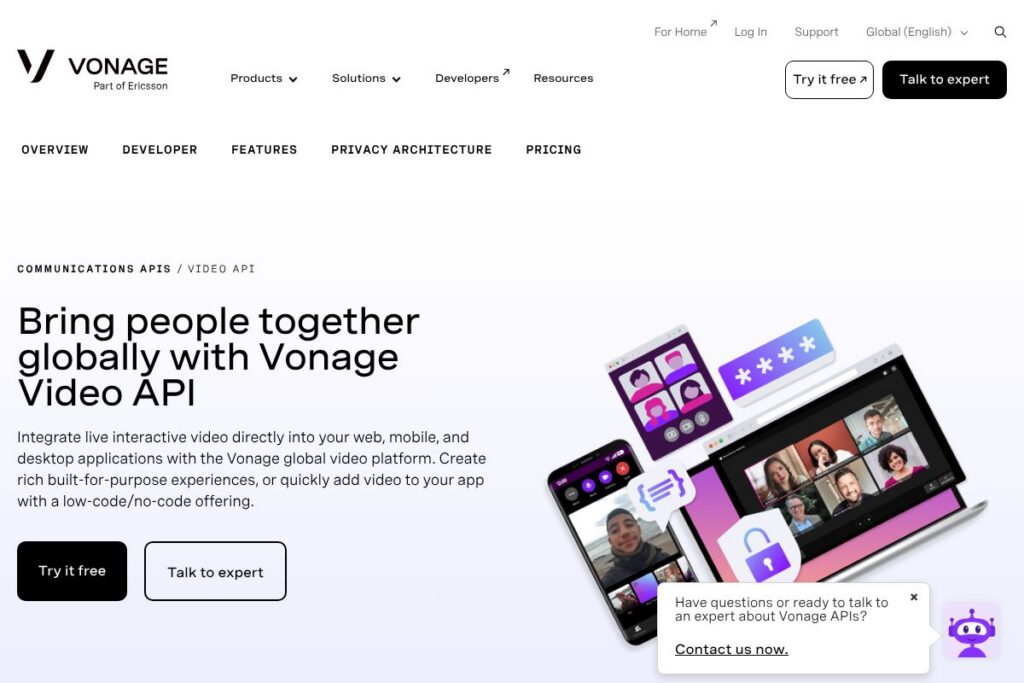
Vonage Video API is a programmable WebRTC platform that lets teams embed live, interactive video into web, mobile, and desktop applications. It combines native SDKs, server-side APIs, and higher-level composition and broadcast features so teams can build everything from two-way customer support calls to large-scale interactive broadcasts and custom immersive experiences.
Compared with competitors, Vonage emphasizes a mix of low-code/no-code options plus deep API control. Twilio Video focuses on modular APIs and a broad communications stack, making it easy to stitch video into existing Twilio workflows. Agora offers strong global real-time performance and voice/video SDKs optimized for low latency, while Daily prioritizes simple SDKs and quick prototypes for web-first teams.
Vonage Video API is especially well suited to product teams that need both developer-grade SDKs and higher-level tools for scaling and broadcast. It does real-time sessions, large-capacity interactive broadcasts, media processing with AI tools, and session composition for recording and custom streaming, making it a fit for telehealth, education, live events, and customer support applications.
How Vonage Video API Works
Applications connect client SDKs to Vonage-managed signaling and media routing using WebRTC. A typical flow includes initial session creation on a backend server, token issuance for authenticated clients, and media exchange through Vonage media servers or peer-to-peer connections depending on the session type and scale.
For large broadcasts or multi-role sessions, developers use Vonage Interactive Broadcast and Experience Composer to route, compose, and record streams. AI components such as the Audio Connector and Media Processor can consume live audio or video streams for transcription, translation, or on-the-fly media effects, and output processed streams back into sessions or to recording/streaming endpoints.
Vonage Video API features
Vonage Video API groups core real-time capabilities with higher-level broadcast and media processing tools so teams can prototype quickly and scale to production.
WebRTC-based Real-time Platform
The platform uses WebRTC for low-latency audio and video across browsers and native apps, with client SDKs for JavaScript, iOS, and Android. This provides standard-compatible media transport while Vonage handles signaling and media routing to simplify cross-device interoperability.
Low-code and No-code Options
Vonage provides builders and prebuilt components that let non-developers add video experiences or accelerate proofs of concept. These low-code options reduce development time when teams need branded sessions, layouts, or moderated rooms without building every UI element from scratch.
AI Tools: Audio Connector and Media Processor
Audio Connector extracts live audio streams for transcription, captioning, or translation workflows, enabling real-time accessibility and downstream ML processing. Media Processor applies live effects such as blur, spotlight, surround sound, and echo cancellation to improve quality and user experience during active sessions.
Interactive Broadcast
Interactive Broadcast supports large-capacity real-time sessions and streaming output via WebRTC, HLS/LL-HLS, and RTMP to social platforms. It also provides advanced composition and recording to stream or archive events while preserving brand and layout customizations.
Experience Composer
Experience Composer captures the full application experience, not just raw audio and video tracks, so teams can record or stream assembled layouts, overlays, and data-driven visuals. That makes it easier to produce on-demand assets and consistent live broadcasts that match the in-app experience.
Session Composition and Recording
Advanced composition tools let developers mix multiple video and audio sources into a single composed stream for streaming or recording. Composition supports custom layouts and dynamic switching, which is useful for panel shows, webinars, and moderated events.
SDKs and Cross-platform Support
Official SDKs for web, iOS, and Android simplify client implementation, while server-side APIs handle session management and token issuance. The platform also supports RTMP ingestion and output for interoperability with streaming tools and CDN workflows.
Data, Usage, and QoS Insights
Built-in telemetry and usage metrics expose quality-of-service and engagement data that help teams monitor sessions, troubleshoot issues, and optimize user experiences. That data can be exported or integrated with analytics systems to inform product and operational decisions.
Security and Compliance
Vonage aligns with standard WebRTC security practices and provides optional advanced encryption, firewall controls, and compliance features for regulated industries. These controls help teams design solutions that avoid retaining sensitive data when required and satisfy healthcare or finance regulations.
With these capabilities, Vonage Video API combines developer tools for fine-grained control with higher-level services that accelerate production deployment and large-scale interactive applications.
Vonage Video API pricing
Vonage Video API uses flexible, usage-based and enterprise pricing models tailored to developer needs and large-scale deployments. Pricing typically reflects usage patterns such as participant minutes, recording and streaming hours, and optional add-ons like advanced composition and AI processing.
For the most accurate and up-to-date costs, view the Vonage Video API product page and contact sales for tailored plans and volume discounts via the Vonage Video API product page. Enterprise customers can request customized contracts, service level agreements, and cost estimates based on expected scale and required features.
What is Vonage Video API Used For?
Teams commonly use Vonage Video API to add live video to customer support portals, telehealth platforms, educational apps, and virtual event sites. Its combination of real-time sessions, broadcast streaming, and recording makes it suitable for scenarios that need both two-way interaction and one-to-many distribution.
Other frequent uses include branded video outreach, interactive product demos, remote inspections, and in-app video consultations. The AI tools enable automatic captioning, transcription, and content-aware media processing which can streamline workflows and improve accessibility.
Pros and cons of Vonage Video API
Pros
- Comprehensive feature set: Vonage combines raw WebRTC capabilities with higher-level tools for broadcast, composition, and AI-driven media processing, which reduces the need to stitch multiple services together.
- Low-code plus developer APIs: Teams can choose prebuilt components to speed delivery or use SDKs and REST APIs for custom experiences, giving flexibility across skill levels and project scopes.
- Large-scale broadcast support: Interactive Broadcast supports thousands of participants and multiple streaming output formats, useful for events that need both interactivity and wide distribution.
- Strong platform integrations: Native support for RTMP, HLS/LL-HLS, and common developer workflows enables easy connection to CDNs, social platforms, and analytics systems.
Cons
- Enterprise orientation for advanced features: Advanced composition, AI processing, and large-capacity broadcast often require custom configuration and enterprise-level engagement rather than simple pay-as-you-go access.
- Complexity for simple use cases: Teams building very small or single-room apps may find the full platform feature set more than they need and may prefer simpler SDKs or hosted services for minimal setups.
- Potential cost variability: Usage-based models mean costs can scale with participant minutes, recording, and processing, so careful monitoring and planning are necessary for predictable budgets.
Does Vonage Video API Offer a Free Trial?
Vonage Video API offers a free developer account and trial credits that let you test SDKs, sample apps, and core features before committing to production. Sign up and access sandbox credentials through the Vonage developer portal, where you can explore quickstarts, SDK examples, and API keys to evaluate the platform.
Vonage Video API API and Integrations
Vonage provides REST APIs and language-specific SDKs for JavaScript, iOS, and Android, along with developer documentation and quickstarts. Explore the Video API developer documentation for endpoints, SDK guides, and integration patterns.
The platform integrates with streaming and recording workflows via RTMP and HLS, and can be combined with other Vonage communications APIs for messaging, voice, or verification. It also supports exporting session telemetry to analytics tools and connecting processed audio to external ML or transcription services.
10 Vonage Video API alternatives
Paid alternatives to Vonage Video API
- Twilio Video – Programmable video APIs with global infrastructure and a strong communications ecosystem that is easy to combine with other Twilio products.
- Agora – Real-time engagement SDKs optimized for low latency and global performance, suitable for voice, video, and interactive live streaming.
- Daily – Straightforward web-first SDKs and hosted room options that accelerate prototyping and web app integrations.
- Zoom Video SDK – Embeddable SDKs from a large meeting platform, focused on scale and familiarity for end users.
- Amazon Chime SDK – AWS-backed real-time media SDKs that integrate tightly with other Amazon Web Services for infrastructure and analytics.
- Microsoft Azure Communication Services – Video and telephony SDKs that integrate with Azure identity, storage, and monitoring services.
- Mux (Live) – Live streaming and recording-focused platform with strong analytics for event production and streaming workflows.
Open source alternatives to Vonage Video API
- Jitsi – A widely used open source conferencing stack that supports WebRTC, with self-hosted deployment options for full control.
- mediasoup – A low-level SFU library for Node.js that offers flexible routing and custom server-side media handling for advanced teams.
- Janus – Modular WebRTC server that supports a variety of plugins for routing, streaming, and gateway functionality.
- Kurento – Media server with advanced processing and computer vision capabilities aimed at custom media workflows.
- OpenVidu – Open source platform built on top of Kurento that provides higher-level APIs for session management and recording.
Frequently asked questions about Vonage Video API
What is Vonage Video API used for?
Vonage Video API is used to embed live, interactive video and large-scale broadcasts into applications. Common uses include telehealth, customer support video, virtual events, and in-app consultations.
Does Vonage Video API provide SDKs for mobile apps?
Yes, Vonage Video API provides SDKs for web, iOS, and Android. These SDKs simplify client integration and work with server-side APIs for session management and token-based authentication.
How does Vonage Video API handle large broadcasts?
Vonage uses Interactive Broadcast and experience composition to support thousands of participants and streaming outputs. It can stream via WebRTC, HLS/LL-HLS, and RTMP to scale distribution to CDNs and social platforms.
Can Vonage Video API process audio and video with AI?
Yes, Vonage offers AI tools such as Audio Connector and Media Processor for transcription, translation, and live media effects. These tools route live streams into ML workflows and output processed media back into sessions or recordings.
How do I get pricing details for Vonage Video API?
Vonage Video API uses flexible, usage-based and enterprise pricing models that vary by features and scale. For custom quotes and the latest plan options, visit the Vonage Video API product page and contact their sales team.
Final verdict: Vonage Video API
Vonage Video API combines developer-grade WebRTC SDKs with higher-level tools for broadcast, composition, and AI-driven media processing, making it a full-featured option for teams building production-grade video experiences. Its mix of low-code builders and deep APIs reduces time to prototype while supporting complex, large-scale architectures when needed.
Compared with Twilio Video, Vonage emphasizes integrated broadcast and media processing features alongside low-code options, while both platforms follow usage-based pricing models and enterprise contracts. For teams that need built-in broadcast composition and AI media workflows within the same platform, Vonage Video API is a strong choice; teams wanting the broadest communications stack integrations may prefer Twilio depending on existing vendor relationships.