What is Poll Everywhere
Poll Everywhere is a web-based audience response platform that embeds live polls, multiple-choice questions, open responses, and Q&A into presentations and virtual meetings. Presenters create a poll, insert it into PowerPoint, Google Slides, or Keynote, and participants join via a short URL or join code from their phones or browsers to submit responses in real time. The platform emphasizes low-friction participation with no downloads required for respondents.
Compared with competitors, Poll Everywhere focuses on tight slide integration and enterprise security. Slido emphasizes streamlined Q&A and event polling with a simple UI for conferences, Mentimeter focuses on template-driven visual polls and presenter-friendly charts, and Kahoot! targets gamified quizzes and classroom engagement. Poll Everywhere positions itself between simple web-first tools and game-based systems by prioritizing slide-based workflows and institutional compliance.
All of this makes Poll Everywhere well suited to classrooms, internal meetings, and conferences where presenters want fast setup, real-time visualizations, and straightforward reporting. Its mix of integrations and enterprise controls makes it a practical choice for organizations that rely on existing presentation software and need predictable, secure audience interaction.
How Poll Everywhere Works
Create a poll by choosing a poll type, entering a prompt and response options, and saving the activity to your account. You can then present directly from the Poll Everywhere web app or embed the poll into PowerPoint, Google Slides, or Keynote so responses display inside your slide deck.
Participants respond using a browser or SMS by visiting a short join link or entering a session code; no app installation is necessary. Responses update live on the presenter screen enabling instant show-of-hands, multiple-choice tallies, word clouds for open responses, and moderated Q&A.
After the session you can export participation data, download results for grading or analysis, and view engagement metrics to track response rates and question-level feedback. This workflow reduces setup time and keeps focus on the presentation rather than device setup.
Poll Everywhere features
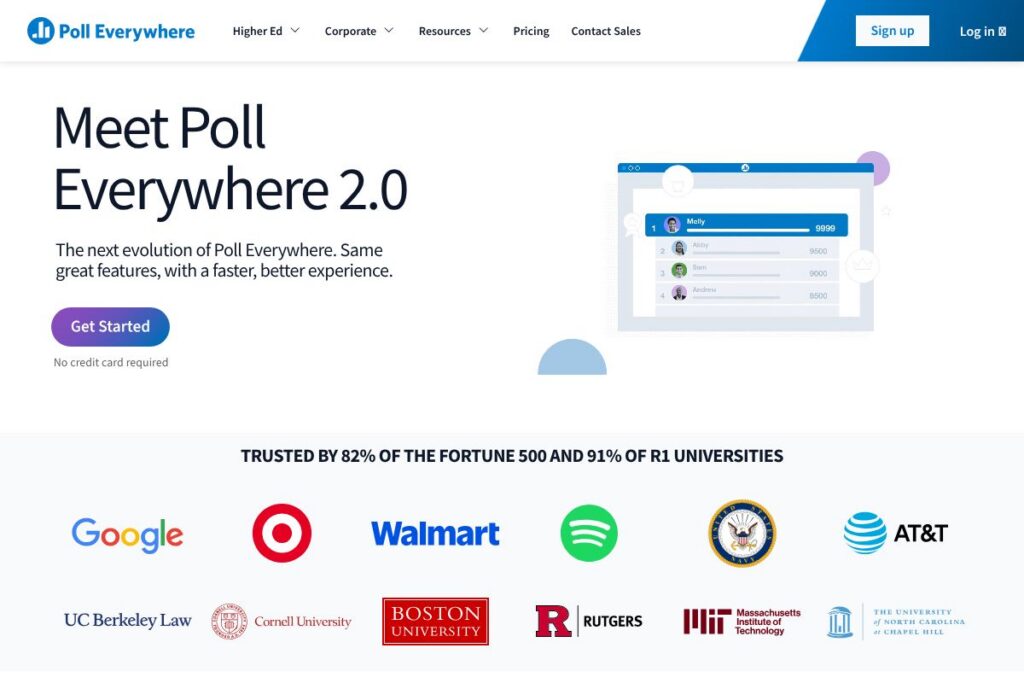
Poll Everywhere organizes live interaction around quick poll creation, slide integration, live visualizations, and session reporting. Core capabilities include multiple poll types, native integrations with major presentation and meeting platforms, real-time results that update on screen, and enterprise-grade security features. The platform has also modernized its interface under the Poll Everywhere 2.0 update for faster performance and clearer workflows.
The platform includes several powerful capabilities worth highlighting:
Poll types
Multiple formats are available including single- and multiple-choice, open-ended text responses, clickable image polls, and ranking. These options let presenters choose the interaction style that matches learning checks, audience sentiment, or event voting.
Slide and meeting integration
Embed polls directly into PowerPoint, Google Slides, or Keynote so activities appear as native slides during a presentation. Integration also supports virtual meeting platforms so you can present polls inside Zoom and Microsoft Teams with minimal switching between windows.
Real-time visualizations
Responses render as live charts, word clouds, or heatmaps that update as participants submit answers. Visualizations help presenters interpret results on the spot and steer discussion or instruction based on audience feedback.
Participant access and no-download participation
Attendees join with a short link or session code in a browser or by SMS, which removes friction for audience participation and works across mobile, tablet, and desktop. This approach avoids app installs and lowers technical barriers for large or mixed-ability groups.
Reporting and analytics
Session reports track participation, capture timestamps, and summarize results for each question to support attendance tracking and post-session analysis. Exports are available for integration with grading systems or organizational reporting workflows.
Security and compliance
Enterprise features include encryption in transit and at rest, compliance certifications, and accessibility conformance to WCAG 2.2 AA. These controls support deployment at universities and large organizations with stricter data protection requirements.
With these features, Poll Everywhere helps presenters solicit meaningful audience input during a live session and turn that feedback into actionable reports afterwards. The platform’s strongest benefit is seamless in-slide interactivity that keeps audiences engaged without forcing them to leave the presentation context.
Poll Everywhere pricing
Poll Everywhere uses a subscription-based pricing model with plans tailored for individuals, teams, and enterprise deployments. Exact plan details and seat-based options vary by audience size and required features; for the most up-to-date plan structure and buying options, view Poll Everywhere’s plans and pricing overview.
What is Poll Everywhere Used For?
Poll Everywhere is commonly used to increase engagement during live presentations, check comprehension in classrooms, and collect immediate feedback in meetings. Teachers use it for quick formative assessments and attendance automation, while corporate presenters use it for pulse checks, training evaluations, and decision-making during all-hands meetings.
Event organizers and conference hosts use Poll Everywhere to run live Q&A, audience-voted sessions, and interactive polls that sustain attention across sessions. Its device-agnostic joining method and live visualizations make it useful wherever you need instant audience input and rapid summarization of results.
Pros and cons of Poll Everywhere
Pros
- Tight slide integration: Embeds polls directly into PowerPoint, Google Slides, and Keynote so interactions appear as part of the presentation rather than a separate web page.
- Low-friction participation: Attendees join via a short link or code with no downloads required, which increases response rates and works across device types.
- Enterprise security and accessibility: Provides encryption, WCAG 2.2 AA conformance, and certifications that support use in universities and large organizations.
- Variety of poll types: From multiple-choice to open responses and clickable images, the platform supports diverse interaction formats for different presentation goals.
Cons
- Seat-based scaling for large events: Licensing is often organized around seats or audience size which can increase costs for very large events compared with per-event pricing models.
- Learning curve for advanced features: While basic polls are quick to set up, advanced workflows and reporting can require time to learn and configure for institutional needs.
Does Poll Everywhere Offer a Free Trial?
Poll Everywhere offers a free plan and trial options for paid tiers. The free tier supports basic polls and limited audience sizes so individuals and small classes can use core features at no cost, while time-limited trials or demo accounts are available to evaluate upgraded features like larger response limits, advanced reporting, and enterprise controls.
Poll Everywhere API and Integrations
Poll Everywhere provides integrations with major presentation and meeting tools and offers developer-facing resources for custom workflows. The platform supports direct integration with PowerPoint, Google Slides, Keynote, Zoom, Microsoft Teams, and popular LMS systems; see the integration guide for specifics.
For custom automation and data access, Poll Everywhere exposes developer resources and an API; consult the API documentation to review available endpoints and authentication methods. These integration options let teams embed polling into existing processes and sync results with external systems.
10 Poll Everywhere alternatives
Paid alternatives to Poll Everywhere
- Slido — Event-focused Q&A and polling with easy moderation and live audience interaction for conferences and virtual events.
- Mentimeter — Template-driven polls and presenter-friendly visuals designed for quick setup and striking charts during presentations.
- Kahoot! — Gamified quizzes and interactive learning activities that drive classroom engagement with competitive elements.
- Vevox — Enterprise-ready audience engagement platform with live polling, Q&A, and surveys for meetings and large events.
- TurningPoint — Classroom and corporate polling system that integrates with slides and often pairs with dedicated clicker hardware or mobile responses.
- Socrative — Education-focused formative assessment tool that supports quick quizzes and real-time feedback for teachers.
Open source alternatives to Poll Everywhere
- LimeSurvey — Self-hosted survey platform for building forms and polls; useful when you need full control of data and custom hosting.
- OhMyForm — Open-source alternative to commercial form builders, enabling hosted polling and response collection with customizable workflows.
- Framaforms — Part of the Framasoft suite, provides open-source form creation for organizations preferring self-managed survey tools.
Frequently asked questions about Poll Everywhere
What is Poll Everywhere used for?
Poll Everywhere is used to add live polls, Q&A, and interactive activities to presentations and virtual meetings. Presenters use it to gather real-time feedback, check understanding, and run audience-driven sessions.
How do participants join a Poll Everywhere poll?
Participants join via a short URL or session code in their web browser or by SMS. No app download is required, which simplifies access for large or mixed-ability audiences.
Does Poll Everywhere integrate with PowerPoint and Google Slides?
Yes, Poll Everywhere integrates natively with PowerPoint, Google Slides, and Keynote. You can embed live activities so responses display directly inside your slide deck during presentations.
Can Poll Everywhere handle large event audiences?
Yes, Poll Everywhere supports large events but licensing and feature limits depend on your plan. Enterprise subscriptions include higher response limits, advanced moderation, and additional administrative controls for large-scale deployments.
Is Poll Everywhere compliant with accessibility and security standards?
Poll Everywhere maintains enterprise-grade security and accessibility conformance, including WCAG 2.2 AA and data encryption. These capabilities support deployments at universities and organizations with strict security requirements.
Final verdict: Poll Everywhere
Poll Everywhere excels at embedding live audience interaction directly into slides and virtual meetings, making it straightforward for presenters to run polls and display results without context switching. Its no-download participant flow and variety of poll types make it a reliable choice for classrooms, internal meetings, and conferences that rely on existing presentation software.
Compared with Mentimeter, Poll Everywhere leans more toward enterprise and in-slide integration while Mentimeter focuses on a fast, template-first experience for quick web-based polls. In terms of pricing, Poll Everywhere uses tiered subscriptions for individuals, teams, and enterprise deployments which align with its enterprise feature set; Mentimeter offers entry-level options that may be less expensive for casual users but with different limits. For organizations that need slide-native polls, secure deployments, and detailed reporting, Poll Everywhere is a strong option.