Rasa: An Overview
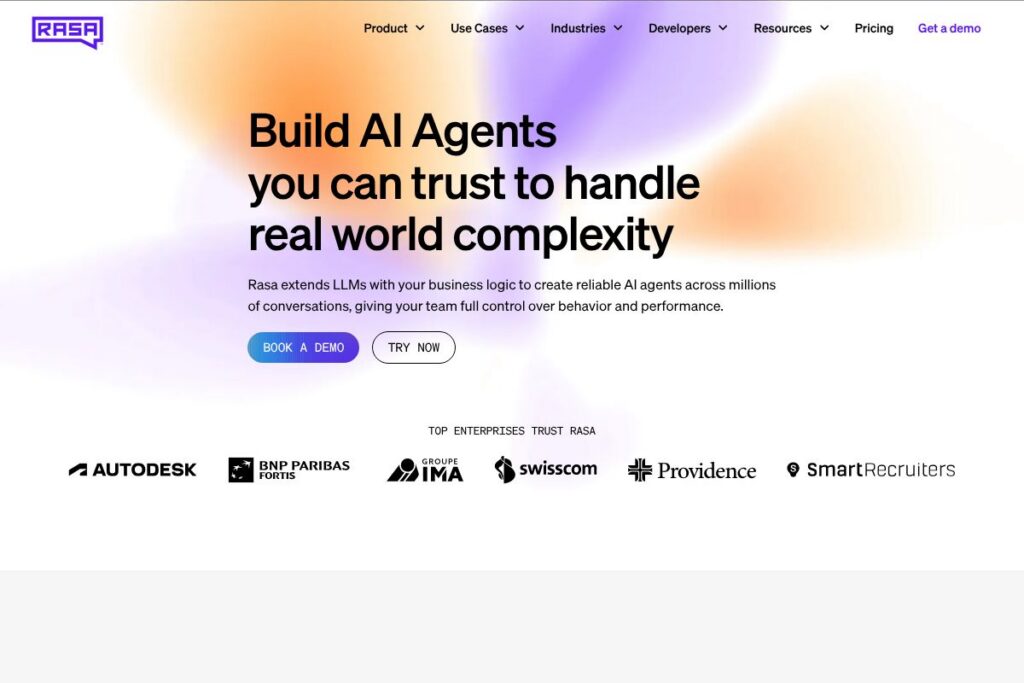
Rasa is an open-source conversational AI framework focused on building production-grade assistants that teams can operate on their own infrastructure. The project centers on two core libraries, one for natural language understanding and one for dialogue management, plus a companion tooling layer for annotation, testing, and deployment that supports enterprise workflows.
Compared with cloud-hosted assistants such as Dialogflow and IBM Watson Assistant, Rasa prioritizes control over data, deployment flexibility, and the ability to extend behavior with custom code. Against frameworks like Microsoft Bot Framework, Rasa emphasizes machine-learning driven dialogue policies and an opinionated project structure that accelerates iteration for developers and data scientists.
All of this makes Rasa especially well suited for teams that need high-trust assistants in regulated or privacy-sensitive environments, or for organizations that require heavy customization of conversation logic and integrations. It is used by engineering teams, ML teams, and product groups who want full control of the assistant’s lifecycle from training to production.
How Rasa Works
Rasa separates the conversational stack into discrete, testable layers. NLU pipelines parse user messages into intents and entities, while the dialogue management component uses training data of stories and rules to learn when to trigger replies, actions, or custom business logic.
Developers train models locally or in CI, then deploy them behind REST or socket endpoints that connect to channels like Slack, Microsoft Teams, Twilio, or custom web clients. For runtime behavior, custom actions run application logic and can call external APIs or databases, keeping sensitive logic inside your infrastructure.
Rasa X is the companion tool for annotation, conversation review, and model iteration. Teams use Rasa X to label conversations, test variations of training data, and push validated models to production. The Rasa documentation documents pipelines, connectors, and deployment options in detail.
Rasa features
Rasa groups core capabilities around NLU, dialogue management, extensibility, and tools for operating assistants at scale. Recent platform work focuses on improved developer tooling for annotation, CI-friendly model training, and integrations for voice and IVR channels.
Let’s talk Rasa’s Features
Natural Language Understanding (NLU)
Rasa’s NLU layer supports configurable pipelines for tokenization, featurizers, and classifiers so you can tune intent and entity extraction to your data and languages. Pipelines can include transformer-based components or lighter-weight approaches depending on latency and accuracy needs, helping teams balance performance against resource constraints.
Dialogue Management
The dialogue engine learns stateful conversation flows from stories and explicit rules, combining machine learning policies with deterministic rule handling to avoid regressions. This hybrid approach lets teams model predictable flows while allowing the policy to generalize across variations in user input.
Custom Actions and SDK
Custom actions let your assistant run business logic, query databases, or call third-party APIs during a conversation. The lightweight actions server pattern keeps secrets and integrations on your side and makes it straightforward to implement transactional behavior and backend lookups.
Rasa X (annotation and lifecycle tooling)
Rasa X provides a UI for conversation inspection, labeling, and iterative improvement of training data, and it supports staging and promotion of models from experiment to production. The tool is designed to close the loop between human review and model retraining, simplifying continuous improvement workflows.
Connectors and Channel Support
Rasa includes built-in connectors for common messaging platforms and telephony layers, and you can implement custom connectors for proprietary channels. This makes it possible to run the same assistant across web chat, mobile apps, Slack, Teams, Twilio SMS and voice, or embedded widget clients.
Enterprise Deployment and Security
Rasa offers deployment options for on-premise and private-cloud environments with enterprise features such as role-based access, audit logging, and supportability workflows. These features help organizations meet compliance requirements and integrate assistants into secure production systems.
Voice and IVR Capabilities
While Rasa focuses on text-first conversation, it supports voice workflows through telephony connectors and media gateways, enabling IVR systems that combine ASR, NLU, and conversational logic. This lets contact centers and service desks replace rigid tree menus with more natural, intent-driven interactions.
With these capabilities, Rasa gives teams the flexibility to build assistants that match their architecture, security posture, and integration requirements. The biggest practical benefit is control: you can inspect, modify, and extend every part of the stack while keeping all production data under your policies.
Rasa pricing
Rasa uses a two-part approach to commercial distribution: a free, open-source core framework and commercial offerings for enterprise needs that are priced via custom contracts. The open-source components are suitable for development and many production scenarios, while enterprise products add operational tooling and support tailored to large deployments.
Open source
Rasa Open Source is available under a permissive license and can be self-hosted at no software cost; users can access the source code, contribute, and run the core NLU and dialogue components on their infrastructure. For development, check the Rasa on GitHub repository and the Rasa documentation for installation and setup guidance.
Enterprise and managed options
Rasa Enterprise and managed services use custom pricing depending on deployment scale, support level, and feature set. Enterprise plans commonly include hosted Rasa X, SLA-backed support, security reviews, and professional services for integration and training. For details and to discuss requirements, review Rasa’s enterprise solutions and contact their sales team.
What is Rasa Used For?
Rasa is frequently used to build customer service chatbots that route requests, resolve common inquiries, and escalate to human agents when needed. Organizations deploy Rasa assistants on websites, mobile apps, and contact center channels to automate repetitive tasks while retaining control over data and escalation rules.
Beyond external support, Rasa is used for internal productivity assistants, order processing flows, and IVR replacements that need custom business logic. It is especially common in finance, healthcare, and regulated industries where on-premise deployment and data governance are essential.
Pros and Cons of Rasa
Pros
- Open-source core: The framework is free to use and modify, enabling teams to experiment without license constraints and to host systems under their own compliance regimes.
- Full control over data and deployment: You can run models on-premise or in private clouds, which supports strict privacy, security, and compliance requirements.
- Extensible and programmable: Custom actions, connectors, and a flexible NLU pipeline let engineering teams implement domain-specific behavior and integrate with legacy systems.
- Strong tooling for iteration: Rasa X and the developer ecosystem make it easier to label conversations, test models, and iterate on training data in production workflows.
Cons
- Requires engineering resources: Implementing a Rasa assistant typically needs software engineering and ML expertise, which raises the initial implementation cost compared to some low-code cloud assistants.
- Operational responsibility: Running models in production means teams are responsible for monitoring, scaling, and securing the infrastructure, rather than offloading that to a cloud vendor.
- Learning curve for policies and pipelines: Tuning NLU pipelines and dialogue policies for complex interactions can take time, especially for teams new to ML-driven conversation design.
Does Rasa Offer a Free Trial?
Rasa is free and open-source. The core Rasa framework can be downloaded and run locally or on your infrastructure at no cost, and Rasa X is available for local use to annotate and iterate on conversations. Enterprise features and hosted offerings are available under commercial agreements and typically include options to evaluate the platform in a trial or proof-of-concept with Rasa’s sales and professional services teams.
Rasa API and Integrations
Rasa exposes REST endpoints and a well-documented HTTP API for sending messages, fetching model predictions, and invoking custom actions, and the Rasa documentation provides the API reference and examples. The platform integrates with common services such as Slack, Microsoft Teams, Twilio, Zendesk, and CRM systems via connectors or custom adapters.
For voice and telephony, connectors to Twilio and other media gateways let teams build IVR and call-handling flows while keeping NLU and dialogue logic inside Rasa. Developers can extend behavior through the actions server and SDK to connect to databases, backend services, and analytics platforms.
10 Rasa alternatives
Paid alternatives to Rasa
- Dialogflow — Google’s cloud conversational platform with managed NLU, prebuilt agents, and usage-based pricing suitable for teams that prefer a fully managed service. See Dialogflow pricing for details.
- IBM Watson Assistant — Enterprise-focused chatbot platform with visual dialog tools and integration with Watson Discovery for knowledge-driven responses.
- Amazon Lex — AWS-native conversational interface that integrates tightly with AWS services and uses speech recognition and NLU managed by Amazon.
- Microsoft Bot Framework — A comprehensive SDK and Azure Bot Service for building, testing, and deploying bots with cloud-managed options for scale and monitoring.
- LivePerson — A commercial conversational platform designed for enterprise messaging and contact center automation with omnichannel routing and analytics.
- Genesys Cloud CX — Contact-center-first conversational automation that combines voice, messaging, and routing suited for large contact centers.
- Zendesk Answer Bot — An out-of-the-box support bot focused on knowledge-base driven automation and tight integration with Zendesk Support.
Open source alternatives to Rasa
- Botpress — An on-premise, modular conversational platform with a flow-based visual builder and extensible NLU components.
- DeepPavlov — A set of open-source libraries for building conversational systems and dialog managers with a focus on research-ready components.
- OpenDialog — A conversational design platform centered on declarative conversation modeling and orchestration for complex interactions.
- ChatterBot — A Python library that generates responses based on conversation training data, useful for prototypes and educational projects.
Frequently asked questions about Rasa
What is Rasa used for?
Rasa is used to build conversational AI agents and virtual assistants. It is commonly applied to customer support bots, IVR replacements, internal assistants, and custom workflows that require on-premise deployment or tight integration with backend systems.
Does Rasa provide a hosted cloud option?
Rasa offers enterprise and managed hosting options under commercial agreements. The open-source core remains available for self-hosting, while hosted and supported deployments are available through Rasa’s enterprise programs.
Can Rasa integrate with telephony systems like Twilio?
Yes, Rasa can integrate with telephony platforms including Twilio. Connectors and media gateway integrations enable IVR and voice workflows that combine ASR, NLU, and dialogue management.
Is Rasa suitable for regulated industries?
Yes, Rasa is commonly used in regulated environments. Its ability to run on-premise or in private clouds and support for fine-grained access controls makes it appropriate for finance, healthcare, and other compliance-sensitive use cases.
Does Rasa have an API for developers?
Yes, Rasa exposes REST-based APIs for messaging and model interactions. The Rasa documentation contains API references, examples for connectors, and guidance for building custom action servers.
Final verdict: Rasa
Rasa excels when teams need full control over their conversational AI stack, including data residency, extensibility, and deep integration with backend systems. Its open-source core and tooling like Rasa X enable iterative development cycles while keeping production systems under the customer’s operational policies.
Compared with a managed, cloud-native competitor such as Dialogflow, Rasa offers stronger options for on-premise deployment and customization, while Dialogflow provides a managed experience with usage-based pricing tied to Google Cloud. That contrast makes Rasa a better fit for organizations that prioritize control and customization, and Dialogflow more suitable for teams that prefer an out-of-the-box managed service with predictable operational overhead.
Overall, Rasa is a powerful choice for engineering-led teams building high-trust assistants in production environments, especially where data governance, customization, and integration are top priorities. For implementation guidance and platform details, consult the Rasa documentation and the Rasa on GitHub.