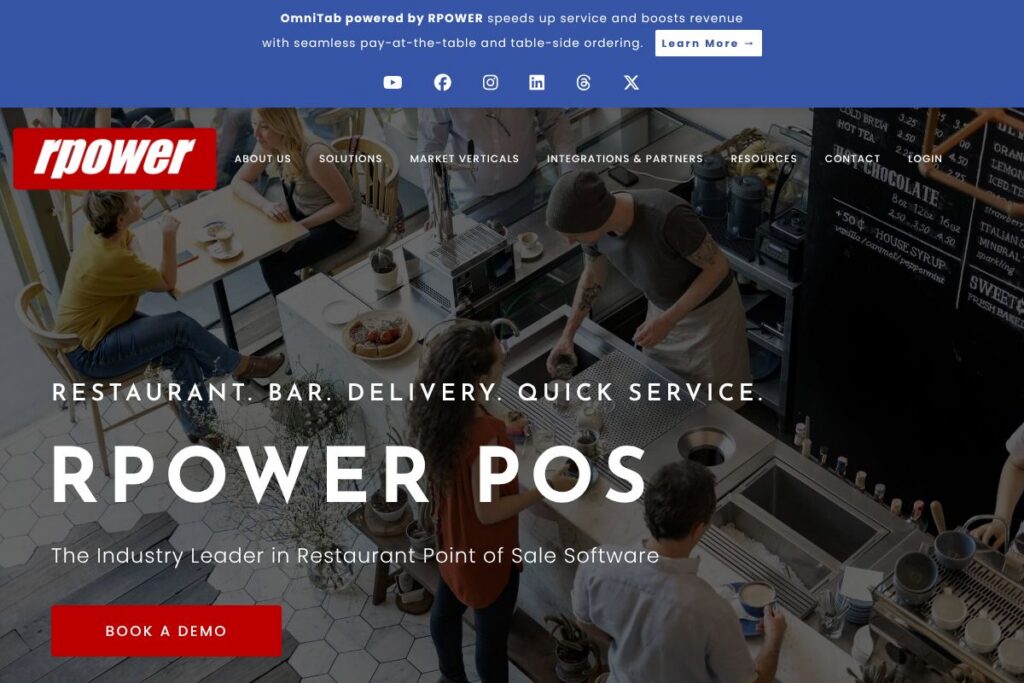
RPOWER POS: An Overview
RPOWER POS is a restaurant-focused point of sale platform from RPOWER Holdings Inc. It targets full-service restaurants, quick service outlets, bars, and nightclubs, combining hybrid cloud and local installations so venues continue to operate during network outages while still syncing data centrally for reporting.
Compared with competitors, RPOWER POS emphasizes hybrid deployment and a large integration ecosystem. Unlike Square, which is known for its simple cloud-first approach and bundled hardware, RPOWER POS supports local processing options that reduce downtime risk for high-volume restaurants. Compared with Toast, which promotes an all-in-one cloud restaurant platform, RPOWER POS positions itself around flexibility and integrations, while Lightspeed focuses on retail and hospitality verticals with cloud-native management tools.
RPOWER POS performs strongly as a customizable POS for multi-site operations that need offline resilience, deep integrations, and specialized restaurant workflows. This makes it a practical choice for operations that want table service features, robust quick service workflows, integrated delivery and loyalty, and the ability to connect to existing back-office systems.
How RPOWER POS Works
RPOWER POS installs either as a hybrid cloud/local system or as a cloud-connected configuration depending on site requirements. Local terminals handle transaction processing and peripheral control, while the cloud sync layer centralizes sales, labor, and menu data for reporting and remote management.
Daily operations use role-based terminals and graphical table displays for table service, fast front-of-house screens for quick service, and dedicated bar or kiosk modes for nightlife venues. Integrations with online ordering marketplaces and kitchen display systems route orders directly to kitchen screens, while the reporting suite aggregates data across locations for comparisons and forecasting.
What does RPOWER POS do?
RPOWER POS organizes restaurant operations around order entry, payments, back-office reporting, and integrations. Core capabilities include contactless and EMV payments, graphical table layouts, delivery dispatch, kitchen display compatibility, and a centralized analytics dashboard that filters and exports sales and labor reports.
Let’s talk RPOWER POS’s Features
Hybrid cloud and local deployment
The platform runs locally on terminals with optional cloud synchronization so restaurants can process sales during internet outages and sync data when connectivity returns. This reduces downtime risk and preserves transactional integrity for high-volume sites.
Real-time analytics and reporting
RPOWER provides a reporting suite that delivers a 360-degree view of sales and labor with filtering, export, and comparison tools to identify trends and estimate future sales. Managers can run location comparisons and export data for payroll or accounting systems.
Contactless and EMV payments
The system supports tap-to-pay, QR code payments, and mobile wallets in addition to EMV at the table or at the door, allowing staff to take payments where the customer prefers. Payment processing integrates with standard processors and supports secure card handling.
Extensive integrations ecosystem
RPOWER integrates with more than 100 third-party partners covering online ordering, loyalty, inventory, accounting, and kitchen systems to extend functionality without replacing existing services. The integrations let you connect services such as third-party delivery marketplaces and loyalty platforms to the POS.
Table service workflows
Graphical table displays, menu coursing, split checks, hold/fire ordering, and automatic gratuity rules support complex front-of-house workflows for full-service restaurants. The interface is designed to reduce ordering errors and speed service at peak times.
Quick service features
Built-in online ordering connectors, customer-facing displays, integrated scales and barcode readers, and digital menu board support streamline counter and drive-through operations. These features help reduce line times and integrate orders from marketplace partners directly into the kitchen.
Bar and nightclub capabilities
Drawer compulsion, spotter displays, multiple-check printing, beverage enforcement, open tabs, and profit-center settings for day and time let bars and nightclubs manage fast-paced environments and liquor controls. Shift handoffs and spotter workflows reduce theft risk and ease reconciliation.
Delivery and pickup management
Delivery dispatcher tools, caller ID support, last-order recall, multiple online ordering integrations, and configurable tax rates for dine-in versus takeout simplify multi-channel order flow. Integrated gift and loyalty options support contactless, no-signature transactions for pickup and delivery.
Hardware compatibility and peripherals
RPOWER supports kitchen video display systems, digital menu boards, barcode scanners, scales, customer-facing displays, and standard receipt printers so restaurants can choose the right hardware per operation type. Local deployment ensures peripherals remain functional even if internet connectivity is interrupted.
RPOWER POS’s biggest benefit is flexibility: the combined hybrid architecture, extensive integrations, and feature set let restaurants tailor POS workflows to their niche while maintaining centralized reporting and control. This makes it useful for multi-location operators, franchise groups, and venues that need both resilience and a rich feature set.
RPOWER POS Pricing
RPOWER POS uses a custom enterprise pricing model tailored to business size, deployment model, and integration needs, rather than public fixed subscription tiers. For most customers pricing is determined by factors such as number of terminals, hardware packages, payment processing choices, and the scope of integrations.
For current pricing details or to request a custom quote, visit the RPOWER POS contact options and reseller network to request a proposal and hardware bundle information. If you are evaluating total cost of ownership consider hardware, payment processing fees, installation, and optional managed services when comparing vendors.
What is RPOWER POS Used For?
RPOWER POS is used to manage point of sale transactions, staff workflows, and back-office reporting for sit-down restaurants, quick service locations, bars, and delivery-centric kitchens. It is particularly useful where local transaction continuity is important, or where restaurants rely on specialized hardware or third-party services.
Typical users include multi-site restaurant operators, franchise groups, independent restaurants with complex table layouts, bars with open-tab workflows, and operations that need delivery dispatch and marketplace integrations. The system suits venues that want central reporting across locations while keeping each site operational during connectivity issues.
Pros and Cons of RPOWER POS
Pros
- Hybrid deployment options: The platform supports local processing with cloud sync for centralized reporting, which reduces downtime risk during internet outages and keeps registers running.
- Extensive integration ecosystem: More than 100 integration partners let restaurants tie the POS into online ordering, loyalty, accounting, and kitchen systems without replacing existing services.
- Feature depth across venue types: Table service, quick service, bar/nightclub, and delivery features are all available, reducing the need for multiple systems across formats.
Cons
- Custom pricing model: Enterprise-style pricing requires direct contact for a quote, which makes quick price comparisons with cloud-first vendors more difficult for smaller operators.
- Implementation complexity: The broad feature set and integration options can require longer setup and professional services for configuration, especially for multi-site rollouts.
Does RPOWER POS Offer a Free Trial?
RPOWER POS does not publish a free plan or a public free trial. Prospective customers typically request demos or contact sales for a tailored trial or pilot program; reach out through RPOWER POS’s reseller network or contact channels to arrange an evaluation and hardware quote.
RPOWER POS API and Integrations
RPOWER POS connects to a wide range of third-party systems including online ordering marketplaces, loyalty providers, kitchen display systems, and accounting software. The platform advertises more than 100 compatible integrations to let restaurants combine marketplace orders, loyalty, and hardware into a single workflow.
If you need developer-level automation or custom integrations, contact RPOWER POS to discuss API access and partner integration options; the vendor works with resellers and integration partners to configure data flows and connector setups.
10 RPOWER POS alternatives
Paid alternatives to RPOWER POS
- Toast — Cloud-forward restaurant POS with built-in payments, online ordering, and a strong app ecosystem geared toward U.S. restaurants.
- Square — Simple cloud POS and payments platform with easy onboarding and hardware options aimed at small to medium restaurants and food trucks.
- Lightspeed — Cloud POS with strong inventory controls and omnichannel features that serve restaurants and retail operations.
- Clover — Flexible POS hardware and app marketplace that supports a range of hospitality workflows with simple subscription options.
- TouchBistro — iPad-native restaurant POS focused on table service features and an intuitive front-of-house interface.
- Revel Systems — Enterprise-capable iPad POS with robust reporting and integration options for multi-site restaurants.
Open source alternatives to RPOWER POS
- Odoo POS — Part of the Odoo ERP suite, the POS module has a community edition that can be self-hosted and extended with Odoo’s broader business apps.
- uniCenta — Open source POS software that supports retail and hospitality workflows, suitable for self-hosting and customization.
- Floreant POS — Java-based open source restaurant POS with basic table and ticket management, useful for small operations and developers.
- Chromis POS — A fork of earlier open source POS projects, Chromis supports touch screens, kitchen printers, and basic restaurant workflows.
Frequently asked questions about RPOWER POS
What payment methods does RPOWER POS support?
RPOWER POS supports EMV, contactless tap-to-pay, mobile wallets, and QR payments. It also integrates with common payment processors to handle secure card payments at the table, counter, or door.
Does RPOWER POS integrate with online ordering marketplaces like Grubhub?
Yes, RPOWER POS offers integrations with multiple online ordering platforms. These connectors route marketplace orders into the POS and kitchen displays to streamline fulfillment.
Can RPOWER POS work when the internet is down?
Yes, RPOWER POS can operate locally during internet outages and sync data to the cloud when connectivity returns. The hybrid deployment model preserves transaction processing and peripheral operation on-site.
Is RPOWER POS suitable for multi-location chains?
Yes, RPOWER POS is designed for multi-site and franchise operations. Centralized reporting, location comparisons, and reseller-driven deployment make it appropriate for groups managing many restaurants.
Does RPOWER POS provide reporting on labor and sales?
Yes, RPOWER POS includes real-time sales and labor reporting with filtering, export, and comparison tools. Managers can use these reports to forecast staffing needs and analyze performance across shifts or locations.
Final Verdict: RPOWER POS
RPOWER POS is a practical choice for restaurants that need a resilient, flexible POS with strong front-of-house features and an extensive integrations ecosystem. Its hybrid cloud and local deployment model and large partner network make it especially suitable for multi-site operators, franchise groups, and venues that cannot tolerate downtime.
Compared with Toast, which provides a cloud-native, all-in-one restaurant platform with publicly documented tiers, RPOWER POS prefers a custom pricing and deployment approach that emphasizes local continuity and integration flexibility. If you need a highly customizable, integration-friendly POS with offline resilience, RPOWER POS is worth evaluating; if you prefer transparent subscription tiers and a fully cloud-first experience, platforms like Toast or Square may be easier to compare quickly.
For demos, reseller contacts, and to request a custom quote visit the RPOWER POS reseller and contact options to discuss deployment, hardware bundles, and integration requirements.