BigBlueButton: An Overview
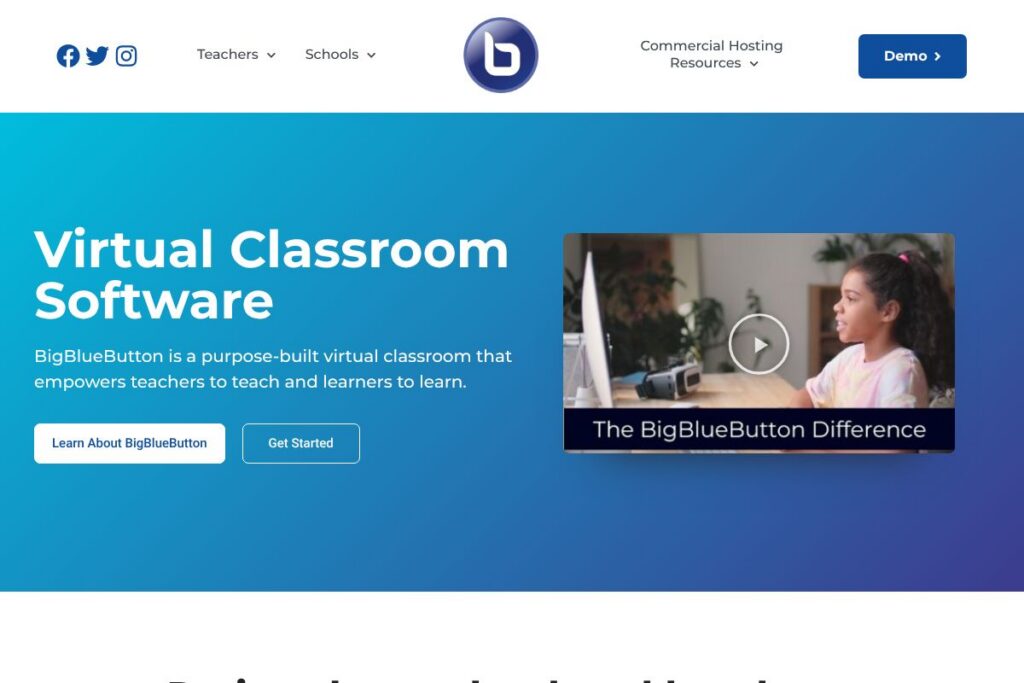
BigBlueButton is an open source virtual classroom system developed specifically for education. It combines real-time audio and video, multiuser whiteboards, breakout rooms, polling, shared notes, and document uploads to recreate classroom activities in a web browser with minimal friction.
Compared with general meeting platforms such as Zoom and Microsoft Teams, BigBlueButton focuses on pedagogical workflows rather than broad enterprise features. Compared with commercial education products like Adobe Connect, BigBlueButton is open source and integrates tightly with major learning management systems, which makes it easier for institutions to embed live classes within existing course structures.
All of this makes BigBlueButton particularly well suited for K-12, higher education, continuing education, and government training programs that need a classroom-first tool. It is a good fit for organizations that prefer a self-hosted or vendor-hosted open source option rather than a proprietary SaaS meeting platform.
How BigBlueButton Works
BigBlueButton runs as a web application that streams low-latency audio and video to browsers and mobile clients, using a media server to handle mixing and distribution. Teachers create sessions from an LMS or a standalone server, then use the classroom tools to present slides, annotate content, and manage student interaction during a live class.
Typical workflows include uploading presentation files before class, sharing a teacher webcam, splitting students into breakout rooms for group work, and collecting results from polls or quizzes. Sessions can be recorded for later viewing, and server-side analytics provide indicators of student participation and engagement.
What does BigBlueButton do?
BigBlueButton centers on classroom features that support instruction and assessment. Core capabilities include live audio and video, slide publishing with annotations, a multiuser whiteboard, breakout rooms for small-group work, polling for quick checks of understanding, and session recording. Recent additions emphasize analytics, AI-assisted slide features, and built-in visual assessment tools meant to help instructors gauge student learning in real time.
The platform also provides integration points used by LMS vendors so instructors can schedule and launch virtual classes directly from course pages. Because it is open source, institutions can customize the user interface, add language packs, or extend server-side features to match local requirements.
Live audio and video
Real-time audio and webcam video are streamed to participants with selectable quality options so instructors can balance bandwidth and clarity. This supports whole-class instruction, student presentations, and simultaneous webcams for social presence.
Multi-user whiteboard
The whiteboard allows multiple participants to draw, annotate slides, and add shapes and text, making it suitable for collaborative problem solving and teacher-led demonstrations. Instructors can grant whiteboard access to students for active learning exercises.
Breakout rooms
Breakout rooms let instructors split a session into smaller groups for discussion, group work, or peer review and then bring everyone back to the main room. Rooms can be created on the fly and monitored by instructors for targeted support.
Document upload and slide presentation
Teachers can upload PDFs, PowerPoint files, and images, which are converted into slides that students view in sync with the presenter. Slides support thumbnails, navigation controls, and annotations for guided instruction.
Polling and quick assessments
Polling provides single- and multiple-choice questions instructors can use during class to check comprehension or collect feedback. Poll results display instantly and can be used to inform next steps in the lesson.
Shared notes
Shared notes act as a collaborative notepad inside the session, enabling small groups or an entire class to co-author notes, instructions, or summaries in real time. Notes persist with the recording when enabled.
Multiuser whiteboard and annotation tools
Beyond single-user annotation, the multiuser whiteboard supports several learners editing the same canvas concurrently, which encourages brainstorming and collaborative problem solving. Tools include drawing, text, shapes, and an eraser for iterative work.
Screen sharing and screen control
Presenters can share their full screen or a specific window to walk through demonstrations, software tutorials, or live coding. Screen sharing works across operating systems and browsers with a simple permission flow.
Recording and playback
Sessions can be recorded server-side for students who missed class or for review. Recordings include audio, slides, annotations, chat, and presentations in a replayable format that preserves the classroom sequence.
Chat and private messages
Public and private chat channels let students ask questions without interrupting the lecture, and private messages provide a way for instructors to give targeted feedback during activities.
Webcam video and custom backgrounds
Participants can enable webcam streams with basic control over layout and custom backgrounds, improving instructor presence and allowing visual cues during live sessions.
Hand raise and reactions
Students can raise a virtual hand and use emojis to indicate understanding, request help, or react to content without disrupting flow. These lightweight signals assist classroom management and engagement monitoring.
With these capabilities, BigBlueButton emphasizes interactive teaching workflows so instructors can run live classes that resemble in-person lessons rather than generic meetings.
BigBlueButton pricing
BigBlueButton is distributed as open source software under a permissive license, so the core platform itself is free to download and self-host. Institutions can install and run BigBlueButton on their own servers without per-seat fees, which gives full control over deployment, data, and customization.
For organizations that prefer managed hosting or commercial support, vendors such as Blindside Networks offer hosted BigBlueButton services and customization packages. View the official project site for downloads and the hosted services from Blindside Networks for managed deployment options.
What is BigBlueButton Used For?
BigBlueButton is commonly used for synchronous online classes, virtual office hours, remote lab demos, and small-group tutorials where classroom interaction matters. Teachers use breakout rooms, shared notes, and polls to run active-learning sessions that mirror in-person pedagogy.
Institutions deploy BigBlueButton inside LMS environments to provide a seamless student experience; common scenarios include scheduled lectures launched from a course page, ad hoc review sessions, and recorded make-up classes for remote learners.
Pros and Cons of BigBlueButton
Pros
- Education-focused toolset: The platform includes classroom-specific features such as multiuser whiteboards, breakout rooms, polling, and shared notes that support instructional workflows rather than general meetings.
- Open source and customizable: Institutions can self-host and modify the codebase to meet privacy, localization, or feature requirements without vendor lock-in.
- LMS integrations: BigBlueButton integrates with major LMS platforms to allow scheduling, gradebook links, and single sign-on, keeping the virtual classroom inside established learning workflows.
- Low-cost hosting options: Because the software is free to run, organizations can choose lower-cost infrastructure or opt for managed hosting to control budgets and dependencies.
Cons
- Operational overhead for self-hosting: Running a production-grade BigBlueButton server requires system administration, media server tuning, and monitoring, which can be a barrier for smaller organizations.
- Feature parity with commercial platforms: Some enterprise meeting features such as large-scale webinar tools, advanced analytics dashboards, and native integrations with enterprise identity providers may be less polished than in paid platforms.
- Scaling complexity: Supporting very large concurrent sessions or high numbers of simultaneous webcams often requires additional media servers and infrastructure planning.
Does BigBlueButton Offer a Free Trial?
BigBlueButton is free and open-source. You can download and run the server on your own infrastructure at no license cost, or evaluate managed hosting and support from providers listed on the official project site and from commercial vendors such as Blindside Networks.
BigBlueButton API and Integrations
BigBlueButton provides developer APIs and a well-documented integration surface designed for LMS platforms and third-party tooling. The BigBlueButton documentation describes session creation, recording retrieval, meeting management, and client integration endpoints.
Common integrations include Canvas, Moodle, Sakai, D2L, Jenzabar, and Schoology, allowing instructors to create and launch virtual classes directly from course pages using single sign-on and automated scheduling. See the LMS integration guide for implementation details.
10 BigBlueButton alternatives
Paid alternatives to BigBlueButton
- Zoom — Widely used general-purpose video conferencing with webinar and classroom features, and paid tiers for larger audiences and advanced security.
- Microsoft Teams — Integrated collaboration and meeting platform that ties into Microsoft 365, with enterprise management, chat, and content storage features.
- Adobe Connect — A feature-rich virtual classroom system with detailed breakout and layout controls designed for instructor-led training and compliance programs.
- Webex — Cisco’s meeting platform offering robust security, webinar capabilities, and integrations tailored to enterprise IT.
- BigMarker — Webinar and virtual events platform designed for marketing and large-scale online events, with registration and monetization features.
Open source alternatives to BigBlueButton
- Jitsi Meet — A free, open source video conferencing solution that is easy to deploy, supports screen sharing, and offers a range of community extensions.
- Nextcloud Talk — Part of Nextcloud’s collaboration suite, offering self-hosted audio/video calls and integrations with file sharing and groupware features.
- OpenMeetings — An Apache open source project that provides web conferencing, whiteboard, and document sharing, suitable for smaller deployments.
Frequently asked questions about BigBlueButton
What is BigBlueButton used for?
BigBlueButton is used for live online teaching and virtual classroom sessions. Educators run lectures, group activities, assessments, and recorded classes with features designed for pedagogy.
Does BigBlueButton integrate with popular LMS systems?
Yes, BigBlueButton integrates with major LMSs such as Canvas, Moodle, and D2L. Integration enables scheduling, launching sessions from courses, and storing recordings alongside course materials.
Can I self-host BigBlueButton for my institution?
Yes, BigBlueButton can be self-hosted on your own servers. The project offers installation guides and system requirements in its documentation to help with setup and scaling.
Is BigBlueButton free to use for schools?
The BigBlueButton software is free and open-source. Schools can run it without licensing fees, though they may choose paid hosting or commercial support for operational convenience.
How does BigBlueButton handle recordings and analytics?
Recordings are stored server-side and include audio, slides, chat, and annotations. Server analytics provide participation metrics and engagement indicators that instructors can use to monitor student activity.
Final verdict: BigBlueButton
BigBlueButton excels as a purpose-built virtual classroom that aligns features to instructional needs rather than general meetings. Its multiuser whiteboard, breakout room workflow, polling, and LMS integrations make it effective for educators who want classroom-specific controls and the option to self-host to meet data and customization requirements.
Compared with Zoom, BigBlueButton offers stronger classroom-focused tools out of the box and the advantage of open source licensing. Zoom provides broader enterprise features and a familiar consumer-grade experience, often under subscription pricing, while BigBlueButton gives institutions a free core platform with optional paid hosting, making it a compelling choice when control, customization, and LMS integration are priorities.